11 Setups
324
Setups
11
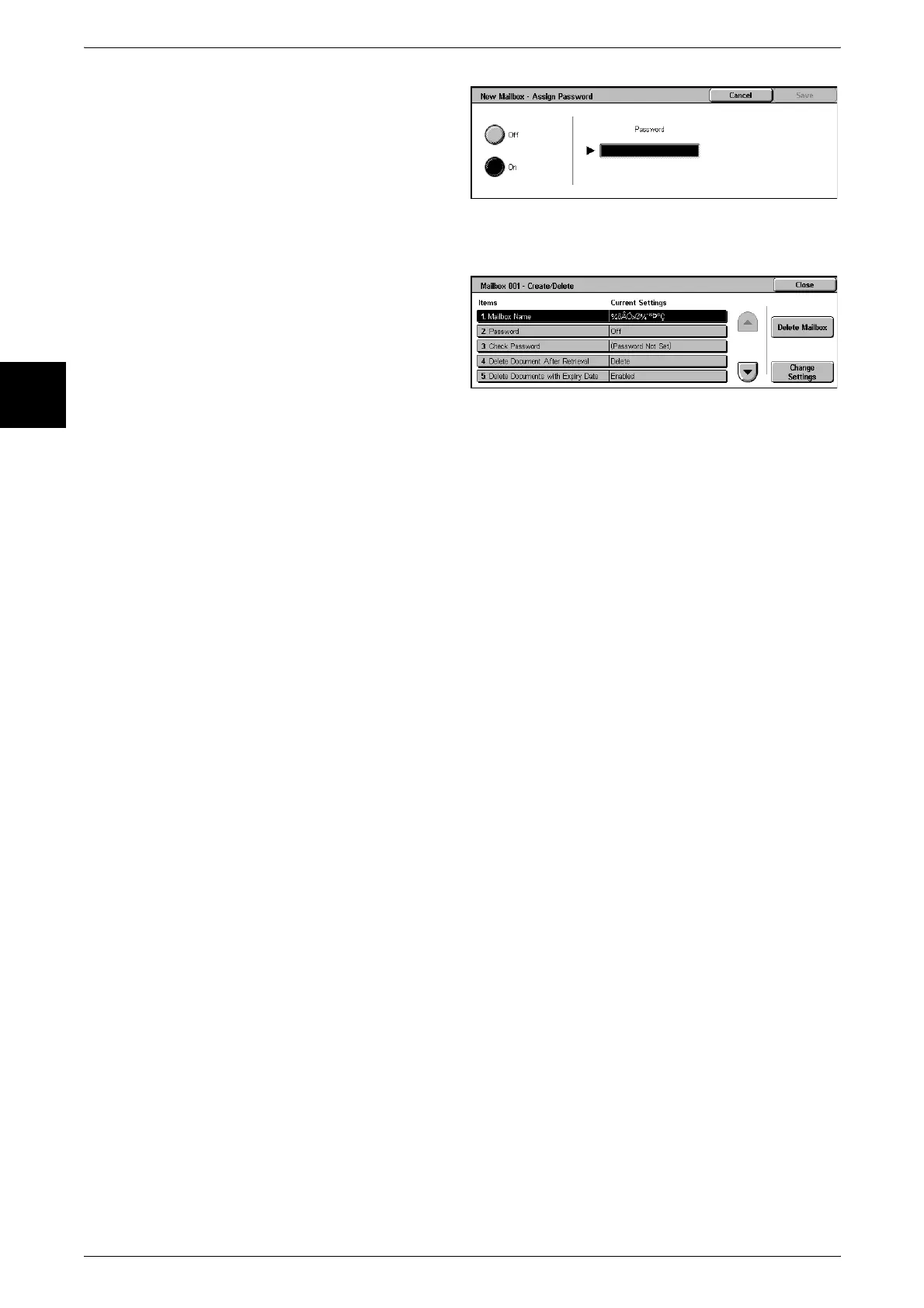
3 When creating a new mailbox, a
password setting screen appears.
z
If not setting a password
1) Select [Off], and select [Save].
z
When setting a password
1) Select [On], and enter the password.
2) Select [Save].
4 Select the item to be set, and
select [Change Settings].
5 Select the setting value.
6 Select [Save].
Mailbox Name
Set the mailbox name.
Using the displayed keyboard and the numeric keypad, you can enter up to 20
characters.
For information about entering text, refer to "Entering Text" (P.252).
Password
Set the mailbox password. You can enter up to 20 numeric digits (0 to 9). The password
setting is optional.
Check Password
To restrict access to specified users only, you can set a password. When the password
is set, it is necessary to enter the password each time a mailbox reading or writing
operation is carried out.
Save (Write)
When a mailbox is selected, password input is required.
Print/Delete (Read)
When a document in a mailbox is printed or deleted, password input is required.
Always
For both of the two above operations, password input is required.
Delete Documents After Retrieval
When a document stored in a mailbox is printed, or is retrieved by an external action,
set whether the document should be deleted.
Save
The document is left stored.
Delete
After the document is printed, or is retrieved by an external action, it is automatically
deleted.












 To Next Page