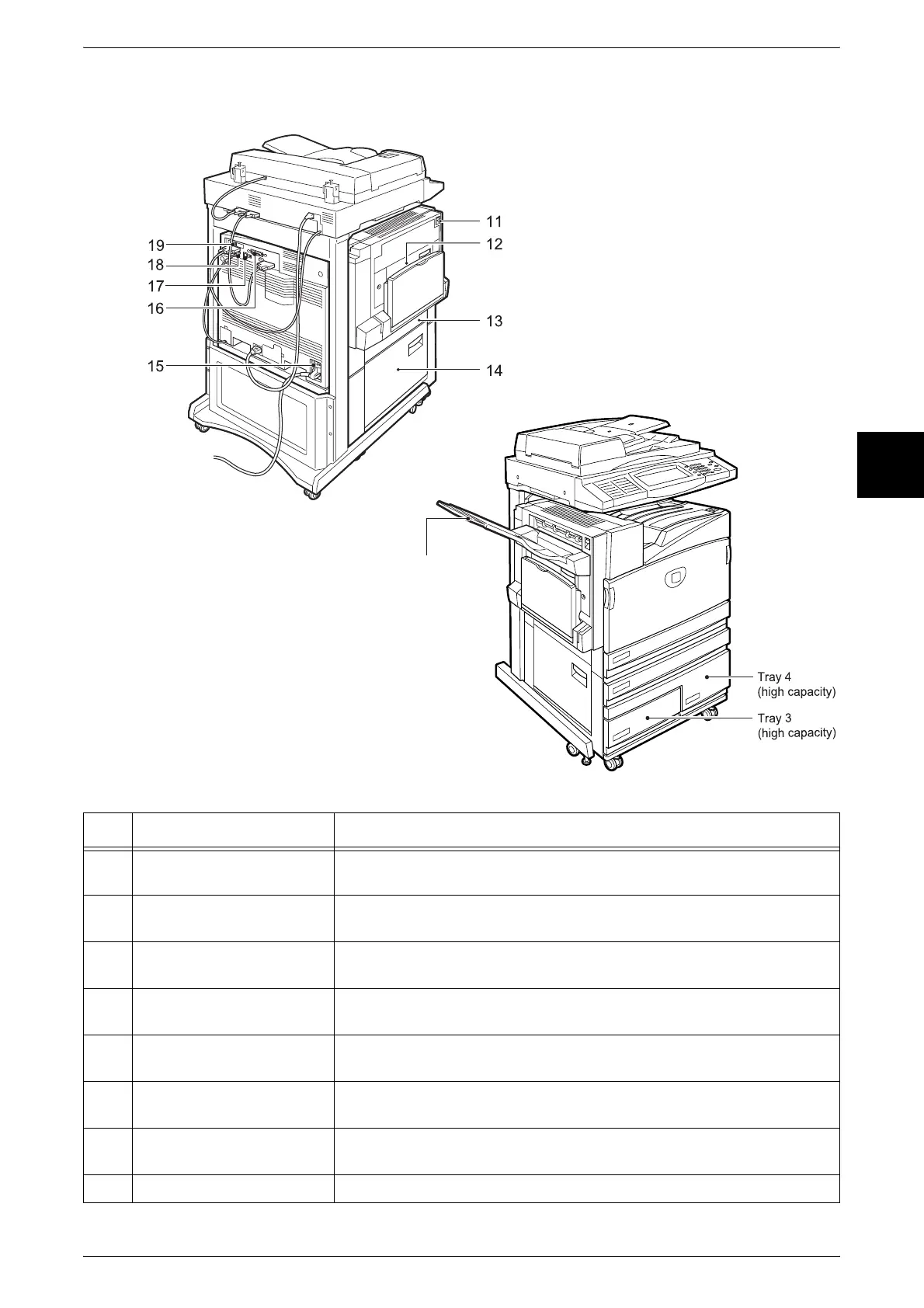
Machine Components
31
Product Overview
2
No. Component Function
11 Top left cover Push up the unlock lever to access the insides of the machine to clear
paper jams and replace consumables.
12 Duplex module cover Open this cover to access the insides of the machine to clear paper
jams when the duplex module is installed.
13 Left center cover Open this cover to access the insides of the machine to clear paper
jams.
14 Bottom left cover Open this cover to access the insides of the machine to clear paper
jams.
15 RESET button This button automatically turns the machine off when a current leakage
is detected.
16 Parallel interface connector Use this interface to connect to a computer using a centronics standard
interface cable.
17 10Base-T/100Base-TX
connector
Use to connect a network cable.
18 Fax interface connector Use this interface to connect to the fax kit
20
Left Side and Back
Tandem Tray Model + Side Output Tray
*
The tandem tray model is available for the Document Centre C450 only.












 To Next Page