Billing Meter/Print Report
377
Machine Status
13
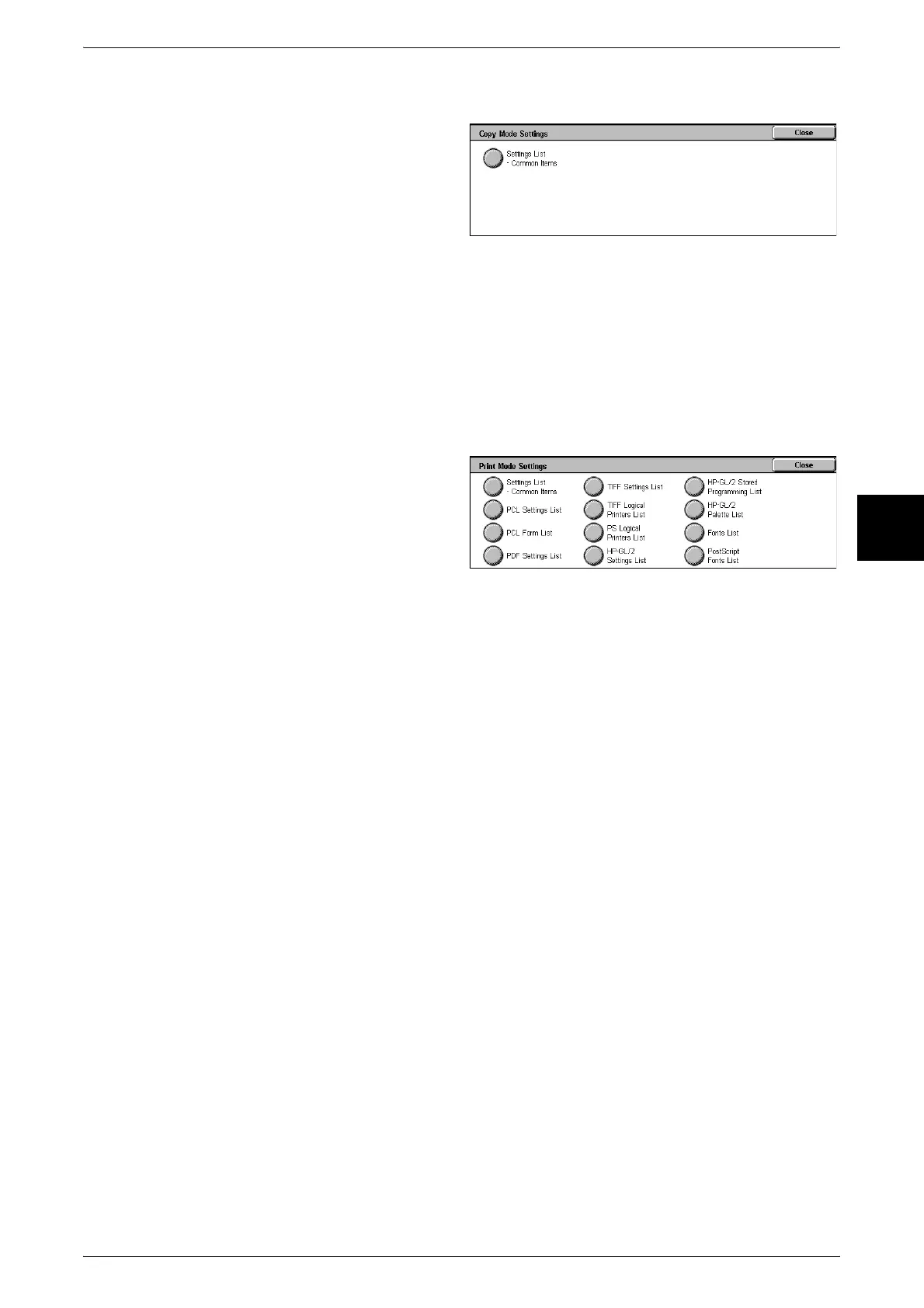
Copy Mode Settings
1 Select [Copy Mode Settings].
2 Select [Settings List - Common
Items].
3 Press the <Start> button.
Settings List - Common Items
You can check the hardware configuration of the machine, and network information,
and the print feature and copy feature setting status.
Note • The same content is printed for the [Settings List] regardless of whether you print from [Copy
Mode Settings], [Print Mode Settings], [Scan Mode Settings], or [Fax Mode Settings].
Print Mode Settings
1 Select [Print Mode Settings].
2 Select the report/list to be printed.
3 Press the <Start> button.
Note • The items displayed depend
on the options that are
installed.
Settings List - Common Items
You can check the hardware configuration of the machine, network information, and
the print feature and copy feature setting status.
Note • The same content is printed for the [Settings List] regardless of whether you print from [Copy
Mode Settings], [Print Mode Settings], [Scan Mode Settings], or [Fax Mode Settings].
PCL Settings List
This prints settings for PCL virtual printers.
PCL Form List
This prints a list of forms registered for use with PCL.
PDF Settings List
This prints the various settings in PDF printer mode.
TIFF Settings List
This prints the various settings in TIFF printer mode.
TIFF Logical Printers List
This prints a list of the logical printers created in TIFF printer mode. You can check the
settings for the stored logical printers numbered 1 to 20.
Fonts List
This prints a list of the fonts that can be used in the machine.
PS Logical Printers List
This prints a list of the logical printers created in PostScript.


 To Next Page