15 Maintenance
420
Maintenance
15
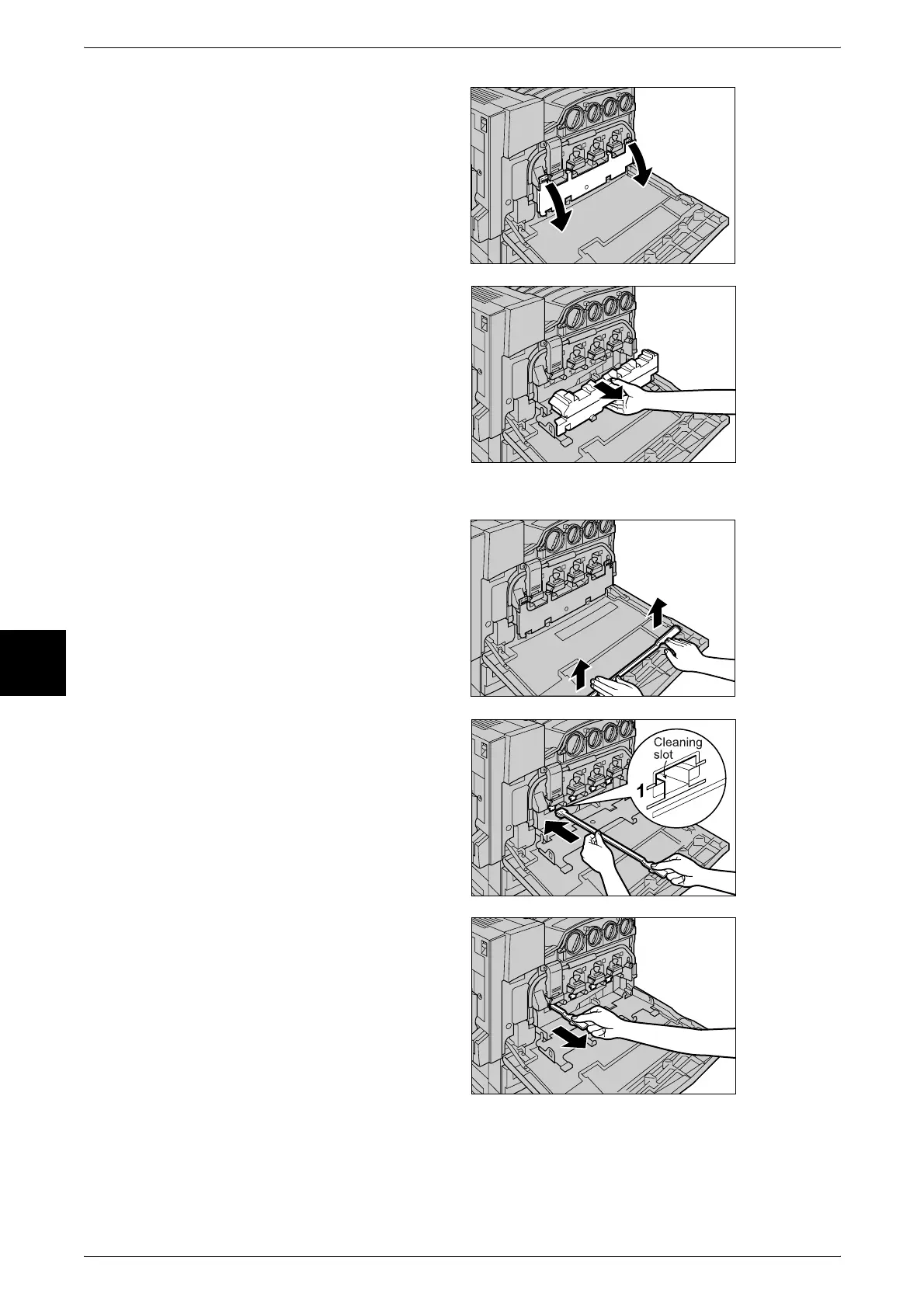
2 Open the black cover (B) at the
front of the machine by pulling the
left and right orange tabs
downward.
3 Hold the center section of the
waste toner container and pull the
container out until it comes to a
stop.
Note • To prevent the waste toner
container from tilting and
spilling toner, place the
container in another location
away from the machine. Lay
paper on the floor and place
the waste toner container on
top of that paper.
4 Remove the cleaning rod from the
inside of the front door.
5 Gently insert the cleaning rod into
each of the cleaning slots D1 to D4
(square holes) with the pad facing
down.
6 When the cleaning rod is inserted
as far as it will go, gently pull it out
towards you.
Note • Clean each of the four holes.
• It is almost impossible to see
dirt on the pad.












 To Next Page