16 Problem Solving
480
Problem Solving
16
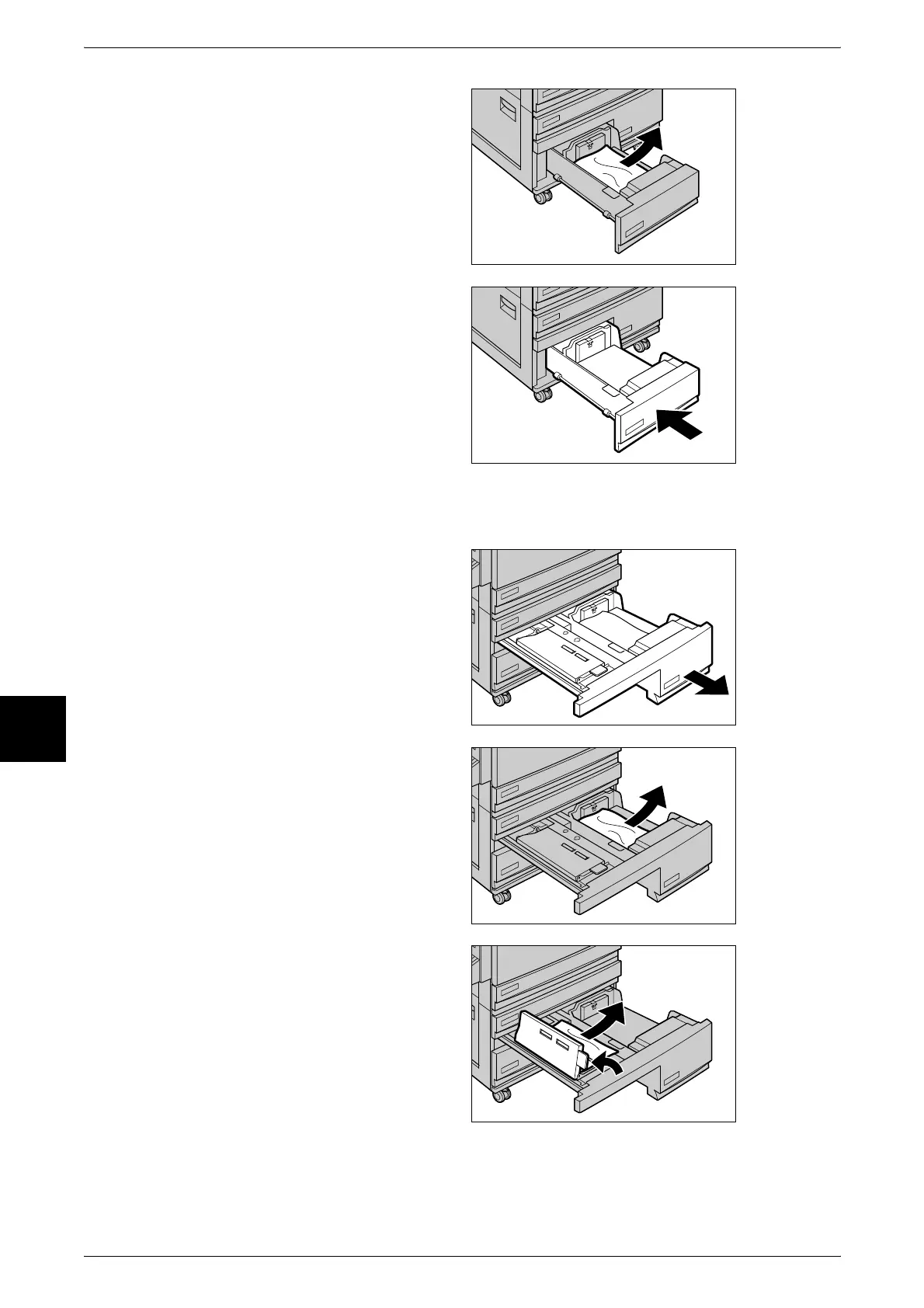
2 Remove the jammed paper.
Note • If paper is torn, check for any
torn pieces of paper inside the
machine.
3 Push the tray in gently until it
comes to a stop.
Paper Jams in Tray 4 (High Capacity)
1 Pull out Tray 4 (high capacity).
Important • Paper is sometimes torn and
remains inside the machine if
you draw out a tray without
checking the paper jam
position. This may cause
machine malfunction. Check
where the paper jam occurred
before remedying the
problem.
2 Remove the jammed paper.
Note • If paper is torn, check for any
torn pieces of paper inside the
machine.
3 If paper is jammed in the paper
feed section, open the inner cover
and remove the paper.












 To Next Page