Stapler Faults
489
Problem Solving
16
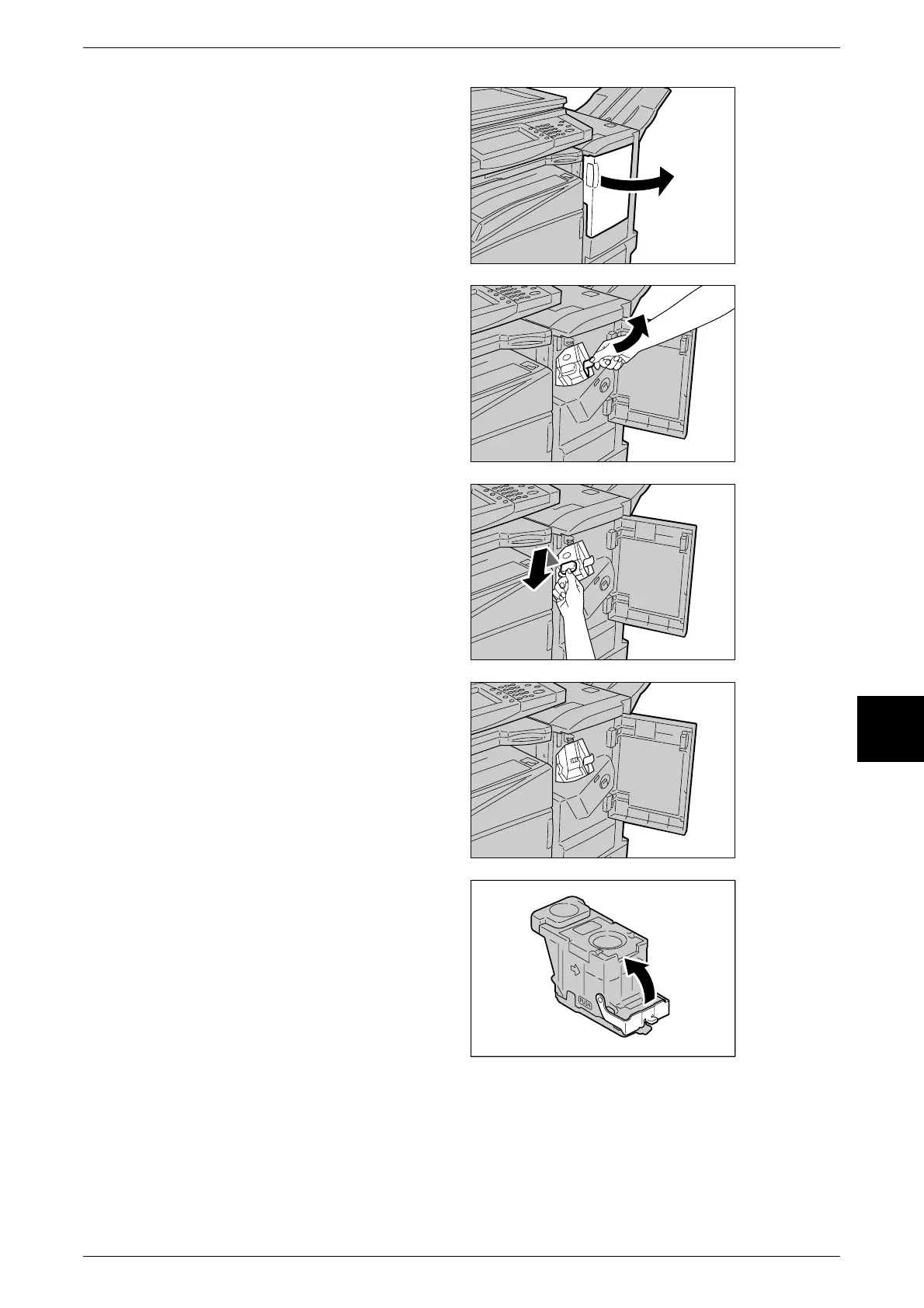
1 Make sure that the machine has
stopped, and then open the front
cover on the light finisher.
2 Hold the staple cartridge by its
lever as shown in the figure on the
right, and draw out the staple
cartridge to the right towards you.
3 Lift up to remove the staple
cartridge.
4 After removing the staple cartridge,
check the inside of the finisher for
any remaining staples.
5 Pull up the lever on the front of the
staple cartridge.












 To Next Page