Basic Copying
53
Copy
3
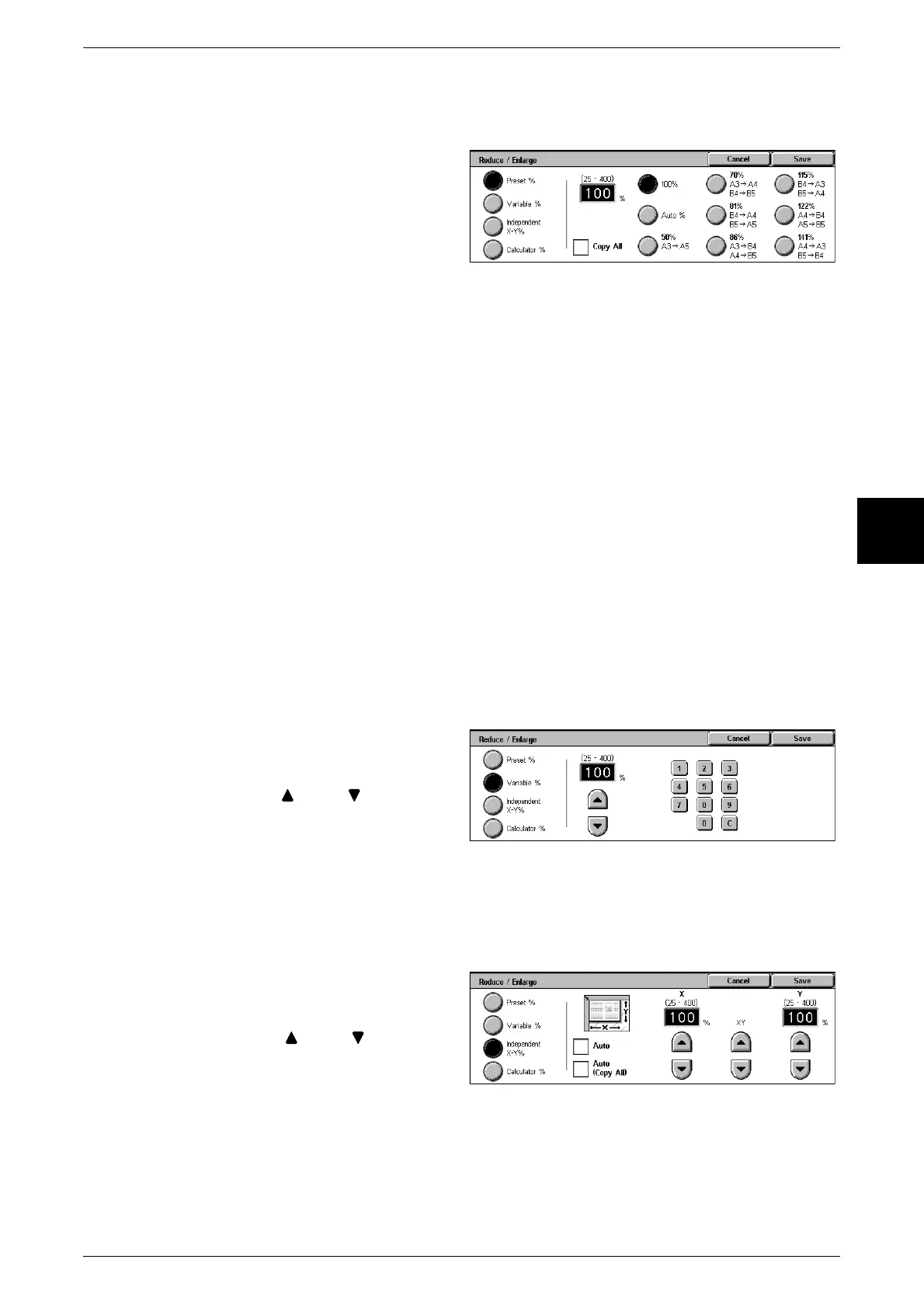
When [Preset %] is Selected
You can select from preset standard copy ratios.
1 Select [Preset %].
2 Select the copy ratio.
100%
Copies are made at the same size as the original.
Auto%
The copy ratio is automatically set based upon the original size and paper sizes, and
the document is copied to fit in the selected paper.
Note • If you select [Auto%], specify a value other than [Auto] for [Paper Supply].
Presets (Seven Types)
Select from seven preset copy ratios.
You can change the indicated ratios. For information about the setting procedures, refer to "Reduce/
Enlarge Presets" (P.284).
Copy All (Full Screen)
To prevent image loss at the edge of the original, the document is reduced to just below
100% when it is copied. If this option is selected, a check mark is added.
When [Variable %] is Selected
You can enter any ratio for copying. Set the ratio within the range from 25 to 400% in
1% increments.
1 Select [Variable %].
2 Specify the ratio with the numeric
keypad or [ ] and [ ].
Note • If you enter an incorrect value,
select [C].
When [Independent X-Y%] is selected
You can specify different height and width ratios to scale the height and width
independently.
1 Select [Independent X-Y%].
2 To specify the height and width
ratios, use [ ] and [ ].
Auto
Copies are made with the height and width ratios set automatically to match the paper
size. If this option is selected, a check mark is added.












 To Next Page