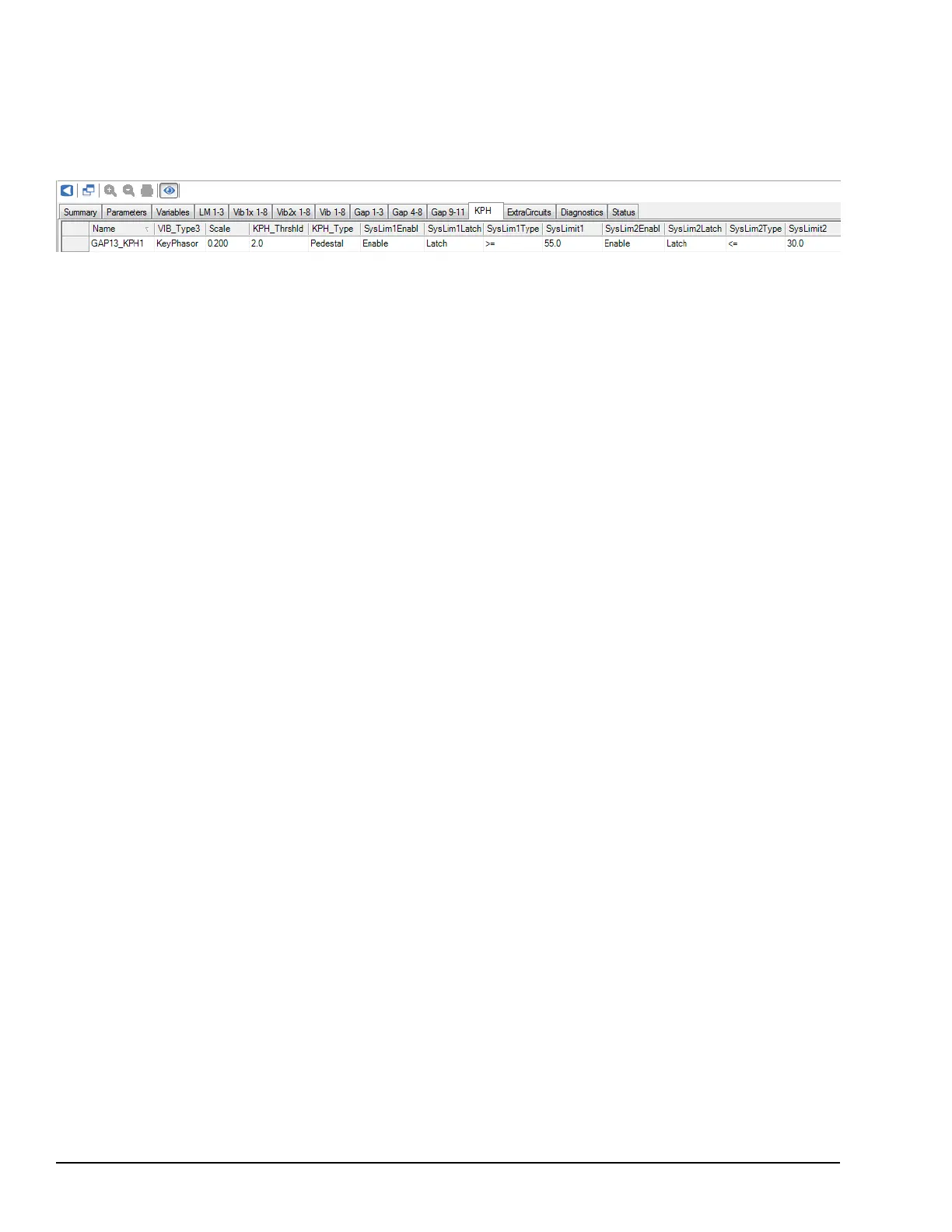
➢➢ To configure GAP13_KPH1
1. From the ToolboxST Component Editor, navigate to the KPH tab.
2. Select GAP13_KPH1, and click the Show Advanced Parameters icon.
3. Configure it to match the following example.
If the YVIB firmware is receiving the data after this configuration, we would expect:
• Gap values are passed through a 2-pole, low-pass filter with a cutoff frequency of 8 Hz, since RPM is well above the
100RPM cutoff for median values. This will cut away nearly all of the Pedestal effect on Gap value, though the average Gap
value will tend to be slightly lower than the shaft Gap. The normal DC level will be converted to 50.0mils, so the GAP13_
KPH1 value will be slightly less than 50.0 mils.
• At low speeds, the Gap filter is bypassed and we can see the transition when the Pedestal clearly by monitoring the value of
GAP13_KPH1. For this reason, it is important to take operating speed into account when using GAP13_KPH1 values.
• SysLim1GAP13 and SysLim2GAP13 are false, since (30.0 ≤ 50.0) and (50.0 ≤ 55.0). At low speeds, the Pedestal transitions
will be much closer to the SysLim2GAP13 setpoint. For this reason, it is important to consider the operating speed when
using System Limits on the Keyphasor channel. The Key will only be filtered out of the GAP13_KPH1 value when we
approach running speed.
• RPM_KPH1 value is 3000 RPM. This value will be refreshed with the latest RPM measurement once every rotation, which
is every 20 ms for this example.
248 GEH-6855_Vol_II GEH-6855_Vol_II Mark VIeS Functional Safety Systems Volume II
Public Information



 To Next Page