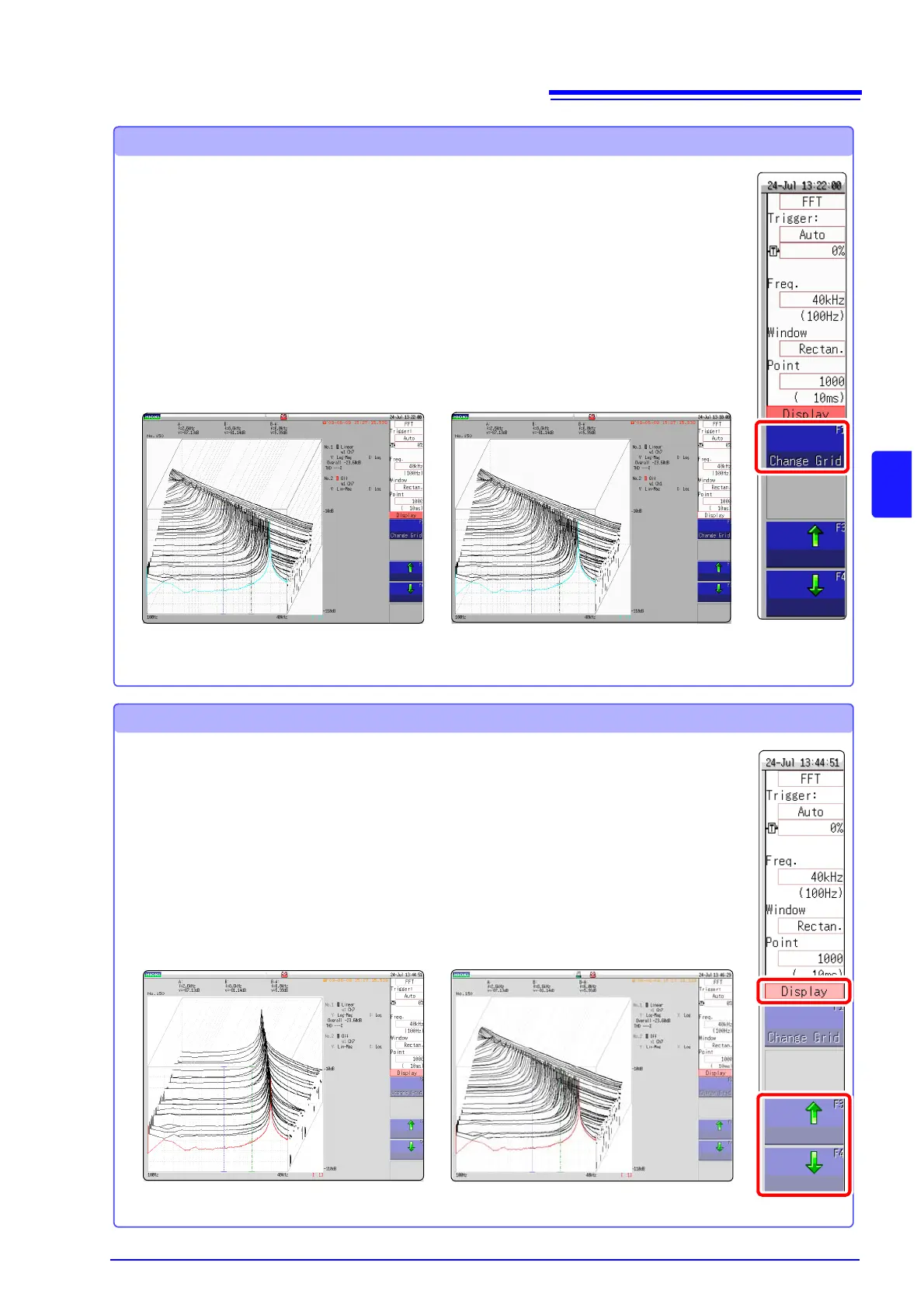
Changing the grid display
The display format of the grid can be switched.
Grid Type 1
1 Press the WAVE key on the panel of the unit.
2 Move the cursor to the [Display].
3 Change the grid display
Press F1 [Change Grid] key and change the grid display.
Each time the key is pressed, the display format changes.
Grid Type 2
1 Press the WAVE key on the panel of the unit.
2 Move the cursor to the [Display].
3 Change the number of waveforms to be displayed.
Using either the F3 [] or F4 [] key, adjust the number of
waveforms to be displayed.
Changing the number of waveforms to be displayed
The number of waveforms to be displayed can be changed.
The following number of waveforms can be selected: 10, 20, 50, 100, and 200.
100 waveforms displayed50 waveforms displayed


 To Next Page