ValueJet 1304 Service manual
AP-74109 Rev 1.1 7-16
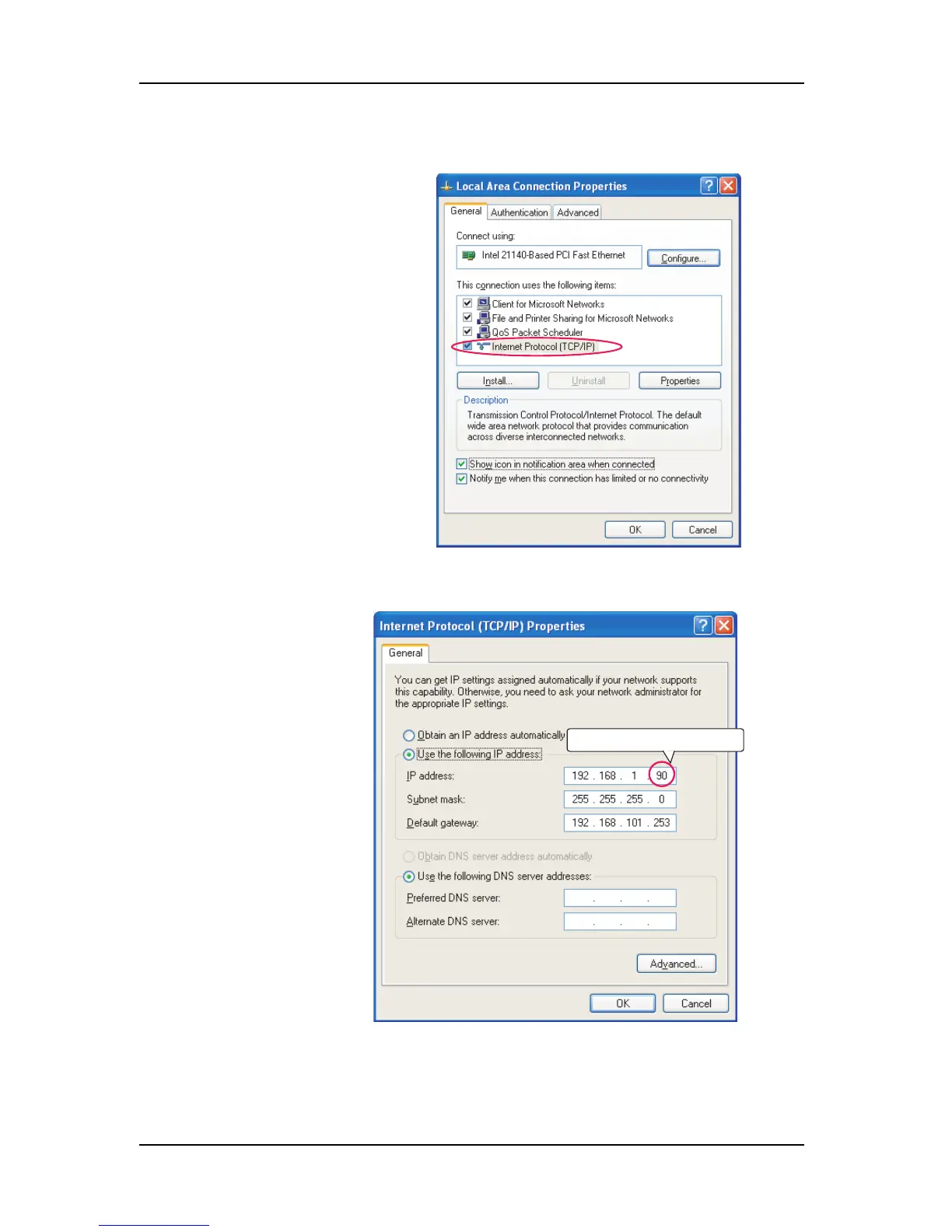
2. Right-click [Local Area Connection] and select [Properties].
5. Click [OK] to finish the setting.
3. Double-click [Internet Protocol
(TCP/IP)].
4. In [IP address], input
any value of
“192.168.1.1” to
“192.168.1.252” or
“092.168.1.254”.
Any numerical value between 1 and 252,
or 254.















 To Next Page