ValueJet 1304 Service manual
AP-74109 Rev 1.1 4-44
(2) Replacing Inlet Assembly
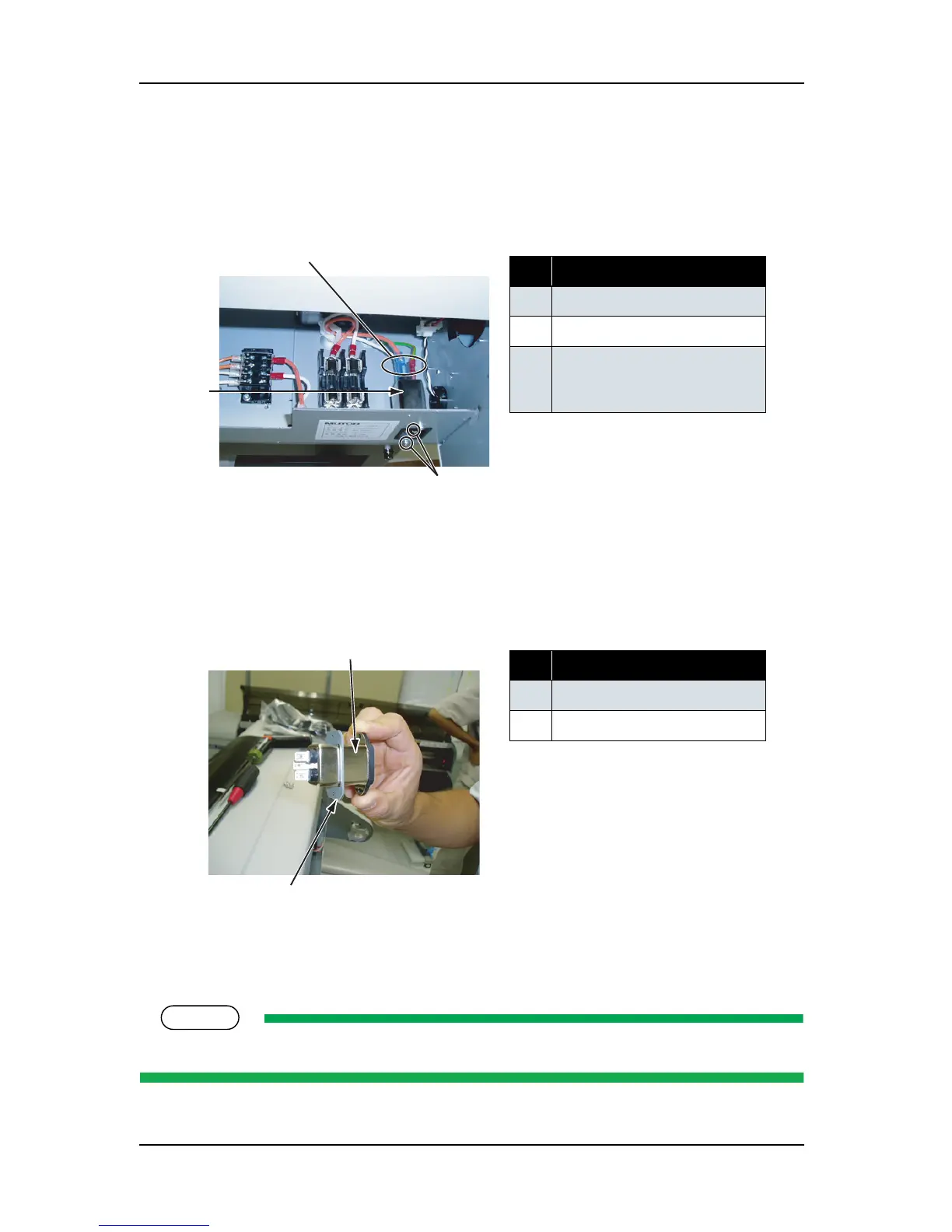
1. Remove the inlet assembly-retaining screws (round head spring screw (finishing) M3 × 10: 2).
.
2. Remove the connectors from the inlet assembly.
3. Remove the Inlet fixing board.
.
4. Replace the inlet assembly
5. To reassemble the unit, reverse the removal procedure.
When installing the inlet assembly, match the corresponding color connectors.
表 4-49
No. Part name
1 Inlet assembly connector
2 Inlet assembly
3 Inlet assembly screw
(round head spring screw
(finishing) M3
× 10)
表 4-50
No. Part name
1 Inlet assembly
2 Inlet fixing board















 To Next Page