3.8.17 Replacing Carriage Assy 143
3.8 Replacing Cursor section VJ628XE-M-00
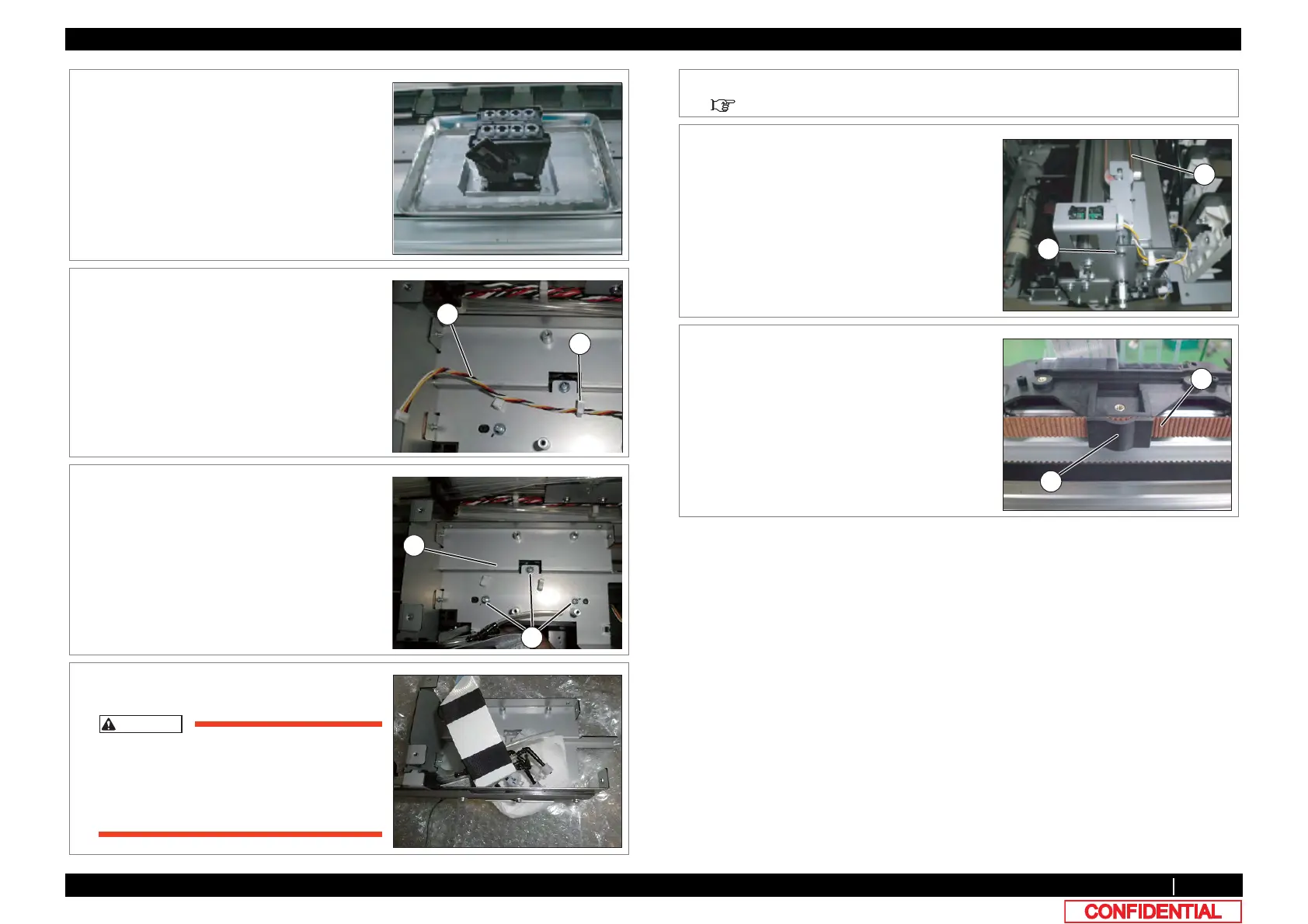
18 Put the nozzle surface of the removed Print
head facing down and carefully place it on top
of the Poly-knit wiper in a stainless pan.
19 Remove CR encoder cable from th clamps on
the path.
A : Clamp
B : Cable
C :
20 Remove the screws (3 pieces) retaining CR
Board Base to Cursor.
A : Pan-head screw with spring washer and
flat washer M3x6
B : CR Board Base
21 Remove CR Board Base from Cursor.
CR Board Base is removed while Steel
Bare etc. are attached.
As load should not be applied to Steel
bare etc. , place it on a bubble wrap.
22 Remove Cutter Holder Assy.
3.8.9 Replacing Cutter Holder Assy
23 Loosen the adjusting screw (1 piece), and the
loosen tension of CR Belt.
A : Pan head small screwM4x35
B : CR Belt
24 Remove CR Belt from Cursor.
A : Cursor
B : CR Belt















 To Next Page