3.9.4 Replacing Ink Tube 153
3.9 Replacing Cable Guide section VJ628XE-M-00
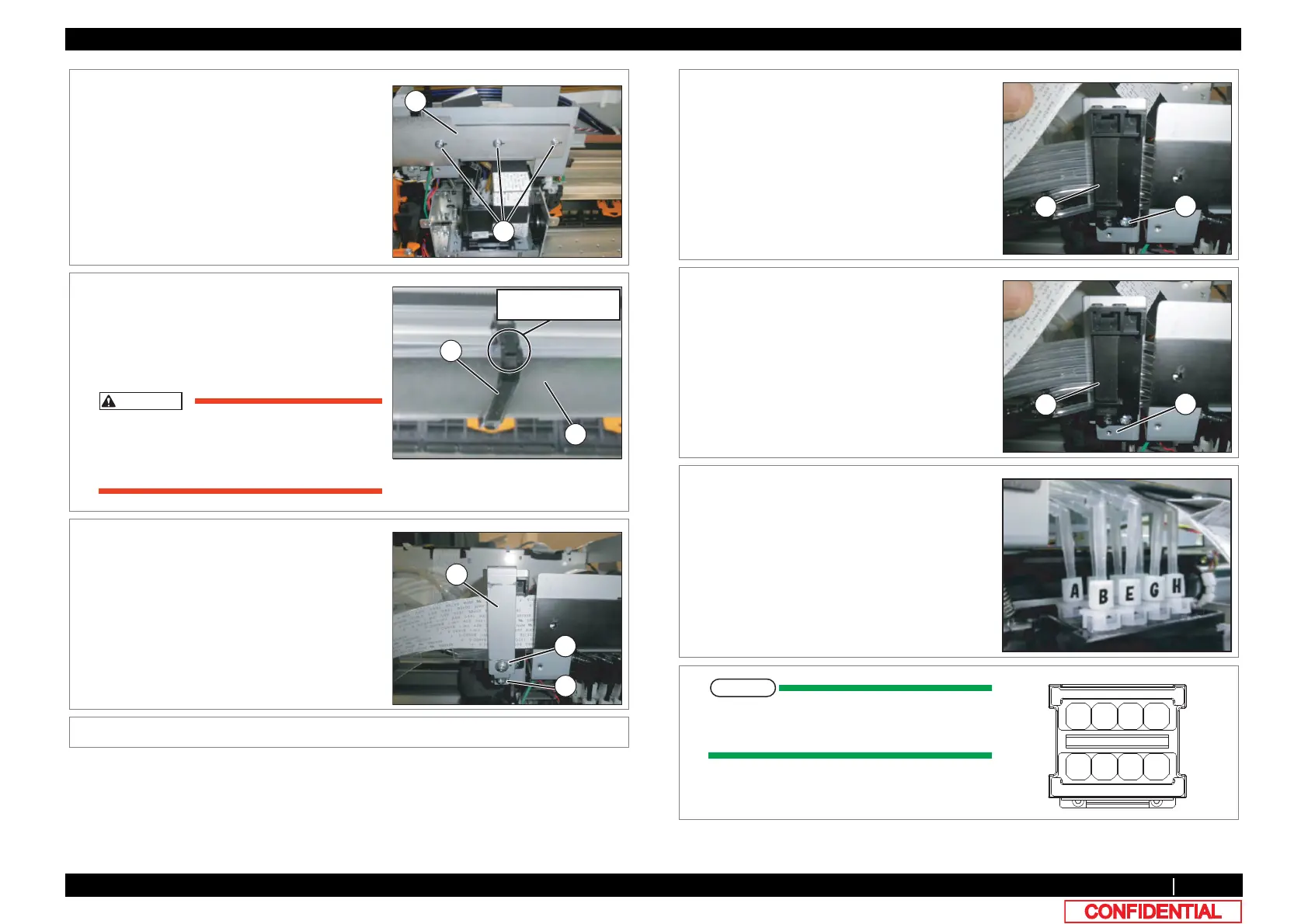
8 Remove the screws (3 pieces) retaining Steel
Bare.
A : Pan-head screw with spring washer and
flat washer M3x8
B : Steel Bare
9 Remove the clamp that is the nearest to
Carriage.
A : Steel Bare
B : Clamp Bare
Work, while you press down Steel Bare by
hand. There is a possibility that it may be
injured by Steel Bare being over.
10 Remove the screws (2 pieces) retaining CR
FFC Fixing Plate.
A : CR_FFCFixing Plate
B : Tapping screw M3x8 P Tight cup
C : Tapping screw M3x6 S Tight cup
11 Remove CR_FFC Fixing Plate.
B
A
Release the hook
with a slotted screwdriver
12 Remove the screw (1 piece) retaining Tube
FFC Mounting Material.
A : Tube FFC Mounting Material
B : Tapping screw M3x8 S Tight cup
13 Remove Tube FFC Mounting Material from
CR Cable Mounting Material.
A : CR_FFC Mounting Material
B : CR Cable Mounting Plate
14 Mark on all the Fitting Screws.
Mark the place to which Tube is attached.
(ABCDEFGH)















 To Next Page