3.9.4 Replacing Ink Tube 154
3.9 Replacing Cable Guide section VJ628XE-M-00
The replacement work after this is different every Ink slot.
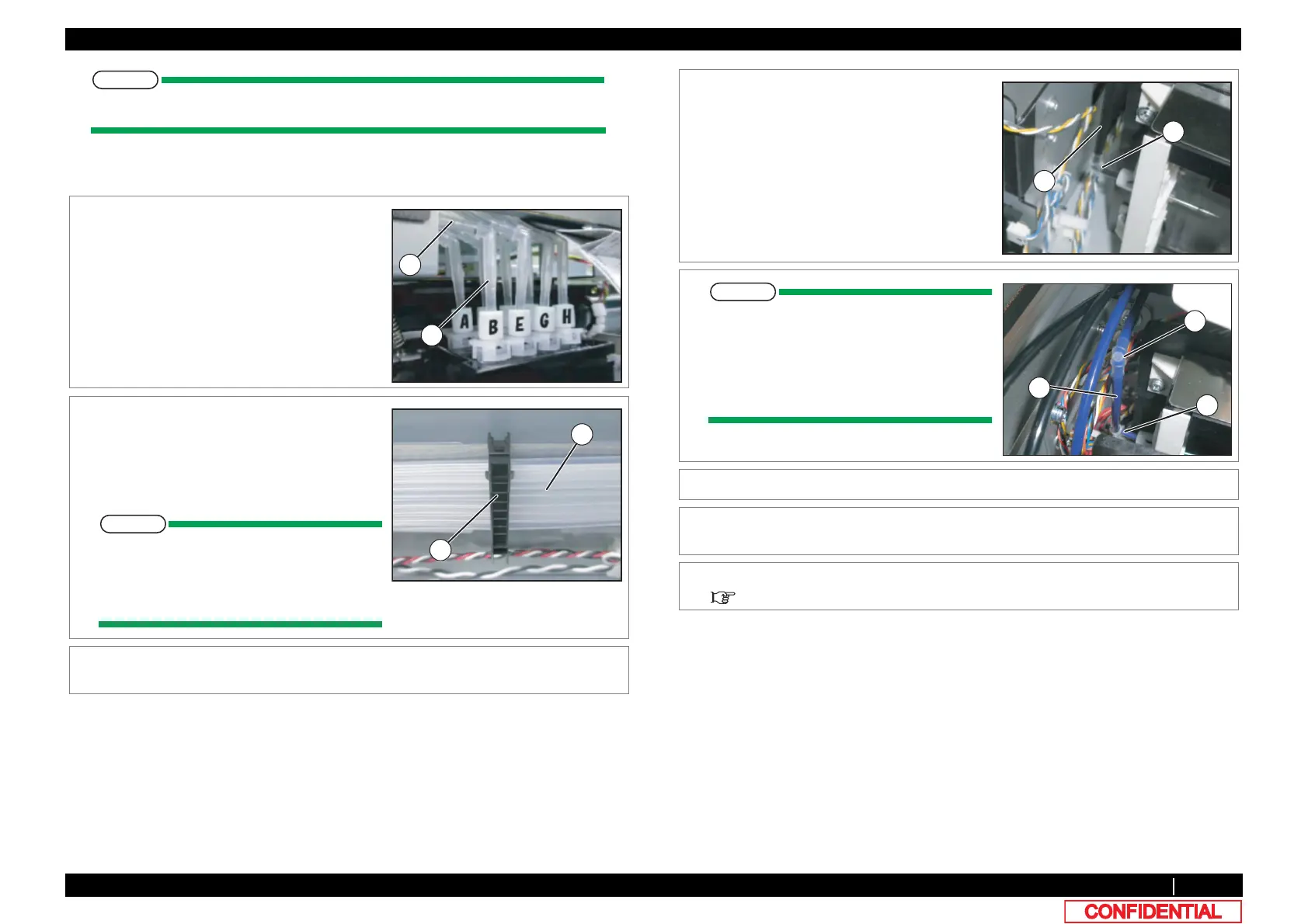
(1) Ink Slot 1/2/5/6/7/8
1 Remove Ink Tube from L Fitting.
A : L Fitting
B : Ink Tube
2 Remove Ink Tube from Clamp Tubes (7
pieces).
A : Clamp Tube
B : Ink Tube
One place should work at a time. After
attaching again the Clamp of the part
which removed Ink Tube, the next part
should work.
3 Remove Ink Tube from the clamps on the
path.
4 Remove Ink Tube from L Fitting (the back side
of Cartridge Holder).
A : Ink Tube
B : L Fitting
The inside cartridge differs in a
connection method.
A : Mini Fitting
B : Ink Tube (60mm)
C : L Fitting
5 Replace Ink Tube.
6 To reassemble unit, reverse the removal
procedure.
7 Charge Ink.
5.5 Ink Charging Menu
C
A
B















 To Next Page