2.2 Troubleshooting with Error Messages VJ628XE-M-00
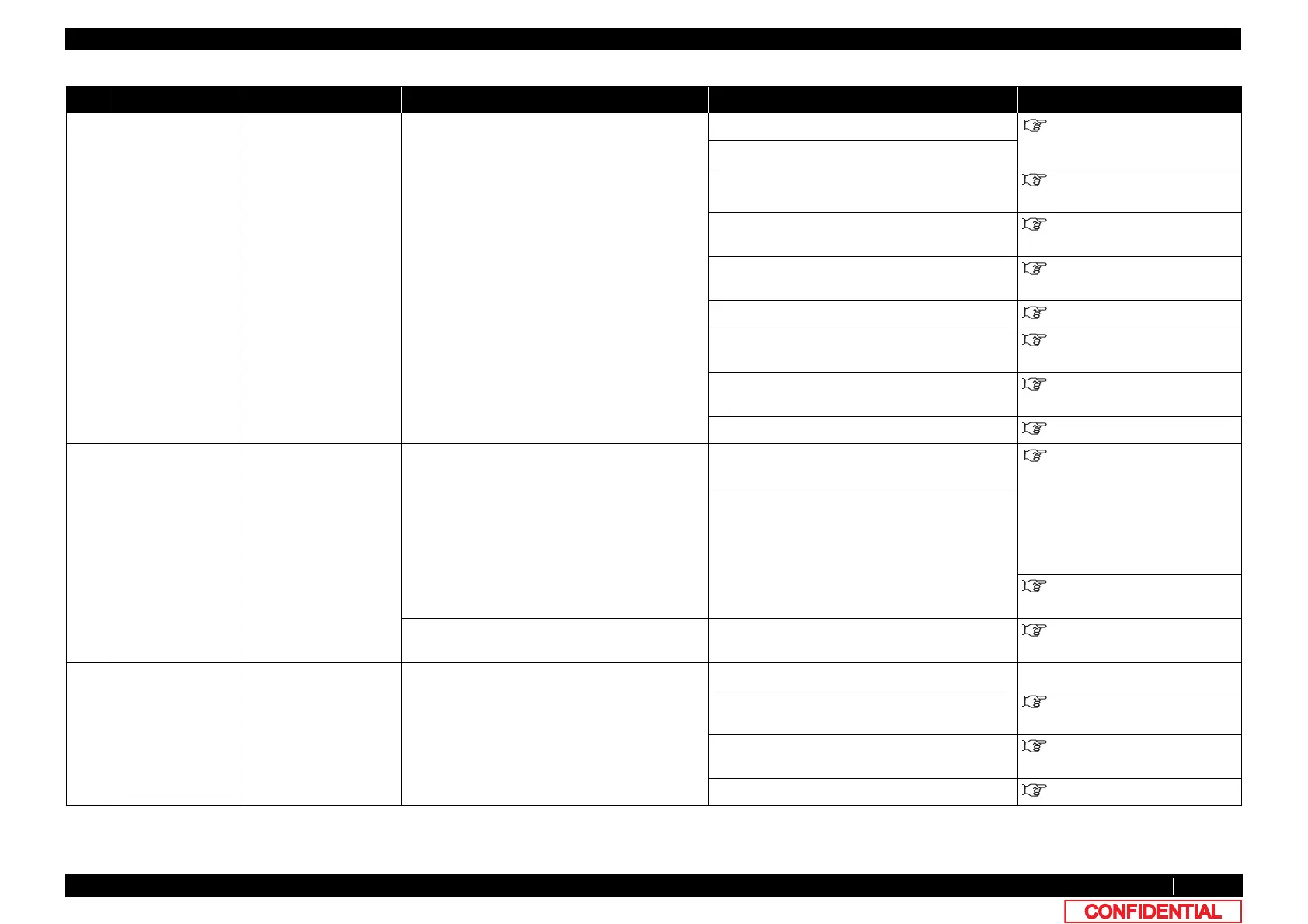
2.2.2 Errors with Message 19
4
[*]No cartridge
*Ink color is
displayed in the
[*].
Ink cartridge is not
inserted.
5. Check the connection of JUNC_ID cable. Make sure to connect it securely. "3.5.11Replacing JUNCTION
Board
6. Check the connection of JUNC_FFC. Make sure to connect it securely.
7. At the connection point of the ink tubes, ink
leakage, or bleeding did not occur?
Check the connection of Ink tube. "3.11Replacing IH
8. I/C cable may be damaged. Replace I/C cable. "3.11.3Replacing Cartridge
Holder
9. JUNC_ID cable may be damaged. Replace JUNC_ID cable. "3.5.12Replacing JUNC_ID
Cable
10. JUNC_FFC may be damaged. Replace JUNC_FFC. "3.5.13Replacing JUNC_FFC
11. Ink ID board Assy may be damaged. Replace Ink ID board. "3.11.4Replacing INK ID Board
Assy
12. JUNCTION Board may be damaged. Replace it. "3.5.11Replacing JUNCTION
Board
13. MAIN board may be damaged. Replace MAIN board. "3.5.10Replacing MAIN Board
5 Broken Chip
S/C Color Err
S/C Ink Err
S/CCode Err
A dedicated S/C card
may be malfunction.
1. Check if the message is displayed after
turning off the printer and turning it back on.
When the message is displayed: Refer to the
check item 2.
Operation Manual
2. Check if the dedicated Smart chip cards are
used.
3. Check if the dedicated Smart chip cards are
broken or the chip portion is damaged.
Replace with the dedicated Smart chip cards.
4. Check if ink ID is correctly recognized in the
self-diagnosis function.
"5.4.4Sensor Menu
5. Ink ID board Assy may be damaged. Replace Ink ID board. "3.11.4Replacing INK ID Board
Assy
6 Full wasteInkTank Waste fluid bottle is full. 1. Check if Waste fluid bottle is full. Dispose of waste fluid. -
2. Check the connection of the connector of
Waste fluid level switch.
Re-insert the connector of the waste liquid level
switch.
"3.5.11Replacing JUNCTION
Board
3. JUNCTION board may be damaged. Replace it. "3.5.11Replacing JUNCTION
Board
4. MAIN board may be damaged. Replace it. "3.5.10Replacing MAIN Board
Table 2-2 Symptoms and Check Items for Errors with Message(Continued)
No. Message Event/symptom Check item Action Reference















 To Next Page