4.3.3 Required Environment 192
4.3 Working with MUTOH Service Assistance Software VJ628XE-M-00
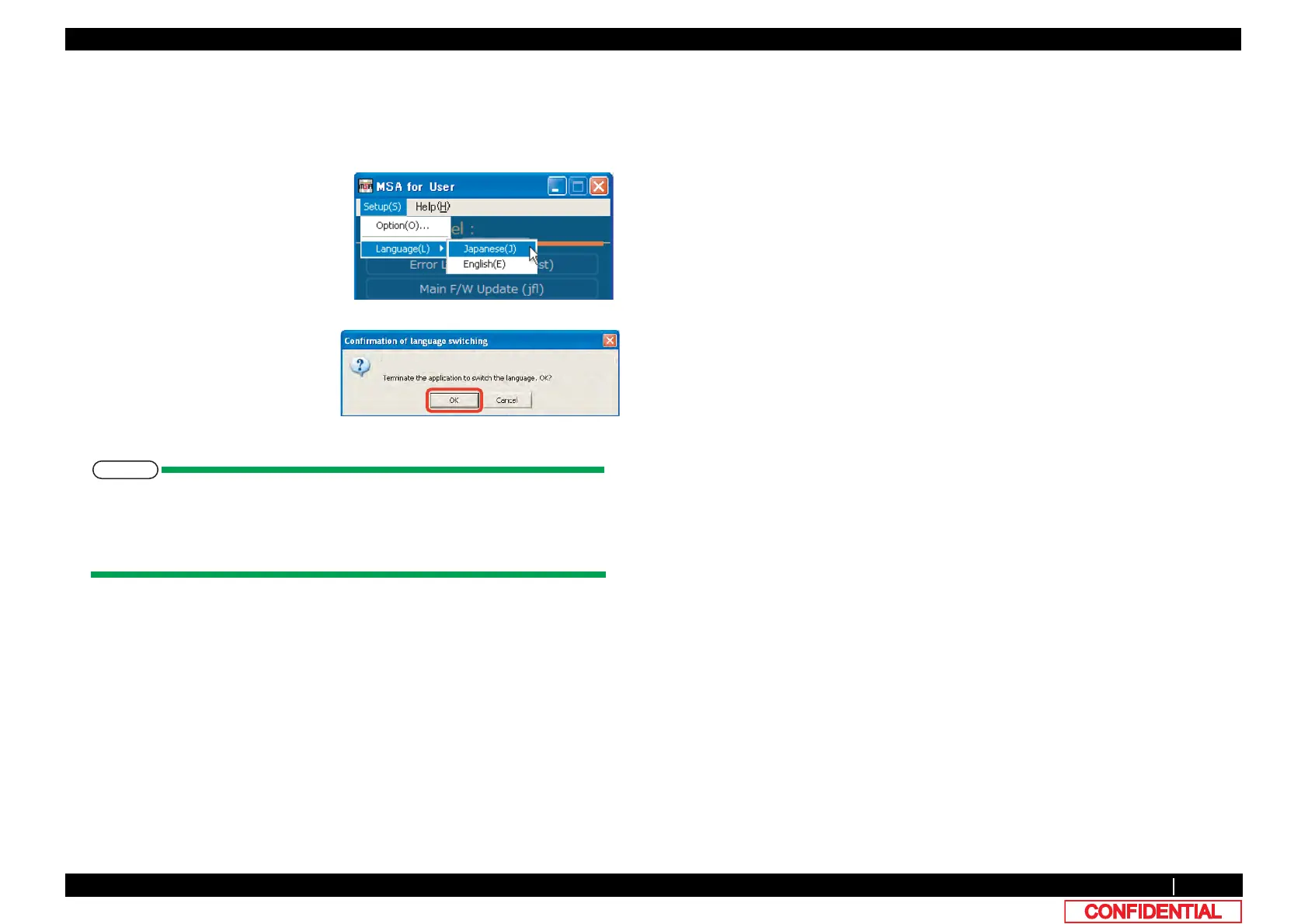
(11)Language setting
Menu and message can be shown in either English or Japanese which can be selected.
Change shall be activated when program is restarted.
Follow the steps below to change language.
• When English mode is selected, [Setup(S)] on menu changes to “Setup (S)”.
• The language displayed at the initial startup of MSA depends on the language
setting of your OS.(When the language setting of your OS is set to a language
other than Japanese, MSA is displayed in English.)
1 Select [Setup (S)] - [Language (L)]
form the main window.
2 Click [OK] on [Confirmation of
language switching] window.
Application shall be terminated
automatically.















 To Next Page