4.3.3 Required Environment 191
4.3 Working with MUTOH Service Assistance Software VJ628XE-M-00
(10)IP address setting
This section describes the procedure to set up IP address for MSA.
When indicated IP address is different from printer IP address, change IP address to match
the printer IP address.
The IP address default value for printer and MSA is set to “192.168.1.253“. When the
default value is used, the following setting in not needed.
Follow the steps below to set the IP address.
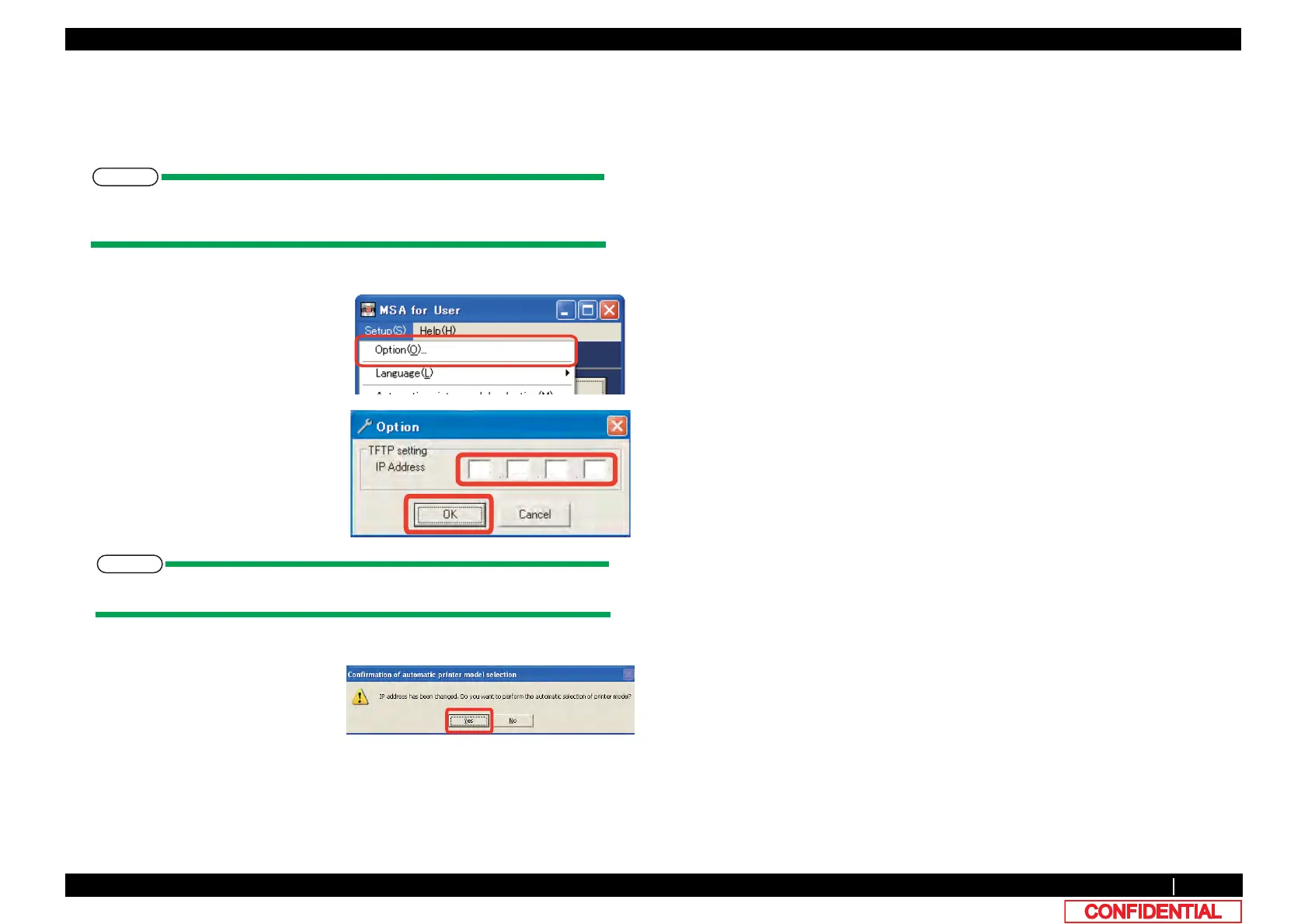
1 Select [Setup (S)] - [Option (O)] on the
main window.
2 Input the IP address in the field with red
mark. IP address is the same with
computer’s.
When IP address is changed, [Automatic
model selection confirmation] window
appears.
Double click “IP Address”, it is set to default value”192.268.1.253”.
3 Click [Yes] to use Automatic selection.
Model name shall be changed to the
name of the connected printer model.
*This window appears only when IP
address is changed.















 To Next Page