Page | 163
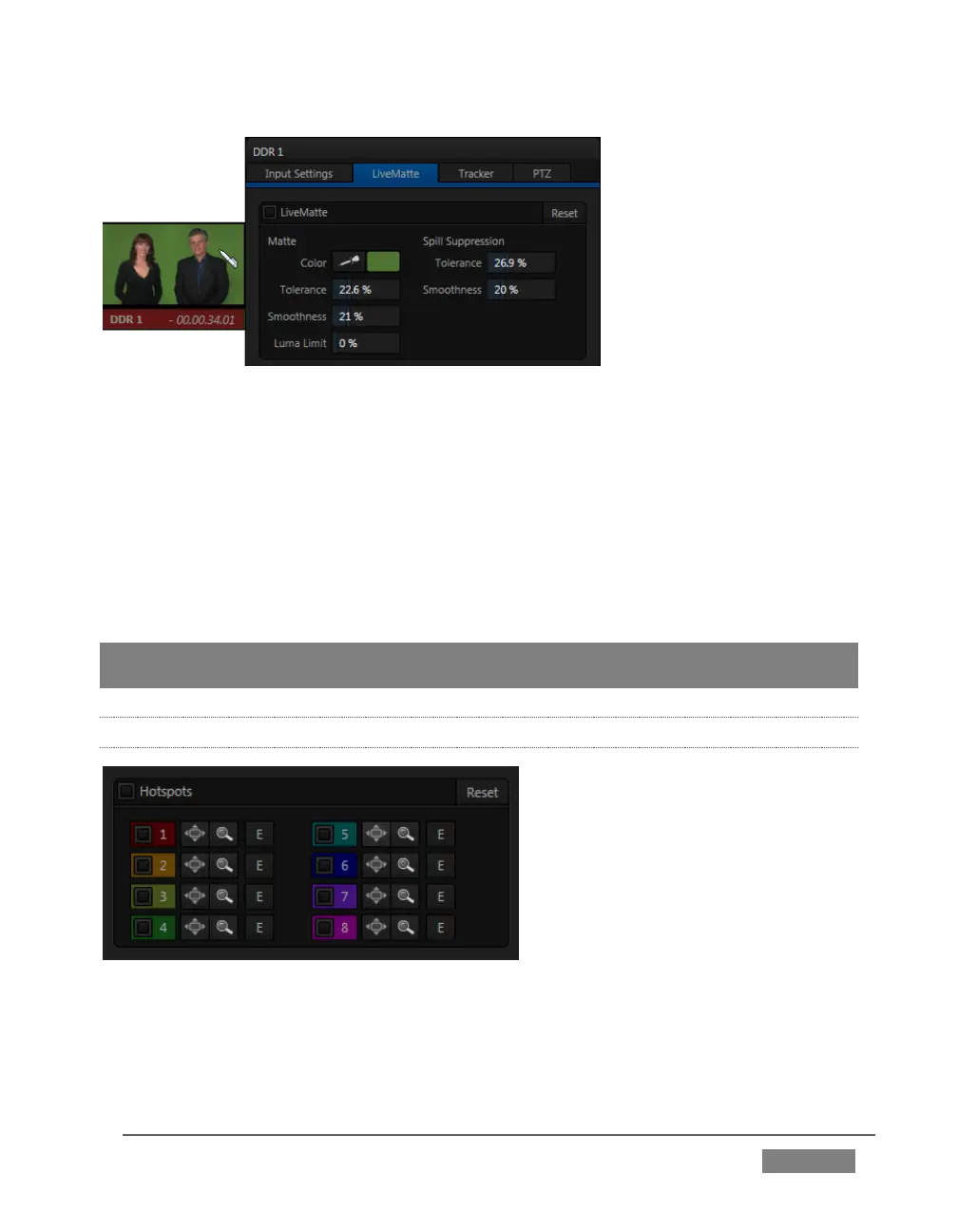
FIGURE 137 (TRICASTER 8000 SHOWN)
The process involves eliminating a portion of the image (effectively cutting a digital
‘keyhole’ in it) to reveal a user-defined background scene. It also plays an important
role in the workflow of LiveSet, TriCaster’s powerful virtual set technology.
LiveMatte’s controls are deceptively simple, making a great deal of complex digital
manipulations easy to use. Even so, much can be said about getting the best results.
For that reason we’ve devoted a whole chapter in this manual to discussing it – please
see Chapter 13, LiveMatte .
Hint: When LiveMatte, Proc Amp, or Crop settings are active for a source, bright green,
blue and yellow indicators are lit under its monitor.
8.2.7 HOTSPOTS
FIGURE 138
The lower portion of the LiveMatte tab in the Input Configuration panel is devoted to
Hotspots – TriCaster’s powerful interactive automation feature.









 To Next Page