Page | 168
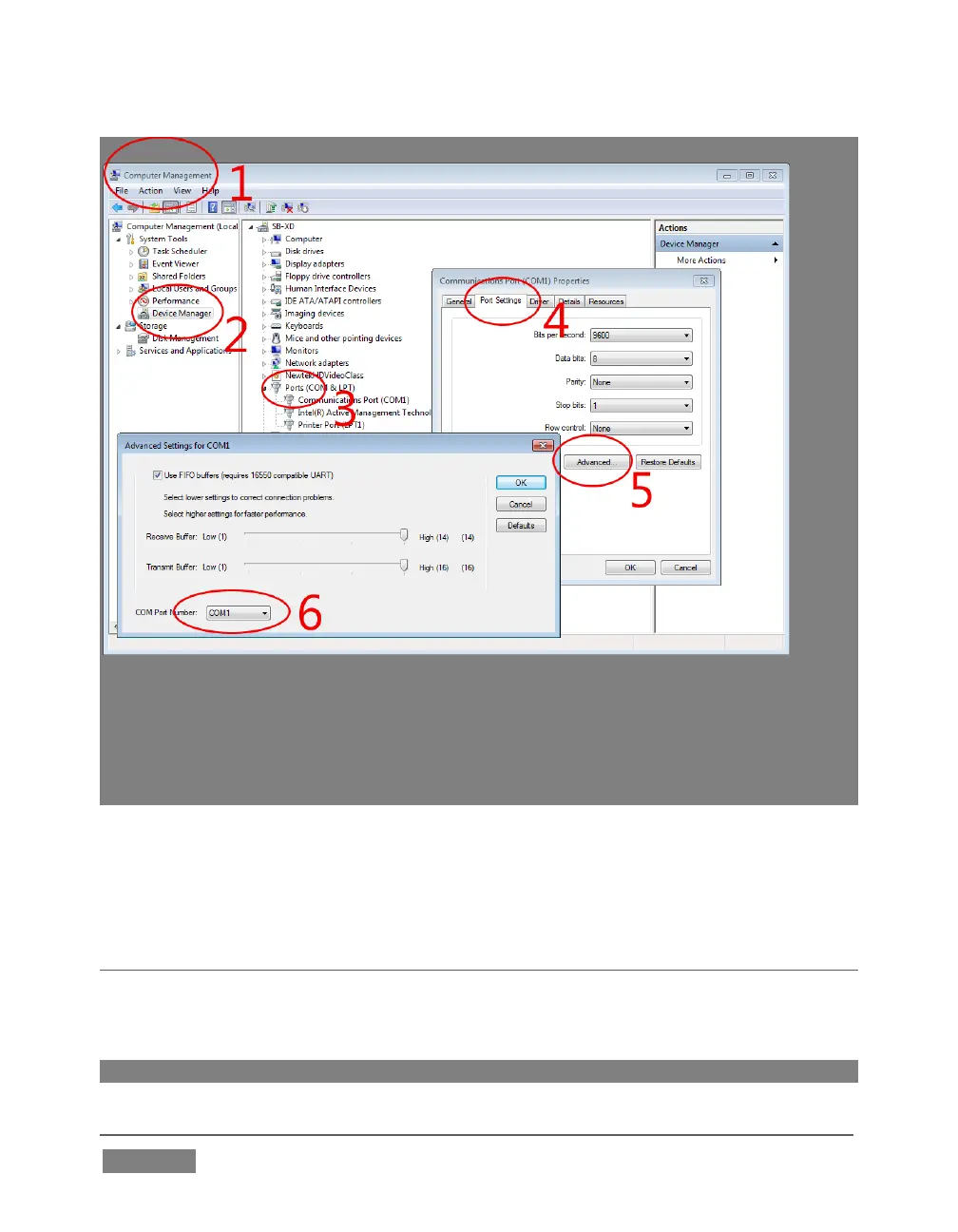
FIGURE 145
Windows will automatically assign a COM port number to the adapter, usually COM 1. In
some cases, you may wish to manually assign it to a specific port. Exit to Windows from
TriCaster’s Adminstration Mode screen (Section 5.2.3) to access the controls shown in
Figure 145. Refer to the documentation provided with your adapter for further directions.
The Flip Camera switch inverts the image, helpful when the camera is mounted in an
upside-down orientation. It also affects the pan and tilt controls, when possible (this
support varies by camera).
SECTION 8.3 NETWORK INPUTS
TriCaster features two dedicated network video inputs, designated Net 1 and Net 2 in
the interface and on the control surface.
Hint: Like other sources, Net 1 and 2 can be renamed.









 To Next Page