Page | 391
| (Next Item) – Push this button to go to the next playlist entry in delegated
Media Players. (The selection cycles to the first playlist entry when necessary.)
You determine which Media Player to control by pressing ALT. Doing so lights one of
the Media Player selection buttons in the FX/OVERLAY row – whether DDR 1, DDR 2,
GFX 1, or GFX 2. Make a different Media Player selection while ALT is pressed (use
SHIFT + GFX 1 to select GFX 2). Then press one of the first four buttons in the row
along with ALT to perform the transport/navigation operation assigned, as listed
above. Or press NET 1 or NET 2 to select the previous or next playlist preset for the
delegated Media Player.
ALT AND SHIFT FUNCTIONS
Press ALT along with a button on the PREVIEW row to toggle LiveMatte for the
corresponding video source. Add the SHIFT button with ALT button to toggle the
source’s Proc Amp instead.
22.5.4 TRANSITIONS
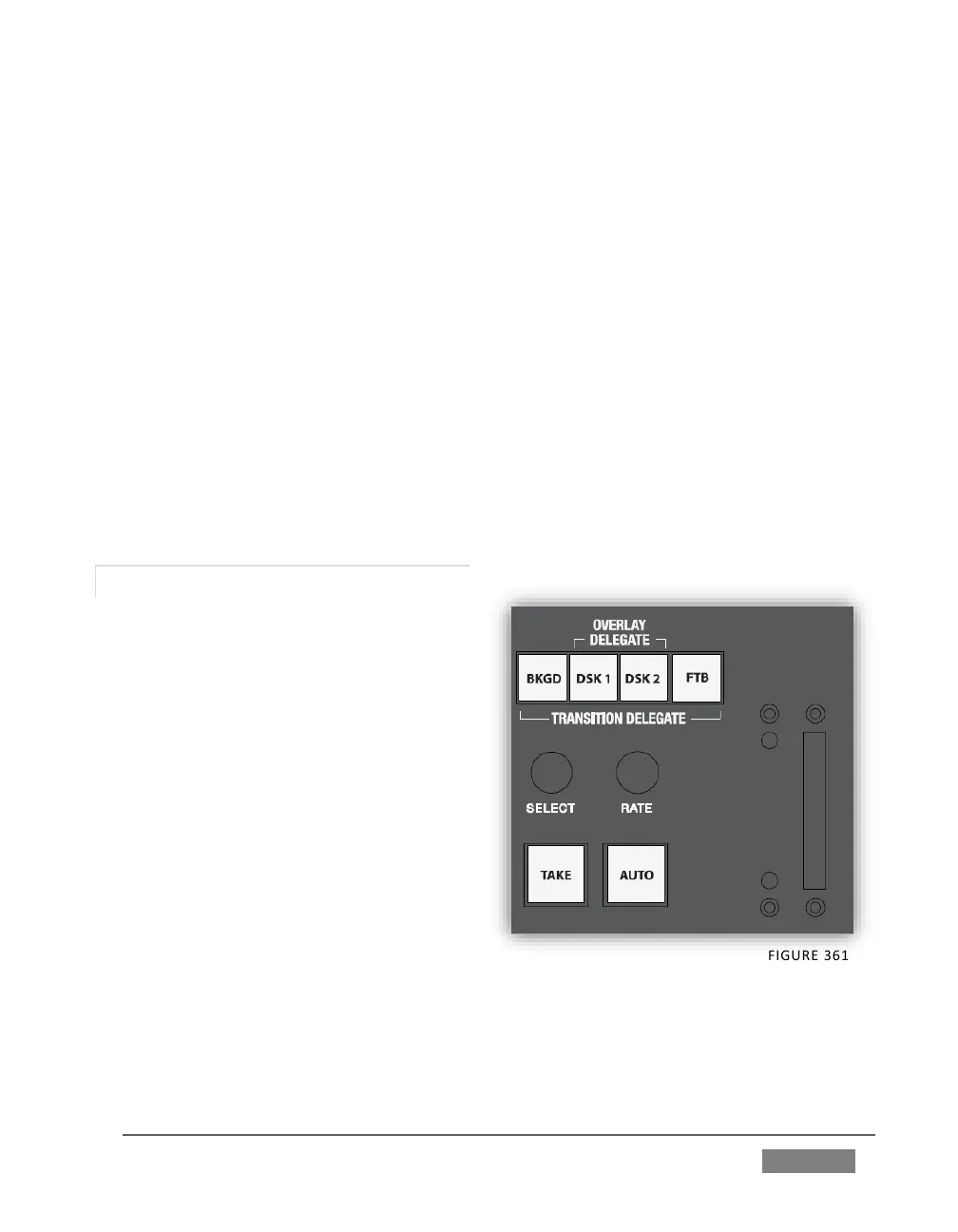
The transition control group offers
familiar controls, including a T-Bar,
transition selector and timing knobs,
along with AUTO and TAKE buttons.
These are all governed by delegates, as
discussed earlier.
The TRANSITION DELEGATE buttons
include BKGD, DSK 1, DSK 2, and FTB
(Fade to Black) buttons. These can be
multi-selected, and govern which video
layers are affected by operations
performed with the SELECT and RATE
knobs, AUTO and TAKE buttons, and the
T-Bar.
TriCaster’s Background layer effectively comprises the program output before any
DSKs (or M/E KEY) layers or FTB are considered. When MAIN is selected in the
SWITCHER DELEGATE group and the BKGD delegate button is selected alone, a TAKE









 To Next Page