Page | 182
Important Note: It’s best to use files with straight (a.k.a. “non-premultiplied”) alpha channels
in TriCaster’s Media Players. Premultiplied files will generally not yield correct results when
overlaid on other imagery.
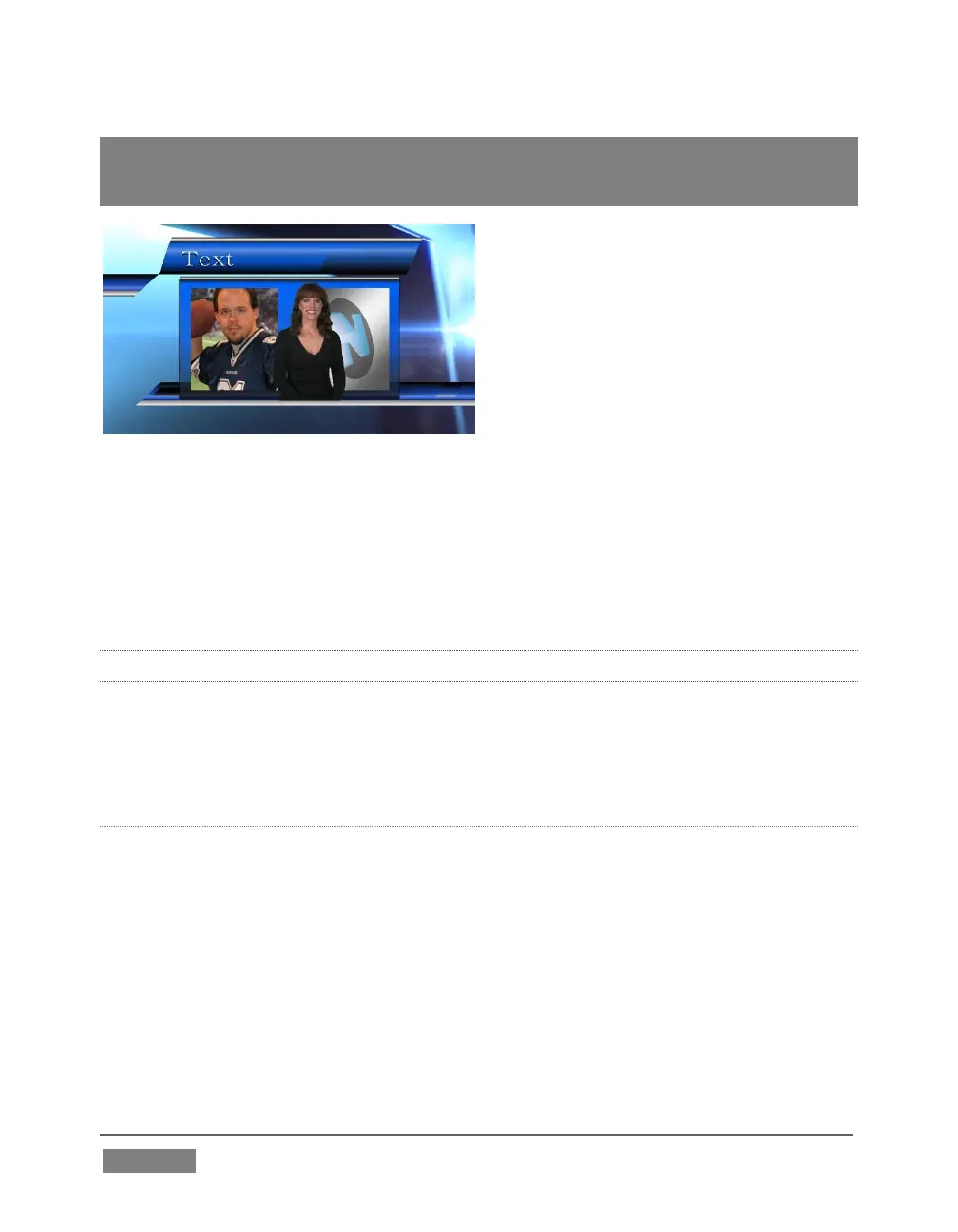
FIGURE 164
TriCaster’s DSK layers offer a lot of creative possibilities. You might use DSK channels
to display a permanent station ID ‘bug’, superimpose a company logo onto a title page,
perhaps to add a ‘spinning globe’ animation playing in the DDR to a lower-third,
‘frame’ a keyed source composed over a title (Figure 164), or set up many other
elaborate effects in this manner.
9.3.2 MAIN CONTROLS
In large measure, TriCaster’s main Transition controls behave similarly to their local
sidekicks. What makes them especially powerful is the T-bar and Transition Delegate
button group located just above.
BACKGROUND TRANSITION
Transition control settings in this section apply to the Background video layer only.
In most respects, these tools are identical to the DSK transition controls discussed
earlier (Section 9.3.1), but there is one difference worth mentioning.
The Duration menu for the Background transition offers two additional items
compared to the similar menu in the DSK control groups:
Reverse – configures the current transition to run in reverse direction the next
time it is applied.









 To Next Page