Page | 169
A wide variety of sources can be supplied to Net 1 and 2, making these two inputs
exceptionally versatile and powerful.
To cover these capabilities fully, we’ve dedicated all of Chapter 16 (Network Inputs)
to the topic. We’ll just mention here that both of these inputs provide TriCaster’s full
gamut of creative controls, including Proc Amps, LiveMatte, Edge control, Tracking,
Hotspots, and so-on (see Section 8.2). Some sources even support embedded audio
across the network, which is why you will find Net 1 and 2 represented in the Audio
Mixer, too (Section 15.6.1).
SECTION 8.4 TIMECODE CONFIGURATION
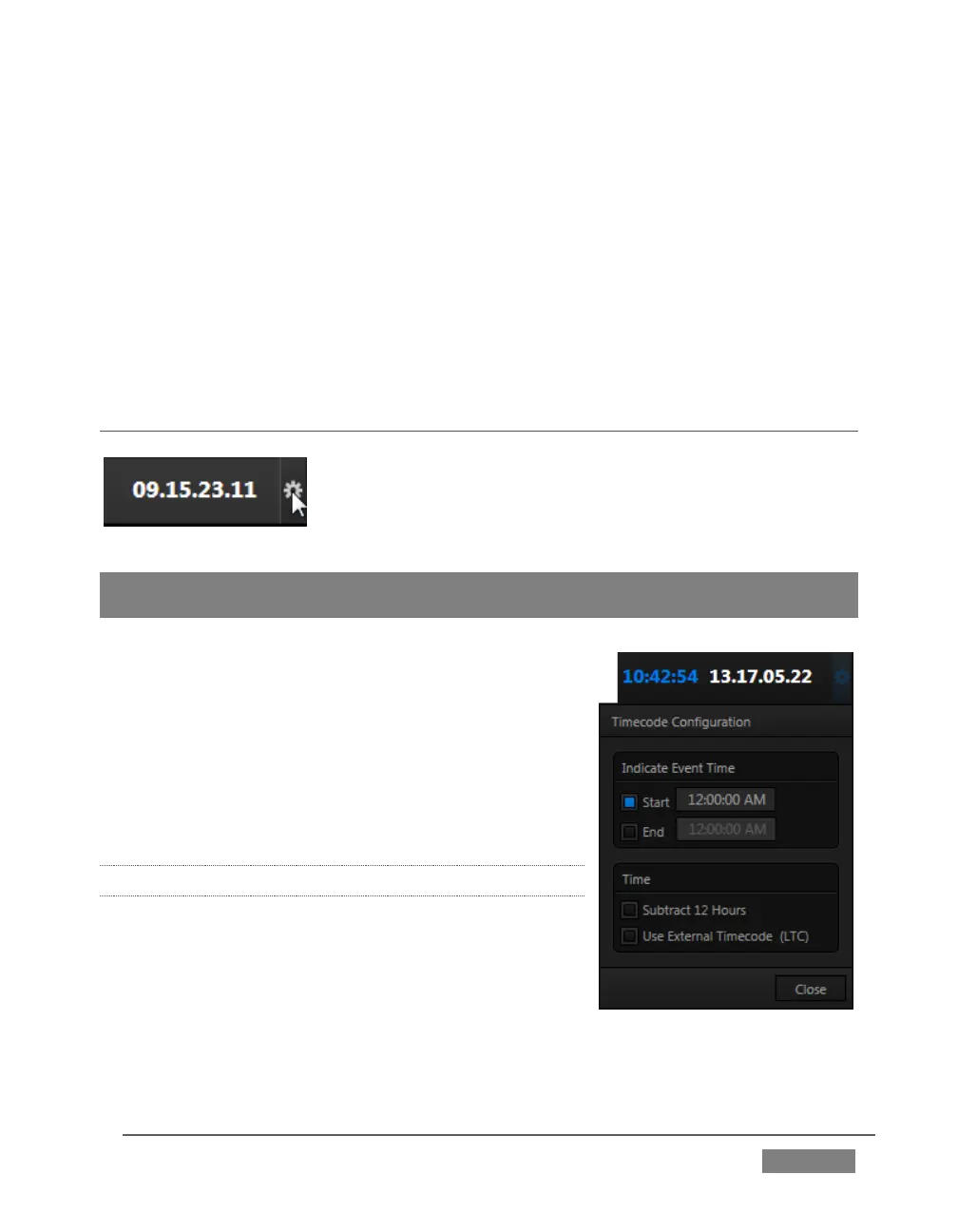
TriCaster can supply event time values based on the system
clock, when necessary. To access timecode options, click the
small gear icon next to the timecode display at right in Live
Desktop’s Dashboard.
Hint: You can set TriCaster’s system clock as for any computer by exiting to the Windows®
Desktop.
Most TriCasters can optionally use an external linear
timecode (LTC) reference to drive its clocks, and
timecode for capture (TriCaster 410, Mini SDI and
Mini do not support external timecode).
We’ll discuss the shared timecode features first, and
then focus on the unique aspects of the LTC timecode
support (Section 8.4.3).
8.4.1 SUBTRACT 12 HOURS
The current time value is embedded in the frames of
Quicktime video files captured during the session
using TriCaster’s Record function. For this reason, a
switch labeled Subtract 12 Hours is provided.
This option permits you to avoid confusion that might
arise when sequencing files based on timecode that ‘wraps around’ past midnight.









 To Next Page