Page | 47
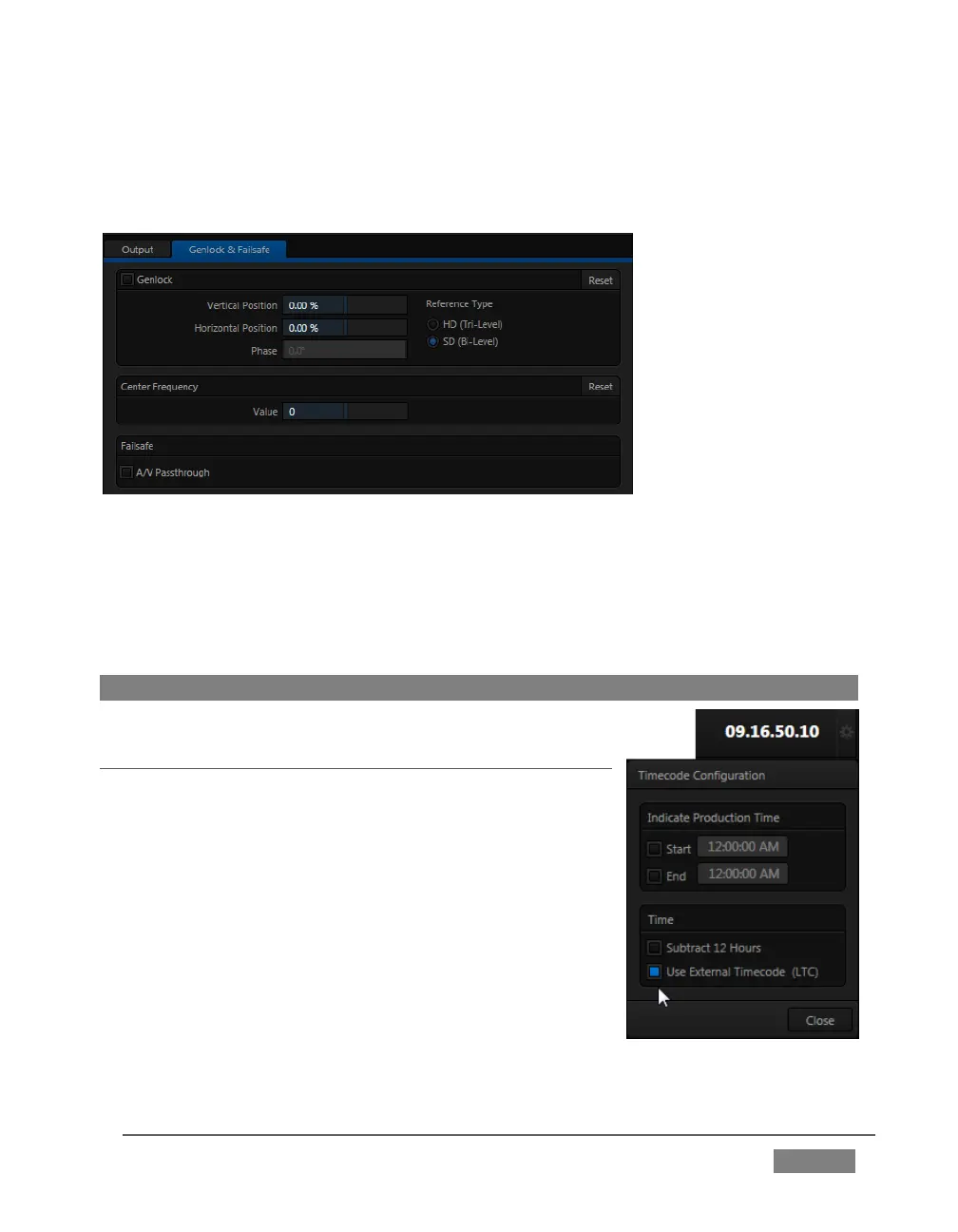
5. With the aid of downstream Waveform and Vector Scopes, adjust TriCaster’s
Horizontal and Vertical Position and Phase settings in the Genlock section of the
I/O Configuration panel.
FIGURE 32
Ideally both the cameras and TriCaster should be genlocked. If they are not genlocked
to the same reference signal as the TriCaster output, a TBC (Time Base Correction)
operation is automatically applied. Time base correction may drop or insert frames
as necessary to maintain sync, hence is a less desirable approach.
Note: For a deeper discussion of genlocking, please see Section 8.1.2.
SECTION 3.15 CONFIGURE TIMECODE
TriCaster can use the system clock to generate ‘local
timecode’ shown in the Live Desktop titlebar, and also
embedded in recorded Quicktime (or MPEG2) clips.
To configure timecode, click the configure button (gear)
located beside the timecode display at right in the
Dashboard. Please see Section 8.4.3 for more detail.
TriCaster 460, 860 and 8000 support external linear
timecode (LTC), which can serve in place of the local
(system) time. A switch is provided in the Timecode









 To Next Page