Page | 378
LOCAL TAKE/AUTO
Local Take and Auto buttons are provided for DSK 1 and DSK 2, but not FTB. These
perform a cut or transition respectively, affecting only the corresponding switcher
layer.
Hint: When a DSK layer is fully displayed on Program out, its local Take button (on the Live
Desktop as well as the control surface) remains lit.
22.4.6 M/E GROUP
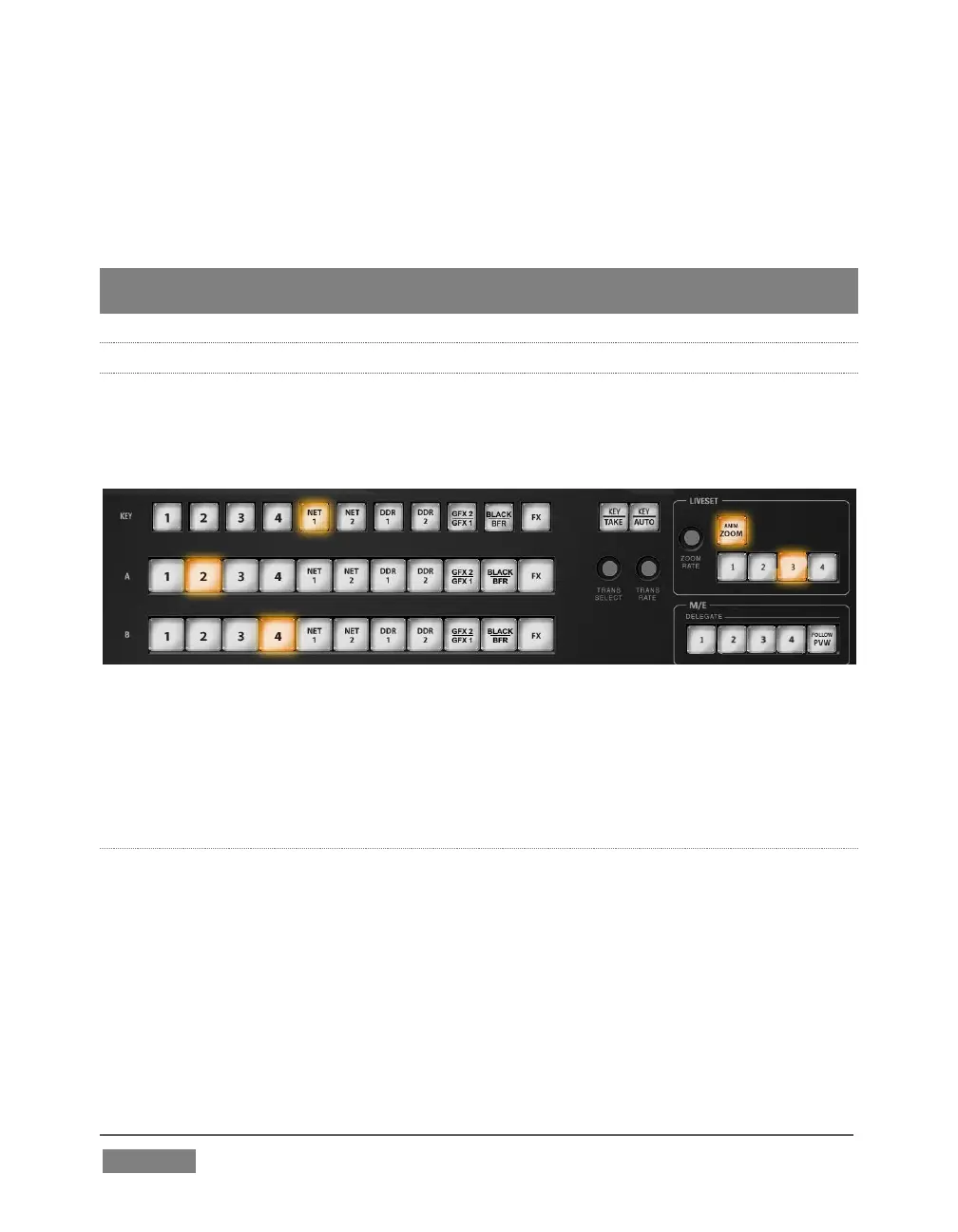
This section of the control surface corresponds to the tabbed M/E panes on the Live
Desktop. The M/E DELEGATE button group determines which M/E (from the four or
eight available) is being controlled.
FIGURE 350
In contrast with the Live Desktop, your TriCaster CS adjusts position attributes M/E
video layers using a single set of Positioner tools governed by Delegate controls (see
Section 22.4.7).
M/E DELEGATE
Your TriCaster CS provides an M/E DELEGATE button group to govern which M/E(s)
are affected by operations. Selected DELEGATE buttons are illuminated and,
conveniently, multiple selections are supported. When using a 460 CS with an 8-input
TriCaster, add SHIFT with a selection to delegate
FOLLOW PVW
Enabling the FOLLOW PVW button (M/E DELEGATE group) forces the DELEGATE
selection to track the Switcher's PVW row selection. This can be very valuable, as it









 To Next Page