Page | 213
With Shift depressed, a red border appears around any locked image under the cursor.
Stand-in (unlocked) images show a green border. To toggle the status for an image,
left-click it with Shift depressed.
If you right-click a stand-in image, a menu is presented that provides several optional
methods of fitting the source image to its frame. Choosing Stretch causes the image
to completely fill the frame. Fill Area retains the interested image’s original aspect,
cropping if necessary to fit inside the frame. Show All Image also retains the original
image aspect, but fits the entire source image inside the frame (which may result in
‘pillar-boxing’ or ‘letter-boxing’).
SECTION 11.4 BUFFERS
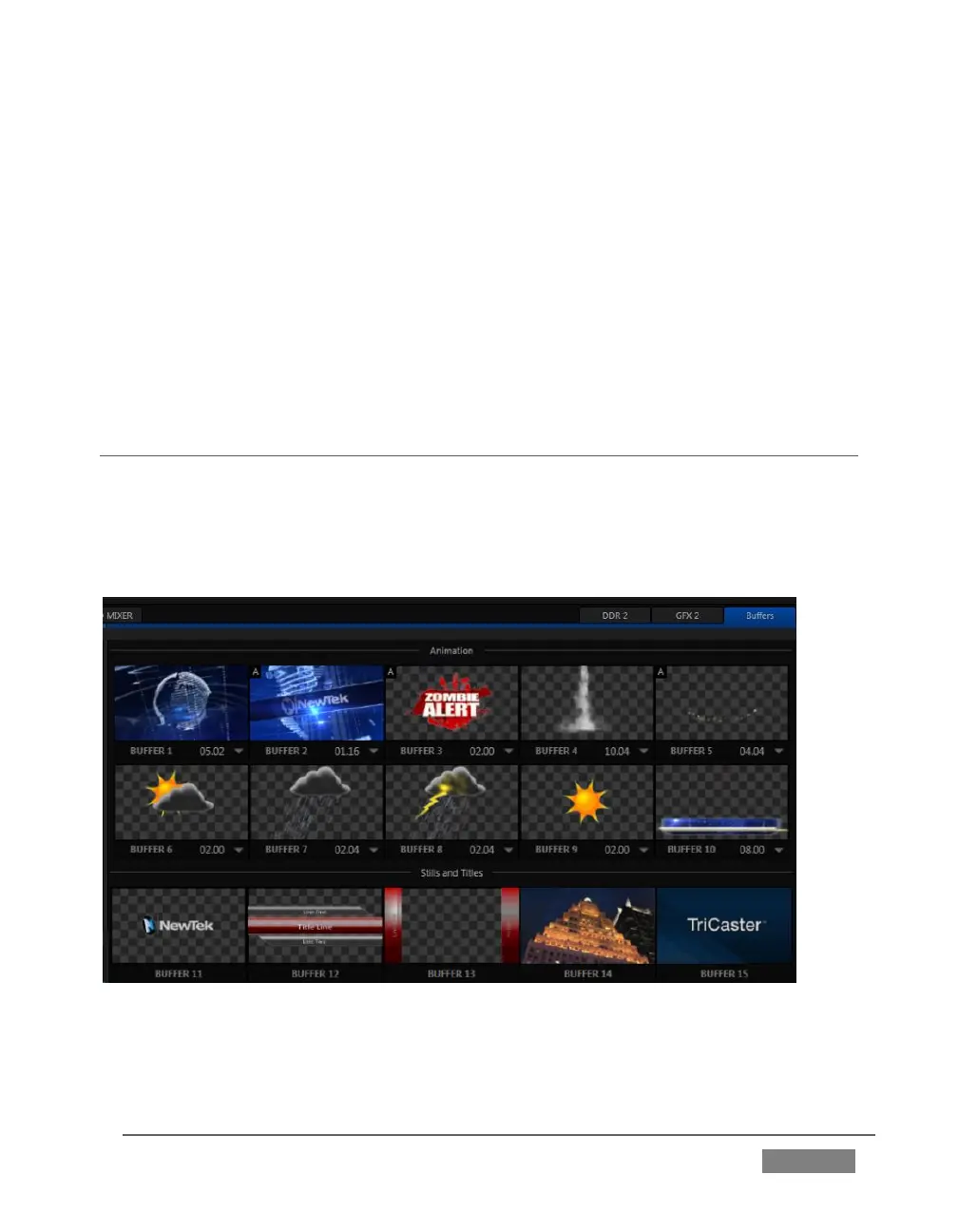
TriCaster’s powerful Buffer system provides convenient alternative graphics and
animation sources for M/Es (including their associated Key channels), the Switcher’s
primary Program and Preview rows, and its four DSK channels. The tabbed Buffers
module (Figure 202) shows icons and controls for fifteen Buffers.
FIGURE 202
Buffers are sometimes even more useful than similar imagery supplied from Media
Players. Buffers are retained in Switcher Memory for immediate recall and display.









 To Next Page