Page | 356
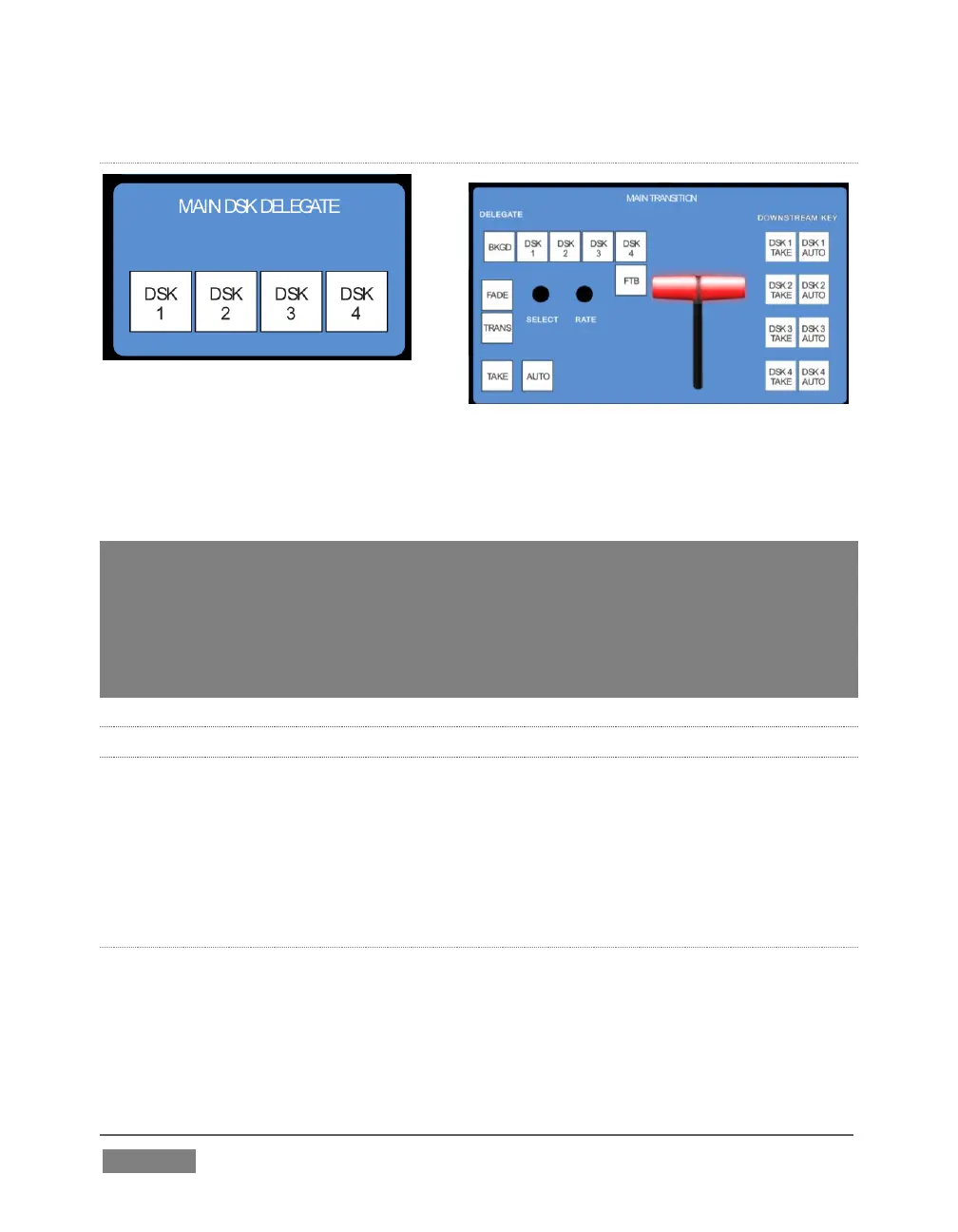
MAIN DSK DELEGATE
FIGURE 329
MAIN DSK DELEGATE button selections
govern which DSK layer(s) the row is
currently controlling; or – from another perspective – which video layers the selected
source is assigned to.
Note: When possible, all related button selections (and illumination state) are updated to
show their current states when new delegate selections are first made. This is true for all
delegate groups.
(An exception is made when newly selecting multiple delegates with control settings that
do not initially match. For example, if DSK1 and DSK 2 have different sources assigned
and are newly multi-selected in the delegate group, no buttons on the DSK row are lit.)
22.3.3 MAIN TRANSITION GROUP
The controls in this group are analogous to those in the corresponding area on the
Live Desktop, performing the same functions in much the same manner.
(In one deviation, switcher layer positioning is provided by a single, shared set of
Positioner tools, discussed later.)
DELEGATE
As on the Live Desktop, active delegate buttons remain lit. Multiple selections can be
performed by pressing one or more buttons at the same time.
DELEGATE buttons determine what video layers the main Take, Auto, and T-Bar affect,
and the scope of the Select and Rate knobs.









 To Next Page