Page | 433
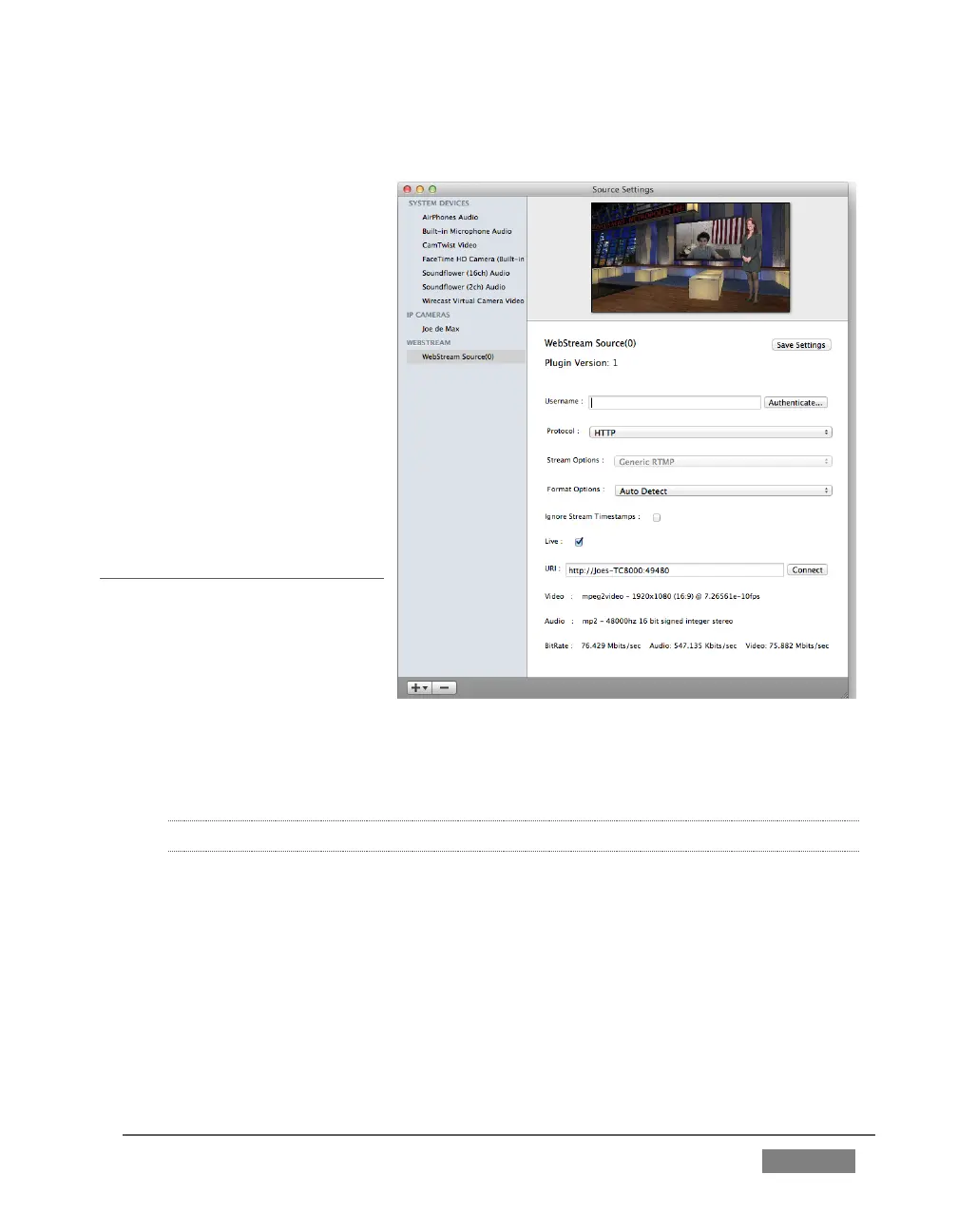
The Source Settings dialog will open.
5. Set Protocol to “HTTP”.
6. Type the Network URL
displayed in TriCaster’s
Output Configuration
pane into the Wirecast
®
URL field.
TriCaster’s Network video
output should now appear in
Wirecast
®
, ready to be added to
a shot like any other valid
source.
A.2 SESSIONS
SUPPLEMENTARY QUESTION:
Q: What is a session?
A: Sessions can be thought of
as ‘top-level presets’. They
store all of the settings, playlists, device configurations, and so on for a given live
production. See Section 5.1.
A.2.1 START AN SD SESSION?
1. Connect your SD sources to TriCaster’s input connectors (see Section 3.5).
2. Connect your SD monitors to TriCaster’s output connectors (see Section 3.8.1)
3. Select the New icon in the Home Page of the Startup Screen.
4. Click the Enter Session Name link (under Session Name at right) and supply a
name for the new session.









 To Next Page