Page | 407
22.7.4 PANEL LAYOUT
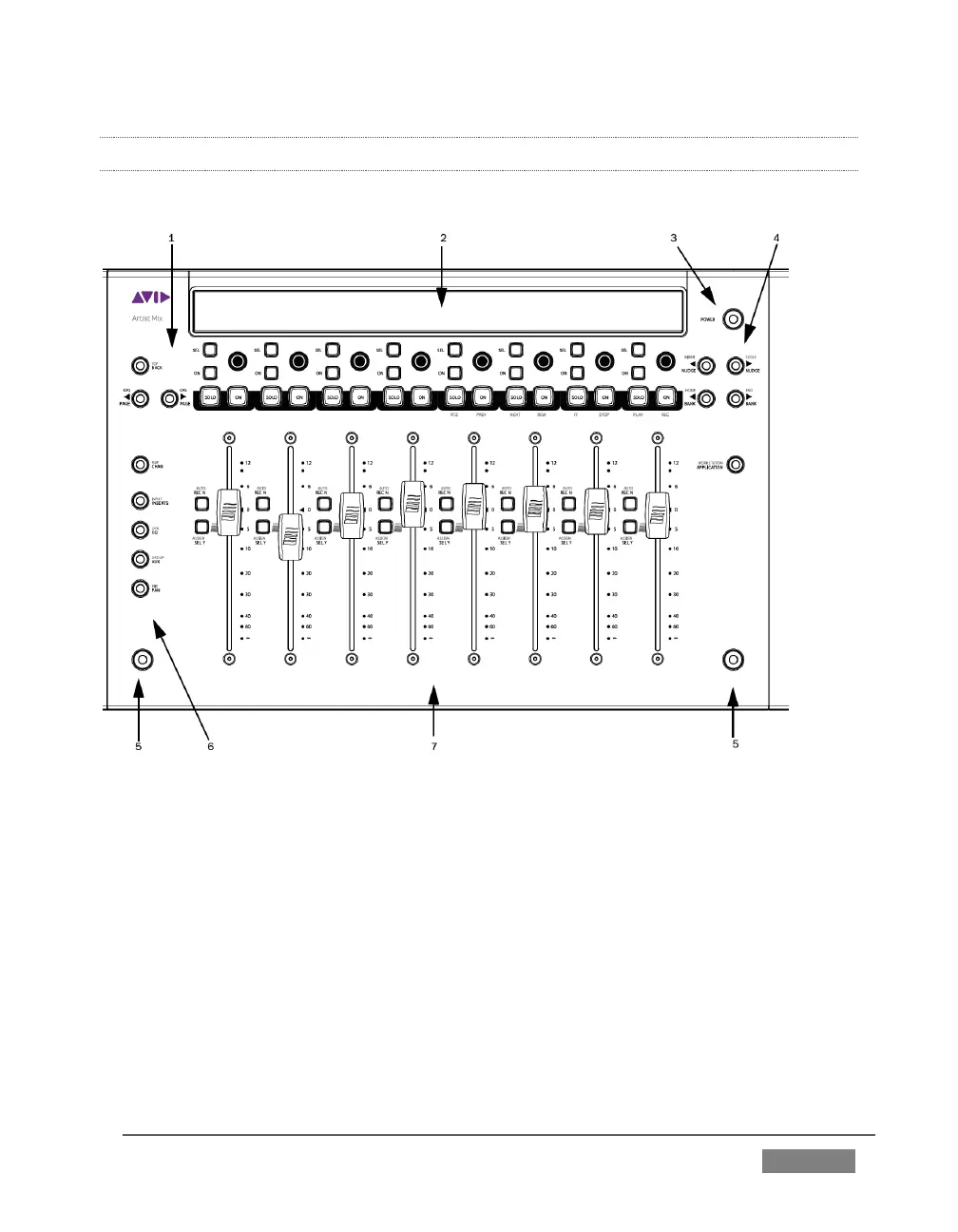
Figure 374 illustrates the control surface layout.
FIGURE 374
1. Soft Key navigation buttons
2. OLED Display
3. Power button
4. Fader Navigation buttons
6. Knob Set selectors
7. Fader strips
Of course, Artist Mix can be used with a variety of systems and software applications
apart from TriCaster. You may already be familiar with its use for certain other
purposes. The Artist Mix User Guide provides details regarding each control. In this
manual, we’ll focus on the controls as they apply to TriCaster only.









 To Next Page