Page | 14
Display DSK channels independently, and swap them during a switch with
custom transitions for each.
Use TriCaster’s numerous Media Players to overlay title pages, including
scrolls, crawls and lower-thirds, or assign a Camera feed or Network source
to an overlay channel.
Alternatively, use the Buffer channels to assign a specific title, still image or
animation effect to any overlay channel.
Independent Crop, Position, 3D Rotation, and Scale controls for each DSK
channel permit you (for example) to configure multiple sources as ‘Picture in
Picture’ elements, revealing them with individual custom effects).
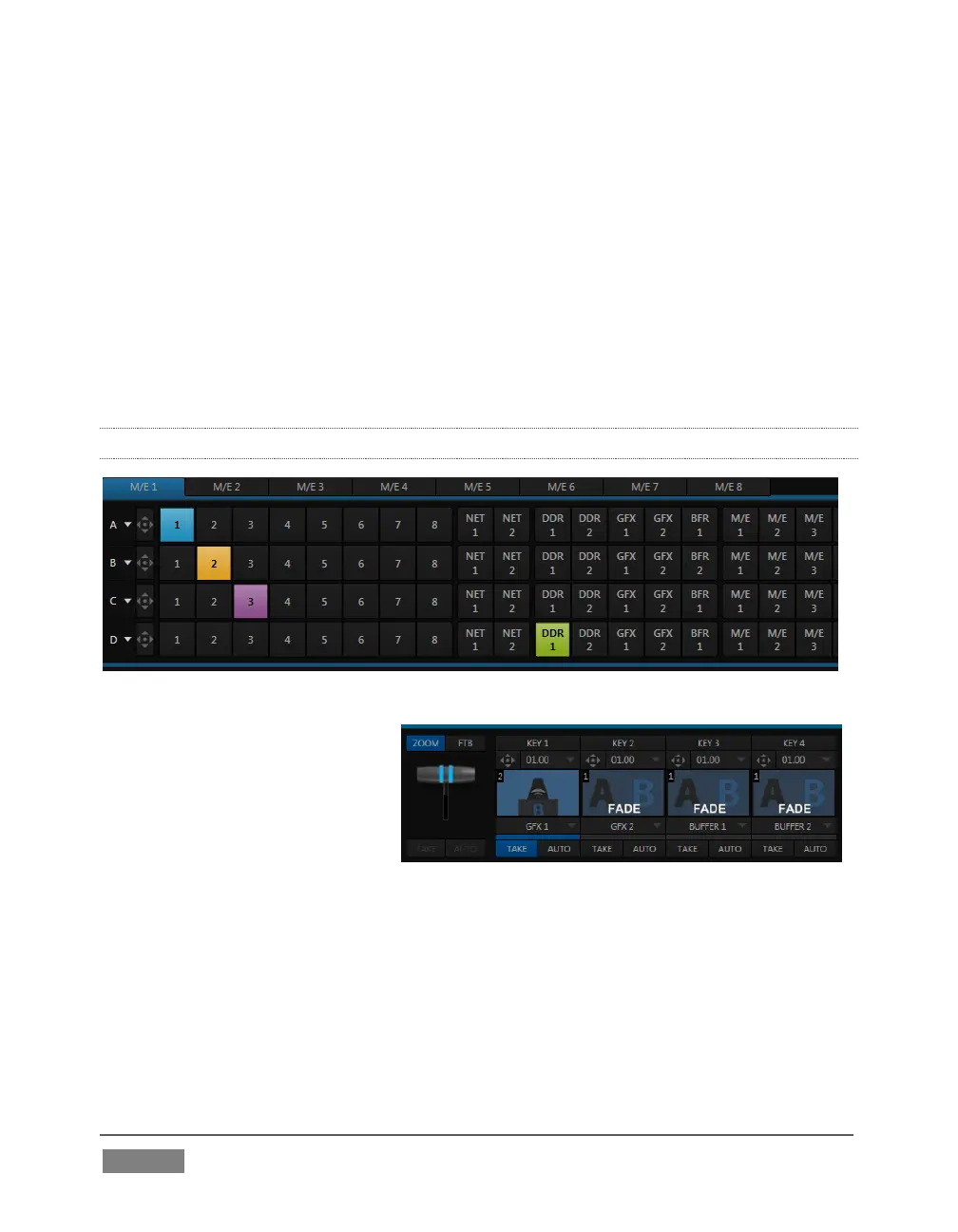
2.5.9 M/ES
FIGURE 7 (TRICASTER 8000 SHOWN)
TriCaster’s color-coded M/E
(Mix/Effect) banks provide
stunning effects.
These include secondary video
mixing capabilities, switching
(with traditional wipes or Animation Store transitions with TransWarp capabilities),
full alpha channel support and LiveMatte™ realtime keying technology for green/blue
screen effects, and jaw-dropping dynamic virtual sets, and much more.
Each M/E bank composition supports:
Multiple video sources (four for TriCaster 8000 only, or two).
One or more Key (overlay) channels, with individual transition capabilities.
FIGURE 8 (TRICASTER 8000)









 To Next Page