Page | 476
Some more professional cameras offer full manual controls for white balance and/or
black level. Use these as instructed to ensure your camera is providing the correct
white and black levels.
If you cannot make source adjustments, or can’t get it quite right by these means
alone, you can use the Brightness and Contrast controls in the Proc Amp TriCaster
provides for that input to tweak black and white levels. (Of course it is always best to
perform adjustments at the source if possible.)
C.2.2 ADJUSTING COLOR
We’re going to move into color calibration next, but first we can actually use our black
and white signals for some further tests.
VECTORSCOPE
While we’re still working with black and white levels, we can introduce TriCaster’s
Vectorscope, and perform an initial test of the camera’s color balance.
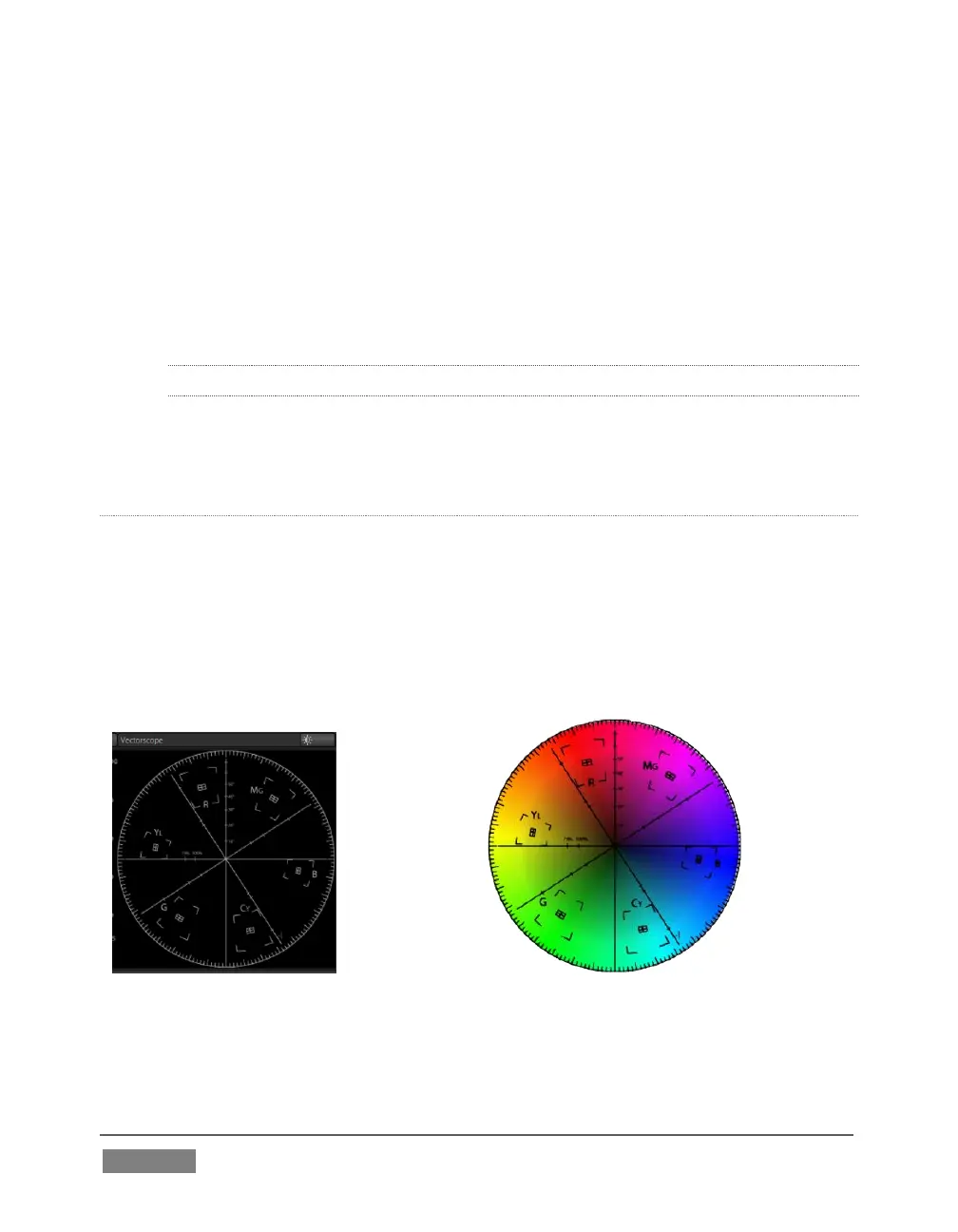
A vectorscope (Figure 402) can be likened to the familiar ‘color wheel’ (Figure 403)
which sweeps radially through the colors of the spectrum – yellow, red, magenta, and
so-on, around the arc of a circle. Colors are more progressively intense (saturated)
towards the outside of the circle, while color saturation is zero at its center.
As it happens, from the vectorscope point of view, neither black nor white properly
have any color saturation. Thus with the lens cap on (or with a white card filling the
viewfinder), the vectorscope should show only a small fuzzy trace at its center. If the









 To Next Page