Page | 189
Selecting the Clock item
replaces the video display with
Event Clocks showing current
time or LTC timecode along
with countdown style Start
and End clocks (see Section
8.4.3). The Custom Image
feature lets you display a
network logo.
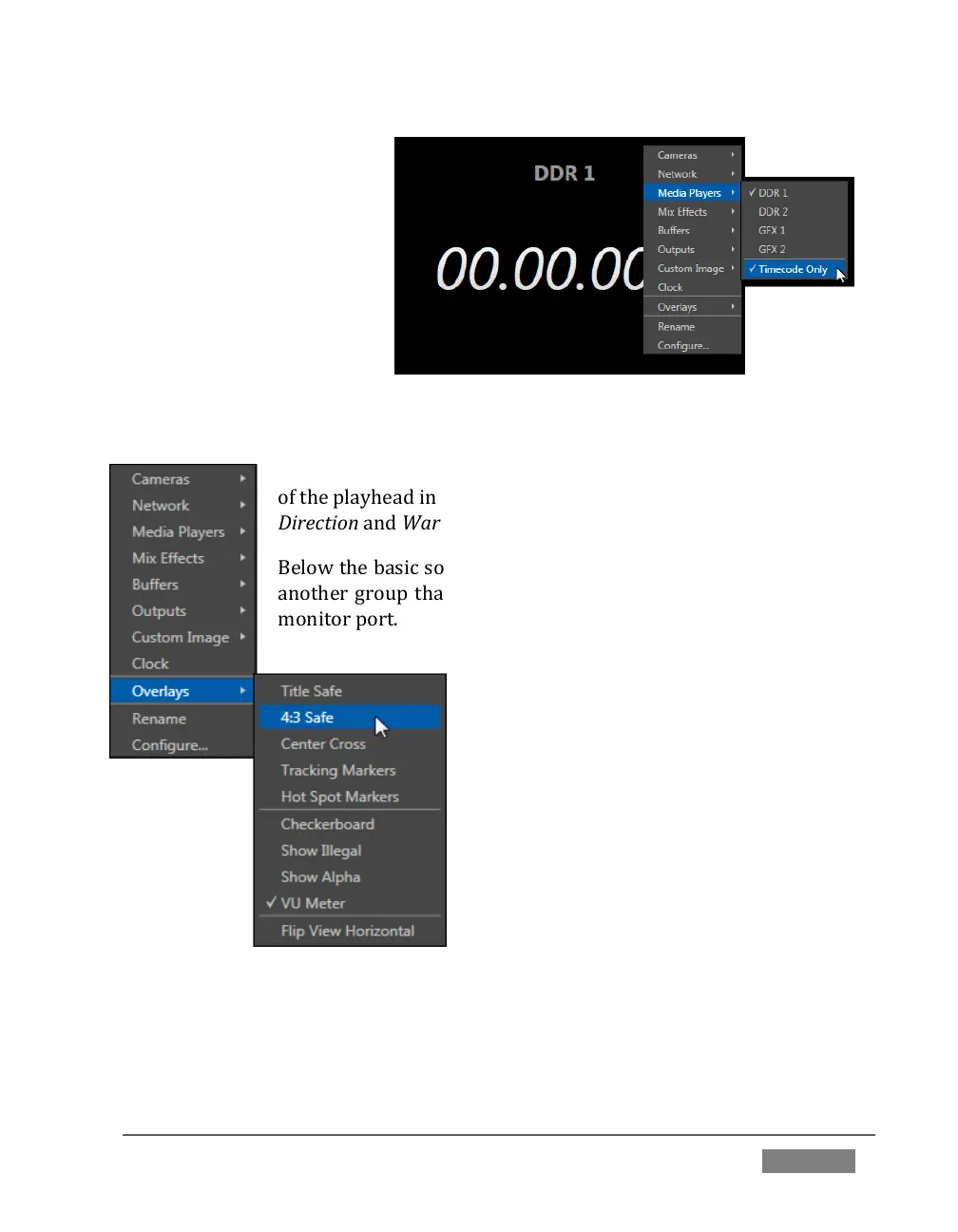
A further display you may find useful is the Timecode Only option that appears at the
bottom of the Media Players sub-menu.
This alternative displays a counter showing the current position
of the playhead in the Media Player. The display respects Reverse
Direction and Warning Colors options, too.
Below the basic source selection options in the menu, you’ll find
another group that provides access to optional Overlays for the
monitor port.
Available overlays include Checkerboard
(shows a checked pattern wherever
transparency exists in the source); Title Safe
(note this is a 4:3 format safe margin); 4:3
Safe (a true 4:3 frame edge boundary),
Center Cross to help with alignment, and
Show Illegal and Show Alpha.
In addition, you may choose to display VU
Meters with the source, Tracking Markers
(see 8.2.8) and Hot Spot Markers (see Section
8.2.7).
The final Overlay option flips the images
horizontally, useful for a variety of studio requirements such as talent orientation in
greenscreen applications (including Hotspot operations).









 To Next Page