Page | 321
The port number just mentioned (the part after the colon).
Although the steps vary a bit by brand and model, generally you would proceed as
follows:
1. Log into the router, so it shows its control panel in your web browser.
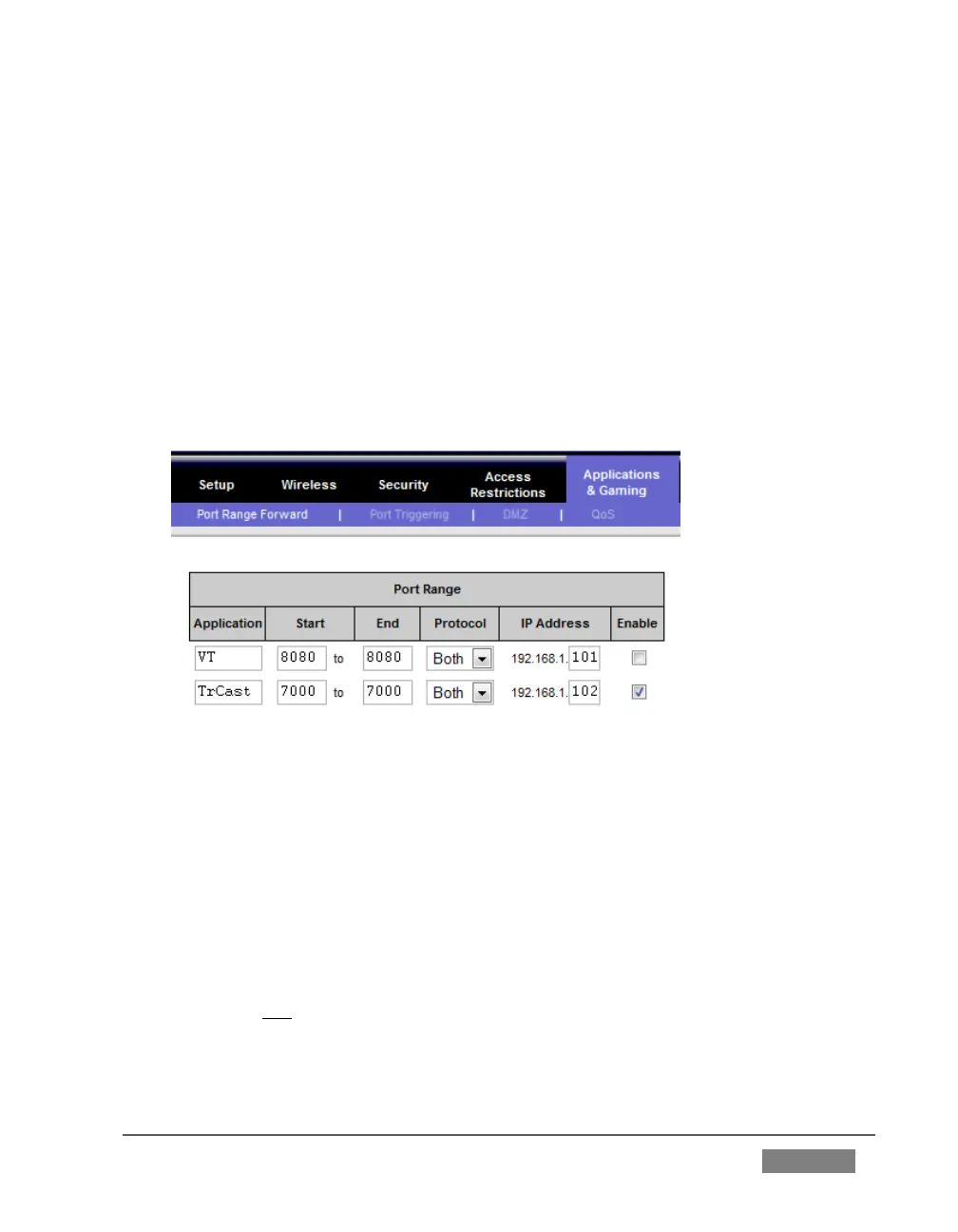
2. Select the port forwarding page of the router controls. These options may be
found in an obscure place, such as the router’s “Applications and Gaming”
page (since online gaming often requires port forwarding).
FIGURE 306
3. Enter an Application name, if required (this is for your own recognition
purposes, so use anything you like).
4. Enter the Start and End port values – you can use the same port number in
both fields, but of course it must be the one you set in TriCaster’s Port field.
5. IF possible, select Both for Protocol (or select UDP).
6. Enter the full (punctuated numeric) local IP address shown in the Location
field of your TriCaster after you enable the stream.









 To Next Page