Page | 360
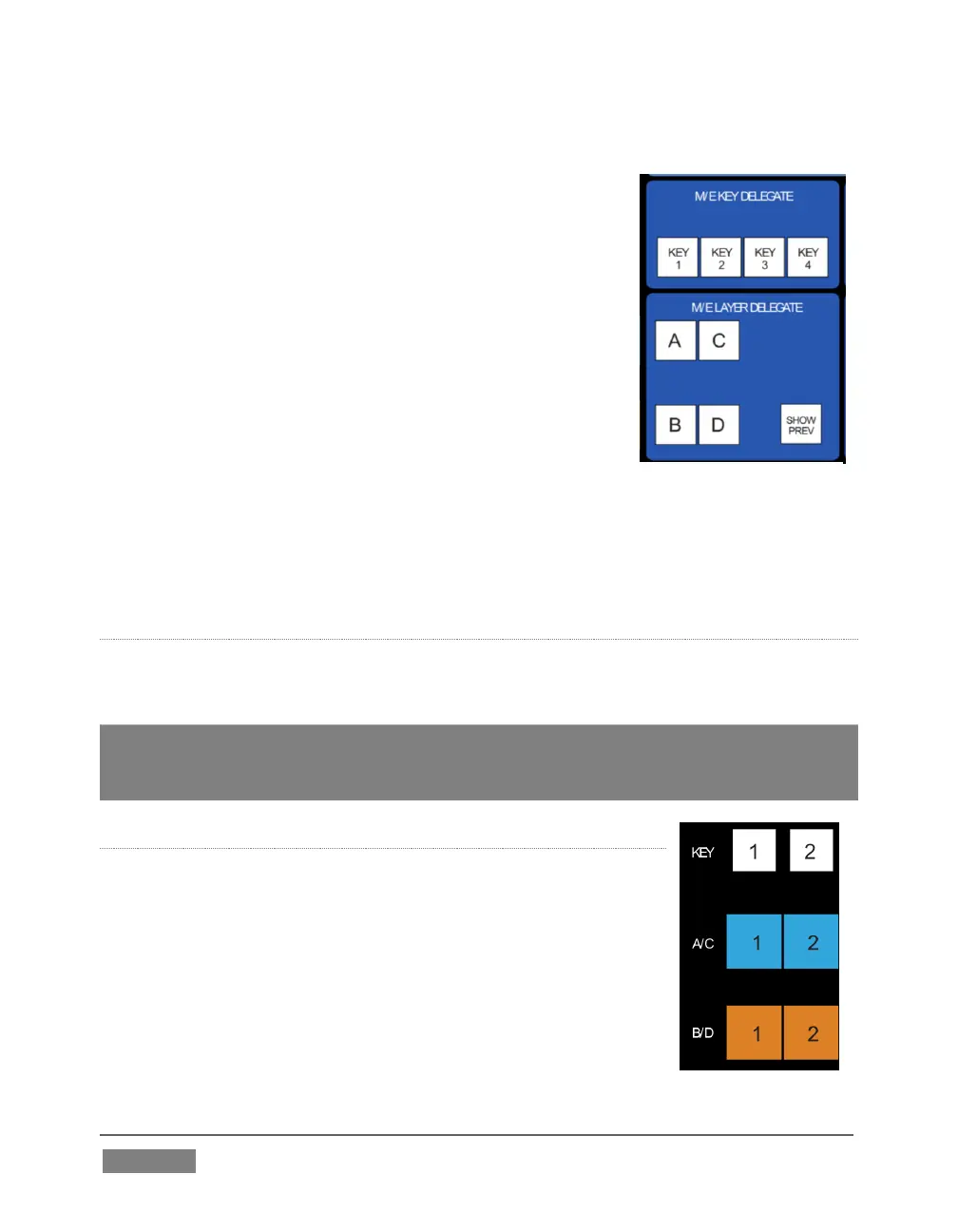
M/E LAYER AND KEY DELEGATE
These two delegate button groups control the functionality
of the source selection rows at left, allowing you to specify
sources for any or all of the video layers of all currently
delegated M/E(s). Naturally, the M/E KEY DELEGATE
selection(s) govern the KEY row buttons at left
Just beneath the KEY row you will notice two identical
rows labeled A/C and B/D. The result of selections in the
A/C source row is controlled by the M/E LAYER DELEGATE
buttons labeled A and C. Likewise, B and D buttons in the
M/E LAYER DELEGATE group govern the B/D row.
SHOW PREV
This buttons toggles the Tabs Follow All Delegates option in TriCaster, which in turn
causes M/E Preview monitor panes to update when a new M/E Delegate selection is
made.
INPUT ROWS
All three input, or ‘source selector’ row rows provide buttons for all camera inputs,
Net 1, Net 2, Buffer, Media Players (excluding Sound), and Black.
Hint: The Buffer source for every row in all M/Es are independent, configured in the user
interface. As you’d expect, selecting this button invokes the assigned Buffer for each
delegated M/E, even for multi-delegate selections.
M/E TRANSITION CONTROLS
The final set of M/E delegates referred to earlier is located in the
M/E TRANSITION control group. A cursory glance at this
control group reveals that is for all intents a twin of the MAIN
TRANSITION group, discussed back in Section 22.3.3. Using
these controls, you can manage all layers of a composite effect,
or even produce a complete secondary switch for output.









 To Next Page