Chapter 4—Configuring the Library Backing Up the Library Configuration
August 2017 User Guide—Spectra T50e Library
117
Generate the Configuration Backup File
1. Logintothelibraryasauserwithsuperuseroradministrator
privileges.
2. IfyouwanttosavetheconfigurationtoaUSBdevice,connectthe
devicetoaUSBportontheLCMandallowtimeforthedeviceto
mountbeforecontinuing(seeFigure25onpage62).
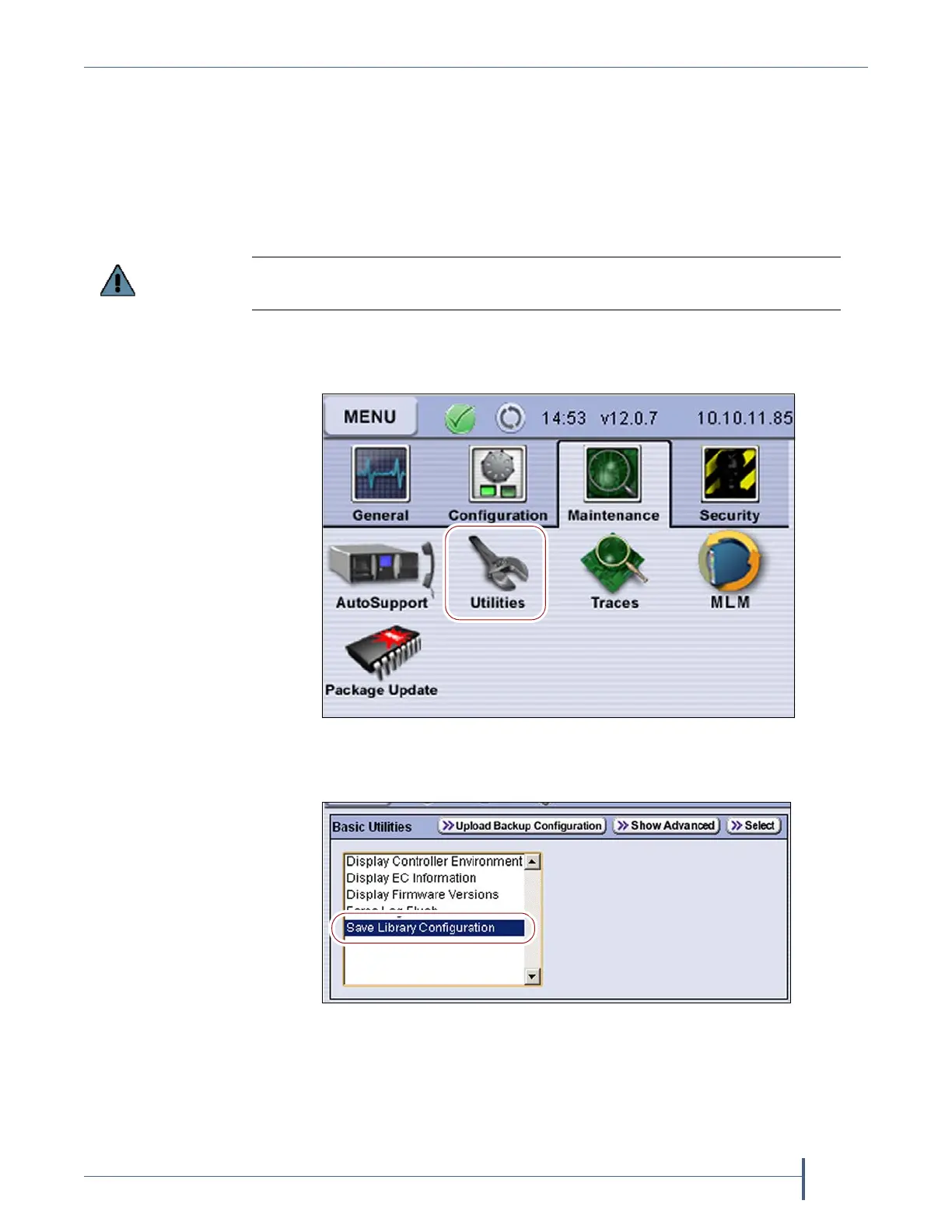
3. Ifnecessary,clickMENUtodisplaytheMenuscreen.
4. ClickMaintenance todisplaytheMaintenancemenu.
5. Click Utilities.TheBasicUtilitiesscreendisplays.
6. ScrollthroughthelistofutilitiesandselectSave Library Configuration.
The option to save the file to USB is only available if you connect a USB device to
the library’s USB port before you access the utilities.
Figure 65 Click Utilities on the Maintenance menu.
Figure 66 Select Save Library Configuration on the Basic
Utilities screen.



 To Next Page