Chapter 11—Configuring and Using AutoSupport Using AutoSupport to Create or Update a Ticket
August 2017 User Guide—Spectra T50e Library
340
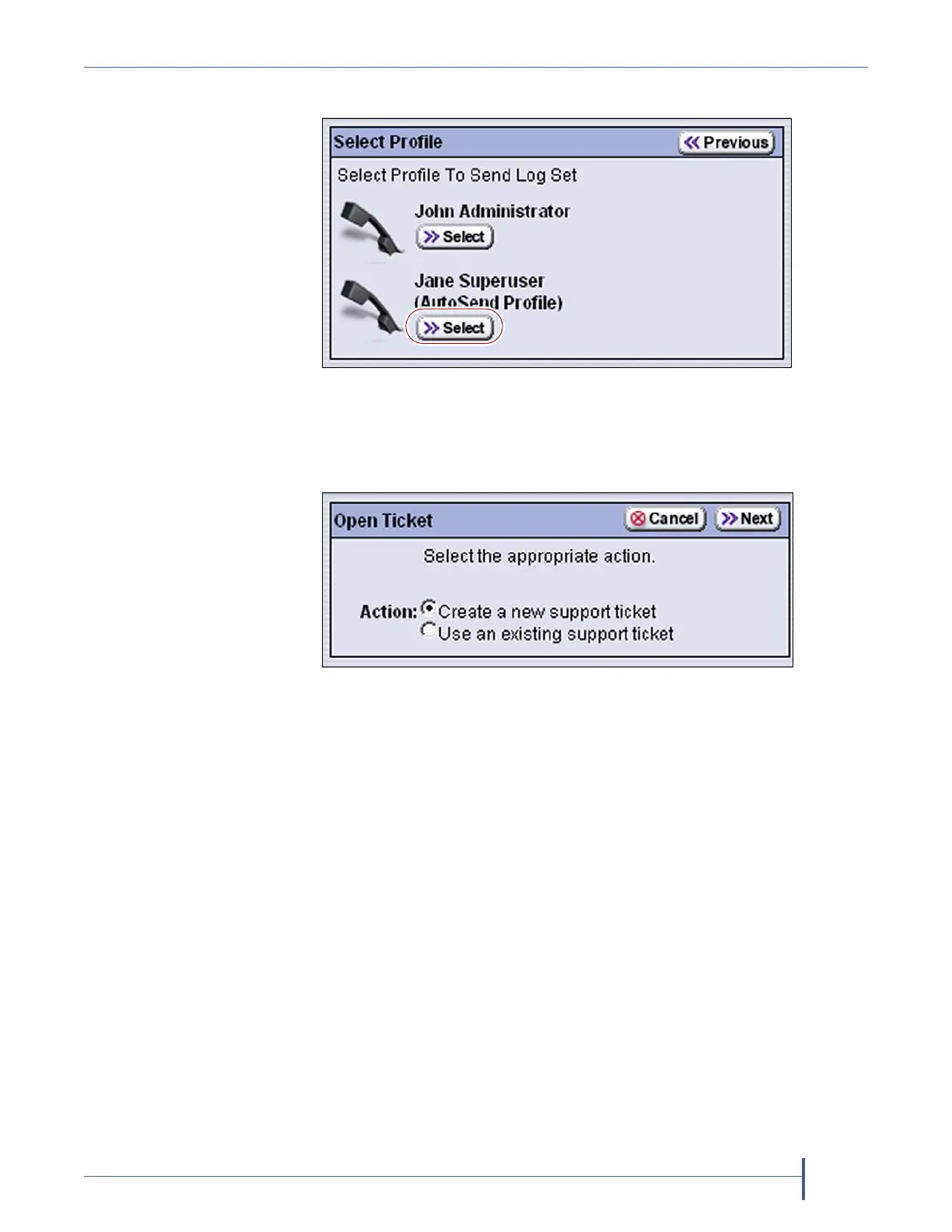
4. ClickSend Log Set.TheSelectProfilescreendisplays.
5. ClickSelectnexttotheprofileforthemaincontactpersonfortheissue.
TheOpenTicketscreendisplays.
Ifthisisanewticket,selectCreate a new support ticket.Thisoption
isselectedbydefault.
Ifyouaresendingadditionalinformationaboutanexistingsupport
ticket,selectUse an existing support ticket.Updatingaticketis
particularlyusefulformailingnewlogstoTechnicalSupport.
Notes: Youmusthavethereferencenumberfortheexistingticket—
whichyoureceivewhenyouopentheticket—andthe
informationyouaresendingmustberelatedtothespecific
issuereportedinthatticket.
Ifyouhaveanewissuewithyourlibrary,openanewticket
toaddressthatissueseparately.
Figure 236 Click Select under the profile you want to use for
sending the AutoSupport ticket.
Figure 237 Select the type of ticket you want to open.



 To Next Page