Chapter 3—BD Alaris™ Pump Module Model 8100, Alaris™ Pump Module Model 8100, and Alaris™
Syringe Module Model 8110
152 BD Alaris
TM
System with Guardrails
TM
Suite MX User Manual
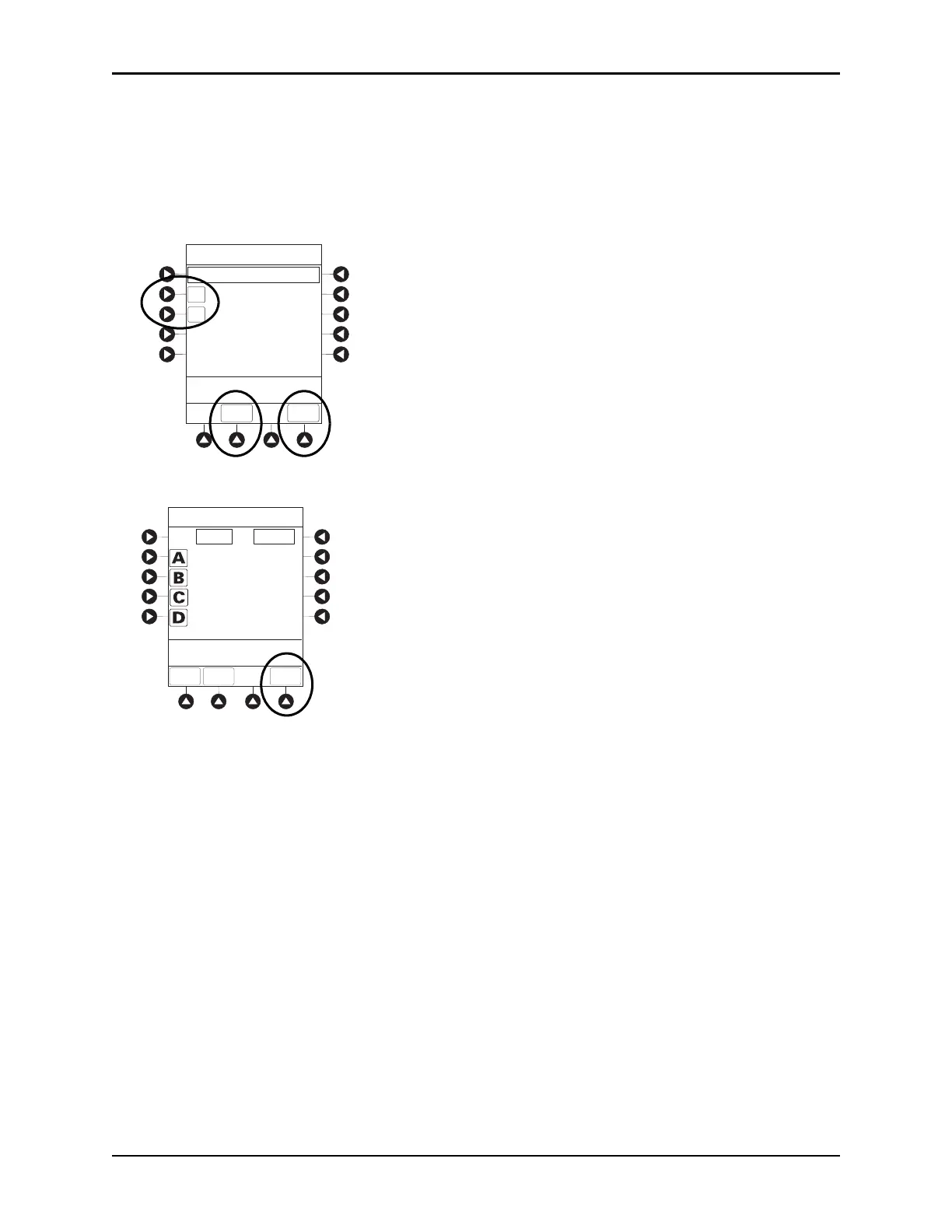
3. To clear volume infused:
• If only selected module is to be cleared, press the soft key next to a
pplicable module and press the
CLEAR CHANNEL soft key.
• Volume clears on selected module.
• If all modules are to be cleared, press the
CLEAR ALL soft key.
• To return to main screen, press the MAIN SCREEN soft key.
NOTE:
Date format is year-month-day.
Pump module: A PRI/SEC VOLUME soft key is available to allow secondary volume infused to be
displayed.
If no key is pressed, main screen appears after 30 seconds.
The illustrated example is a syringe module display. A pump module display has a PRI/SEC VOLUME
soft key.
A
B
CLEAR
ALL
MAIN
SCREEN
42.5
48.1
Volume Infused
>Select Channels to Clear
or Press CLEAR ALL
TOTAL VOLUME
(mL)
LAST
CLEARED
07:30
2002-3-11
08:00
2002-3-10
Volume Infused
>Select Channels to Clear
or Press CLEAR ALL
CLEAR
ALL
MAIN
SCREEN
PRI (mL) SEC (mL)
0.0
0.0
0.0
0.0
0.0
0.0
0.0
0.0
PRI/SEC
VOLUME
Volume Infused
>Select Channels to Clear
or Press CLEAR ALL
CLEAR
ALL
MAIN
SCREEN
PRI (mL) SEC (mL)
0.0
0.0
0.0
0.0
0.0
0.0
0.0
0.0
PRI/SEC
VOLUME



 To Next Page