Chapter 2—BD Alaris™ PCU Model 8015 and Alaris™ PCU Model 8015
56 BD Alaris
TM
System with Guardrails
TM
Suite MX User Manual
BD Alaris
TM
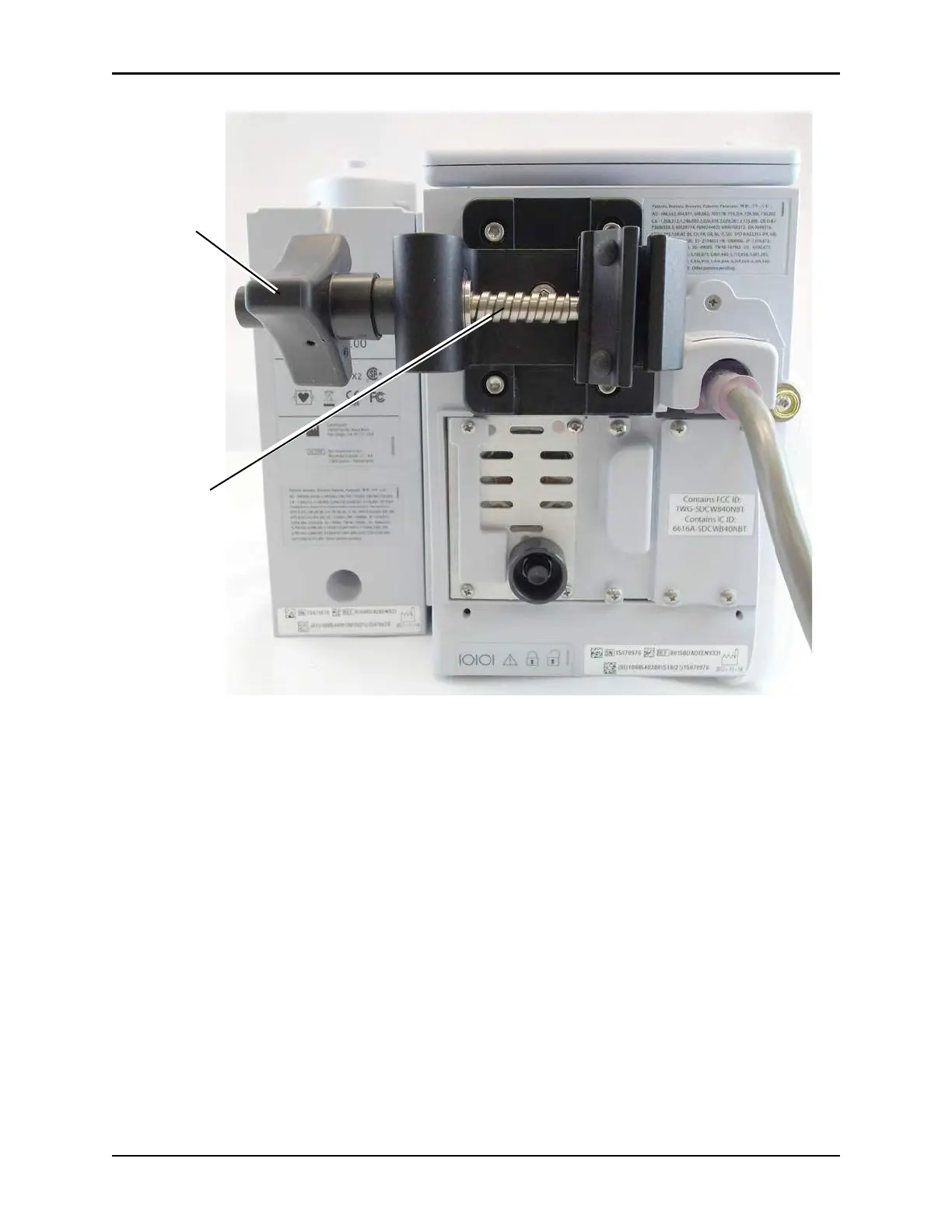
PCU Rear Panel - Pole Clamp
Displays
The displays illustrated throughout this document are for illustration purposes only. The display content
varies, depending on configuration settings, hospital-defined data set uploaded using the Guardrails suite
MX, and many other variables.
A color versus monochrome display
option
is available when creating a hospital-defined, best practice data
set. If no data set is present or the profiles feature is disabled, the default is a color display. During normal
operation, the title and prompt bars are blue when a color display is enabled. The display dims after 2-
minutes (± 10 sec) if no keys are pressed during that interval. The display returns to normal brightness
when any key is pressed or at the initiation of any alarm or advisory. See Alarms and Alerts on pa
ge 325
for additional color categories.
Quick attach
pole clamp
knob
Enhanced
thread design



 To Next Page