Programming
BD Alaris
TM
System with Guardrails
TM
Suite MX User Manual 209
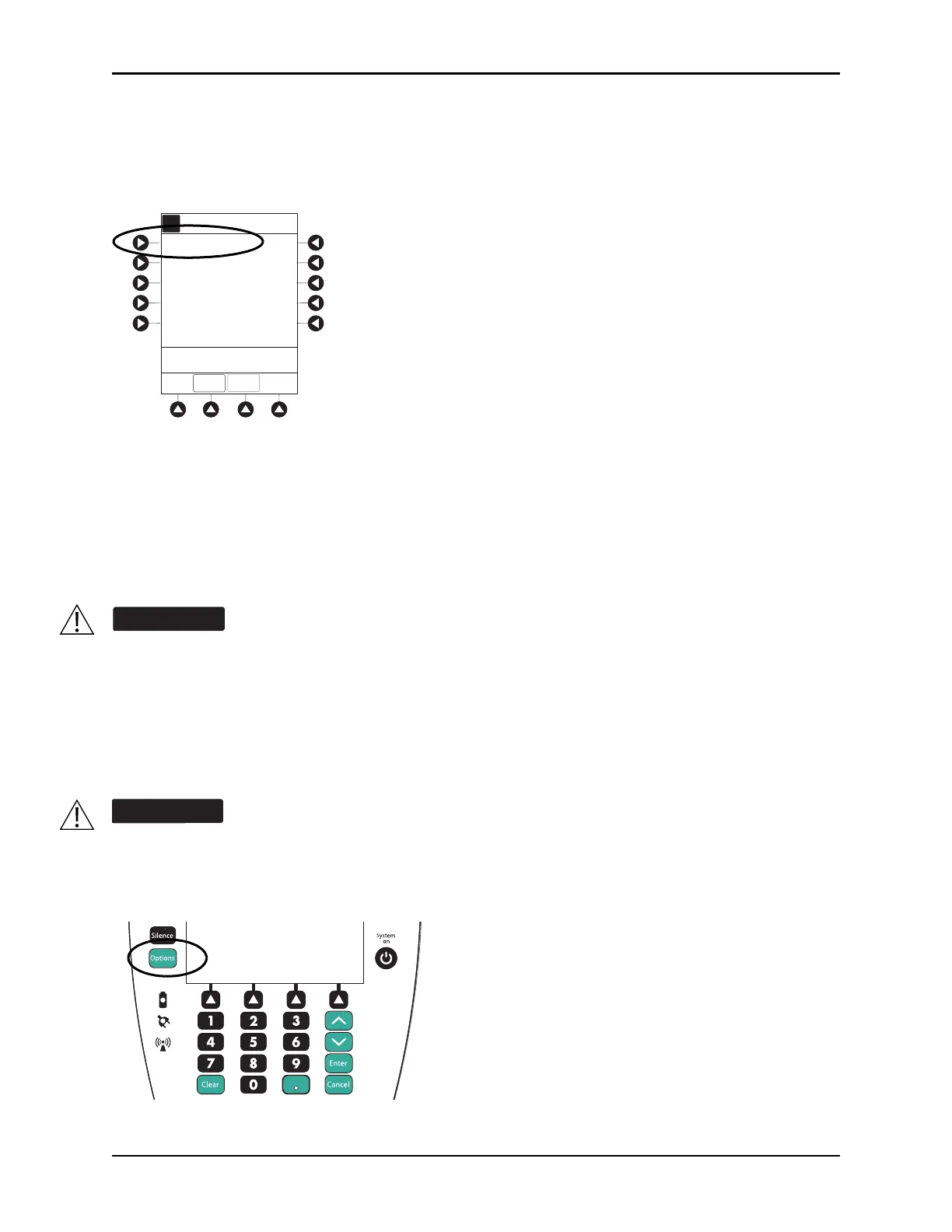
2. Press soft key next to installed syringe type and size. If installed syringe is not listed, press the ALL
SYRINGES
soft key and select syringe from list.
• Selection is highlighted.
•
CONFIRM soft key is activated.
3. To accept, press CONFIRM soft key.
Drug Library screen is displayed.
Priming
The priming option can be enabled at the time the system is configured for use. The priming selection
(
PRIME soft key) is available only after the syringe type and medication selection (prior to infusion mode
selection).
1. Press
OPTIONS key.
When priming:
• Ensure that patient is not connected.
• Ensure that air is expelled from line prior to beginning infusion (unexpelled air in line
could have serious consequences).
Failure to prime correctly can delay infusion delivery and cause the total volume to be
infused to read higher than the actual total delivered to the patient.
During priming, the pressure limit alarms are temporarily increased to their maximum level.
IMS Pre-fill 30 mL
>Select Syringe Size
A
Syringe Selection
CONFIRM
ALL
SYRINGES
Options
Silence
Clear Cancel
Enter
System
on



 To Next Page