Programming
BD Alaris
TM
System with Guardrails
TM
Suite MX User Manual 235
Viewing and Clearing Volume Infused
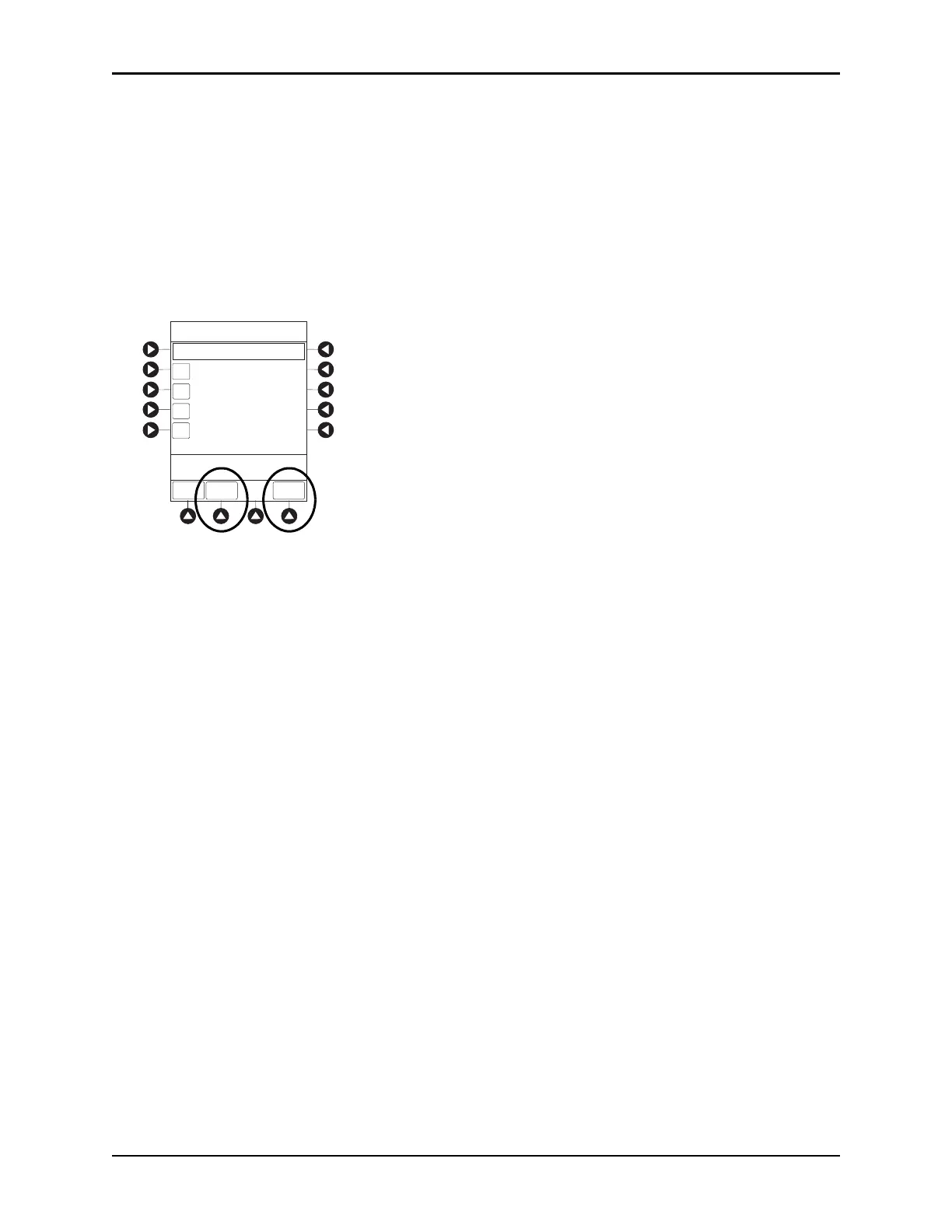
1. To view volume infused, press the VOLUME INFUSED soft key from Main Display.
Total volume infused, and time and date volume infused was last c
leared, are displayed for each
channel.
2. To clear volume infused:
• If only selected channels are to be cleared, press soft key next to ap
plicable channel(s) and press
CLEAR CHANNEL soft key.
• If all channels are to be cleared, press
CLEAR ALL soft key.
3. To return to main screen, press MAIN SCREEN soft key.
NOTE:
Date format is year-month-day.
If no key is pressed, main screen appears after 30 seconds.
Clearing volume infused on a PCA module does not clear patient history.
A
C
D
B
CLEAR
ALL
MAIN
SCREEN
Volume Infused
>Select Channels to Clear
or Press CLEAR ALL
TOTAL VOLUME
(mL)
LAST
CLEARED
08:00
1998-3-10
07:30
1998-3-11
08:00
1998-3-10
12:00
1998-3-10
PRI/SEC
VOLUME
401.10
42.50
478.10
789.10



 To Next Page