Chapter 3—BD Alaris™ Pump Module Model 8100, Alaris™ Pump Module Model 8100, and Alaris™
Syringe Module Model 8110
132 BD Alaris
TM
System with Guardrails
TM
Suite MX User Manual
Continuous Infusion
The following workflow assumes that the pump module has already been programmed with an Initial
Primary Continuous Infusion and that the Patient’s ID band, medication/fluid barcode label, and the
module barcode labels have been scanned, see Programming with Interoperability — Initial Primary
Infusion on page 123
.
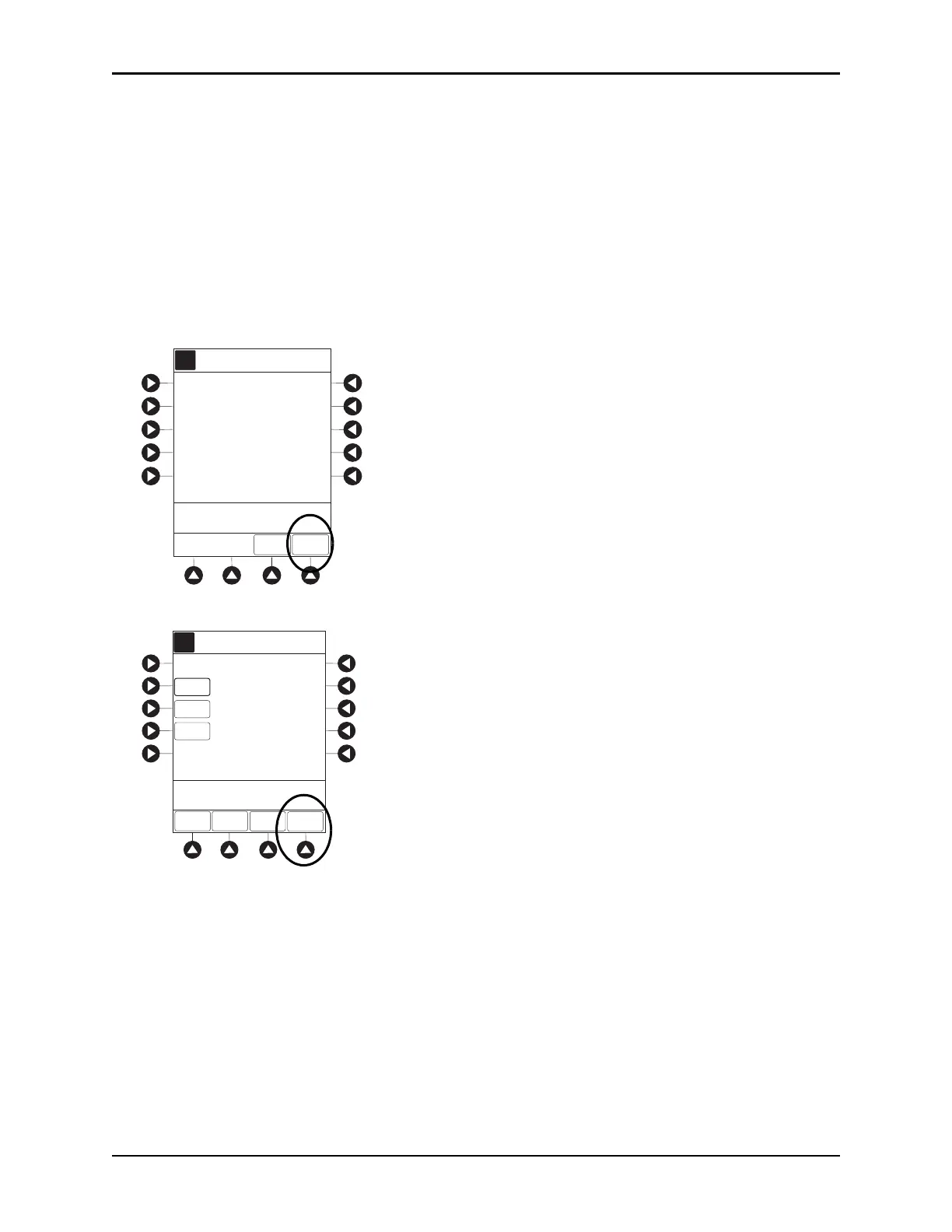
1. Review and verify that all parameters pre-pop
ulated on the system are correct prior to starting the
infusion.
The drug amount, diluent volume, and patient weight (if conti
nuous infusion is weight-based) are
pre-populated from the automated programming request.
2. Press the
NEXT to confirm.
3. After the parameters are confirmed, press the START soft key.
The rate, VTBI, and dose are pre-populated from the automated programming request.
If the subsequent automated programming request contains an infusion parameter (rate or dose) that
changes
the current infusion rate, a message appears with a recalculation of the rate notification.
A
DRUG
AMOUNT
DILUENT
VOLUME
100
mg
100
mL
[Conc]: 1 mg/mL
hour
mg/kg/h
>Press NEXT to Conrm
NEXT
TIME
UNITS
DOSING
UNITS
70 kg
PATIENT
WEIGHT
DRUG
LIBRARY
Alteplase
Stroke
AA
A
RATE
VTBI
CONTINUOUS INFUSION
DOSE
0.81
mg/kg/h
[Conc]: 1 mg/mL
SETUP
BOLUS
100
mL
START
PAUSE
>Press START
56.7
mL/h
Alteplase
Stroke



 To Next Page