Chapter 3—BD Alaris™ Pump Module Model 8100, Alaris™ Pump Module Model 8100, and Alaris™
Syringe Module Model 8110
160 BD Alaris
TM
System with Guardrails
TM
Suite MX User Manual
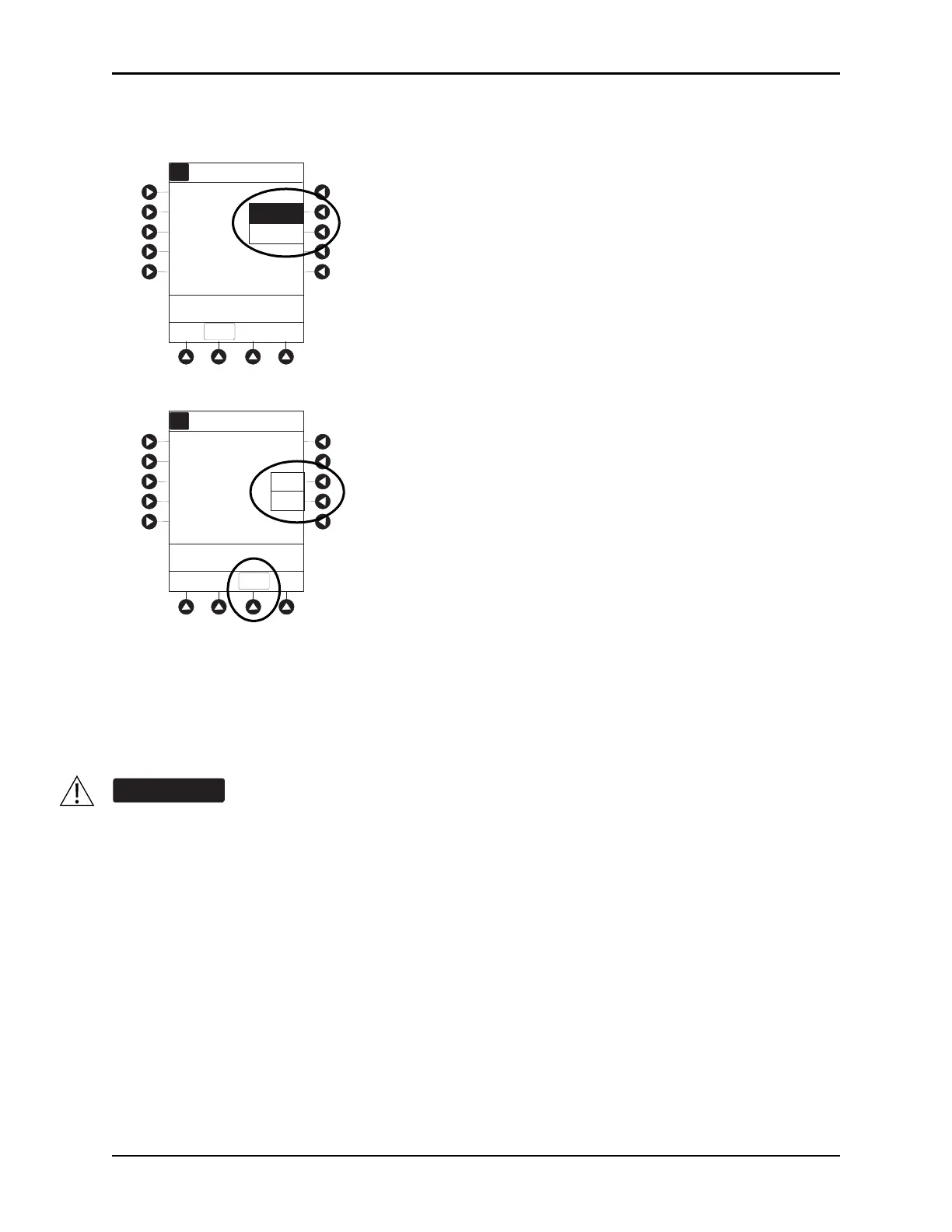
4. Press either the Pump or Selectable pressure soft key. If Selectable is pressed, continue with next step;
otherwise, proceed to last step.
5. To select occlusion pressure limit, press either the Up or Down soft key.
6. Verify correct occlusion pressure limit input and press the CONFIRM soft key.
7. Press the
START soft key.
Syringe Module
Pressure Sensing Disc Installed
1. Ensure that pressure sensing disc is installed correctly.
2. Press the
CHANNEL SELECT key.
3. Press the
OPTIONS key.
Installing a pressure sensing disc after an infusion has started can result in a bolus to the
patient.
>Select an Option or EXIT
EXIT
Pressure Limit Selection
Selectable
Pump
A
Pressure Limit Selection
Selectable Pressure
525
mmHg
Up
Down
CONFIRM
A



 To Next Page