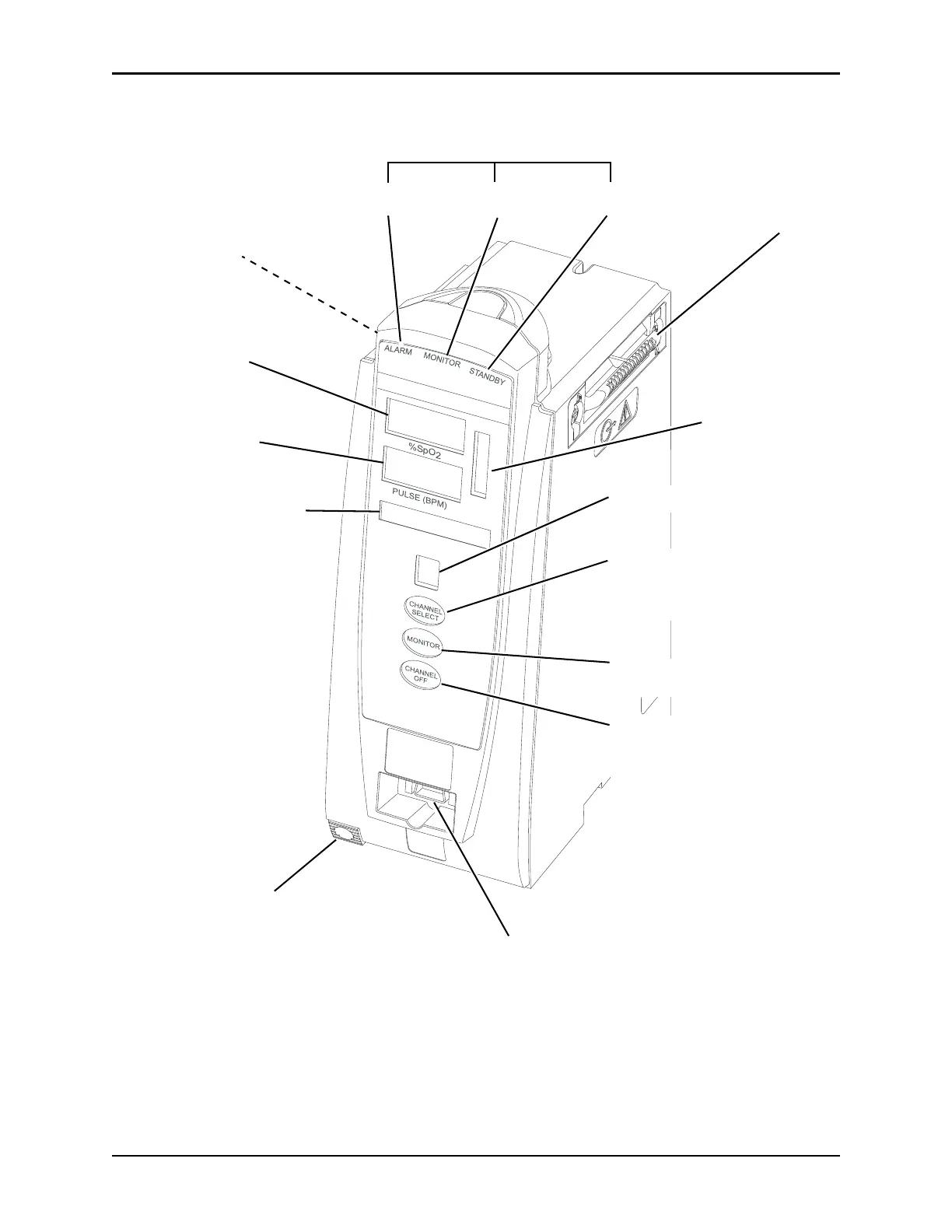
Status Indicators
Alarm
(red)
Monitoring
(green)
Standby
(yellow)
%SpO
2
Display
Channel (module)
Message Display
Channel (module) Identification
Channel (module) Off Key:
When pressed and held until a
beep is heard, stops operation of
that module, deselects that module,
and if only that module had been
operating, system powers down.
Repeat for other operating modules
to power off each module.
Module Release Latch:
When pressed, allows module
to be removed.
Pulse Bar Display
Pulse Rate Display
Patient Cable Connector
Monitor Key:
When pressed,
begins patient monitoring.
IUI Connector, Right
IUI Connector, Left
(not visible)
Channel (module) Select
Key:
When pressed, selects
corresponding module for patient
monitoring and setup.



 To Next Page