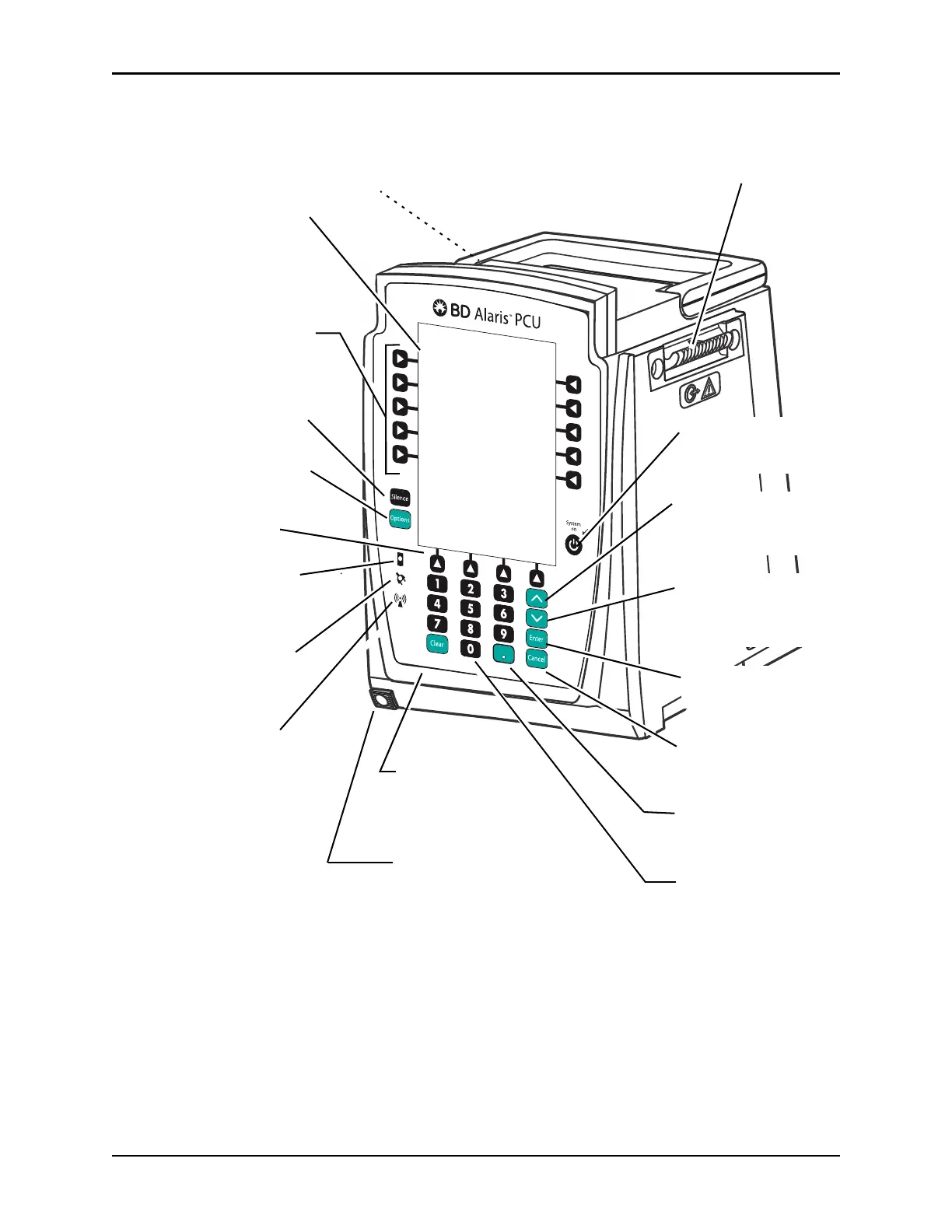
IUI Connector, Left
(not visible)
IUI Connector, Right
Options Key: When pressed,
allows access to available
System or Channel Options.
Silence Key: When pressed
during an alarm, silences audio
for 2 minutes.
Soft Keys: When pressed,
allows selection of options or
infusion parameters appearing
on Main Display adjacent to
soft key.
Main Display: When a key is
not pressed during a 2 minute
(± 10 sec) interval, the display
dims. Returns to normal
brightness when any key is
pressed or at initiation of alarm or
advisory.
Power Indicator: When
illuminated, indicates system
is connected to an
AC power
source.
Wireless Network
Indicator:
When illuminated,
indicates the system is connected
to systems manager. When
blinking, indicates data transfer.
Cancel Key: When pressed,
sequentially backs out of current
setup sequence.
Decimal Key: When pressed,
inserts a decimal point in numeric
data.
Numeric Keypad
Module Release Latch:
When pressed, allows
module to be removed.
Soft Keys (see above)
Battery Indicator: When
illuminated, indicates system
is operating on battery power.
Clear Key: When
pressed, clears current
selected parameter setting
to “0”.
System On Key: When
pressed, changes system
from standby to operating mode.
Up Key: When pressed,
increases parameter with each
key press or scrolls up when
pressed and held.
Down Key: When pressed,
decreased parameter with each
key press or scrolls down when
pressed and held.
Enter Key: When pressed,
confirms current parameter entry.



 To Next Page