Chapter 2—BD Alaris™ PCU Model 8015 and Alaris™ PCU Model 8015
26 BD Alaris
TM
System with Guardrails
TM
Suite MX User Manual
Adjusting Audio Volume
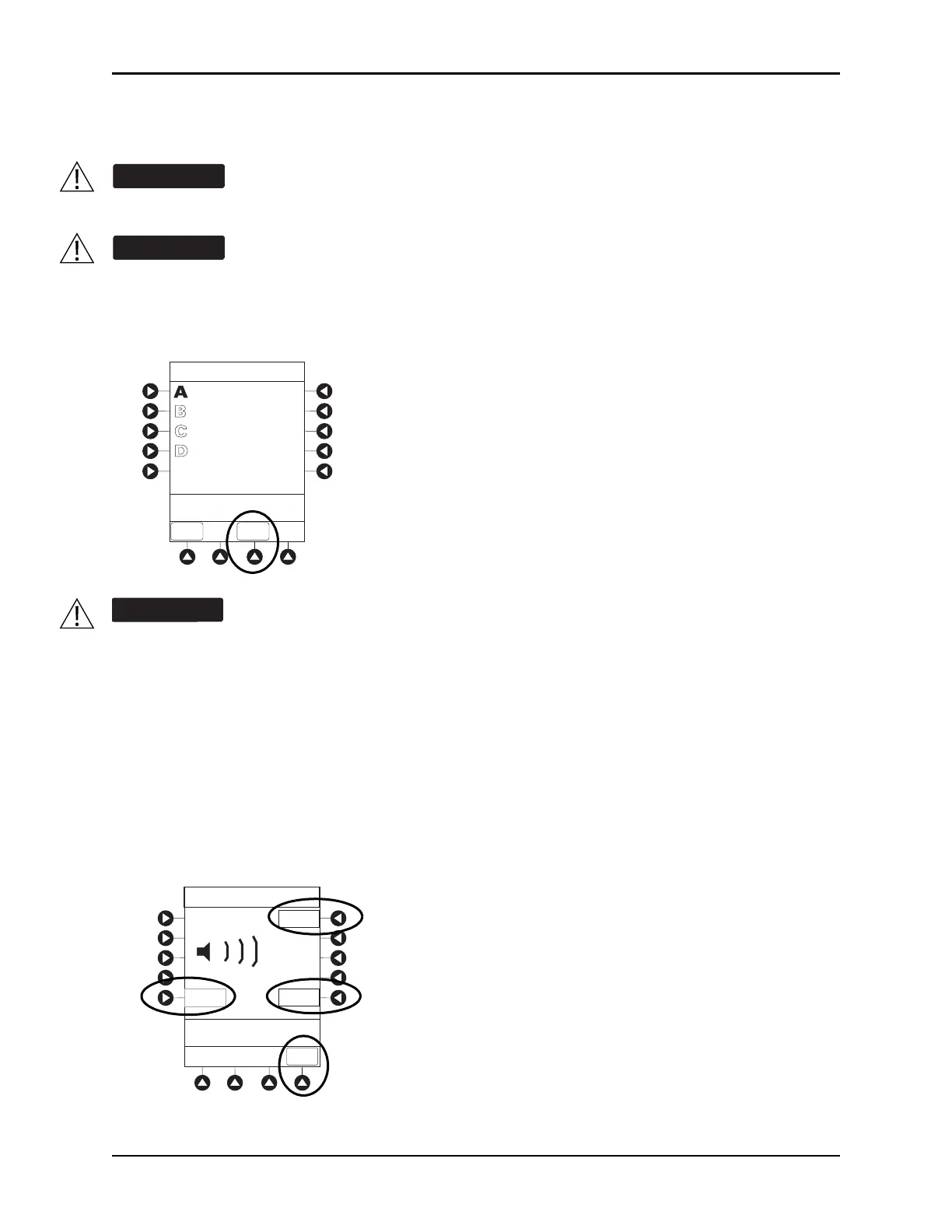
1. Press the AUDIO ADJUST soft key.
2. To change volume to the desired level, press either the Louder or the Softer soft key. To sample alarm
loudness level, press the
Test soft key.
3. To return to the main screen, press the
MAIN SCREEN soft key.
After 30 seconds without a key press, the main display ap
pears.
NOTE:
The minimum audio volume defaults to level 1. Levels 1–5 may be se
t per profile. The user is able to lower
the device audio volume to the minimum limit set. When the minimum audio volume level limit has been
reached, the Softer soft key is unavailable and the PCU emits an illegal key press audio (two beeps).
The user should check that the current alarm preset is appropriate prior to use on each patient.
A hazard can exist if different alarm presets are used for the same or similar equipment in a
single area, such as an intensive care unit or a cardiac operating theatre.
Setting the audio volume to the lowest level will lower all system alarms, including secondary
alarms such as end of infusion.
VTBI = 250.0 mL
VOLUME
INFUSED
AUDIO
ADJUST
Midtown Hospital
Adult ICU
Louder
>Change Setting or
Cancel
Audio Volume Adjust
Test
Softer
MAIN
SCREEN
3



 To Next Page