Programming
BD Alaris
TM
System with Guardrails
TM
Suite MX User Manual 213
Setting Up PCA Dose Only
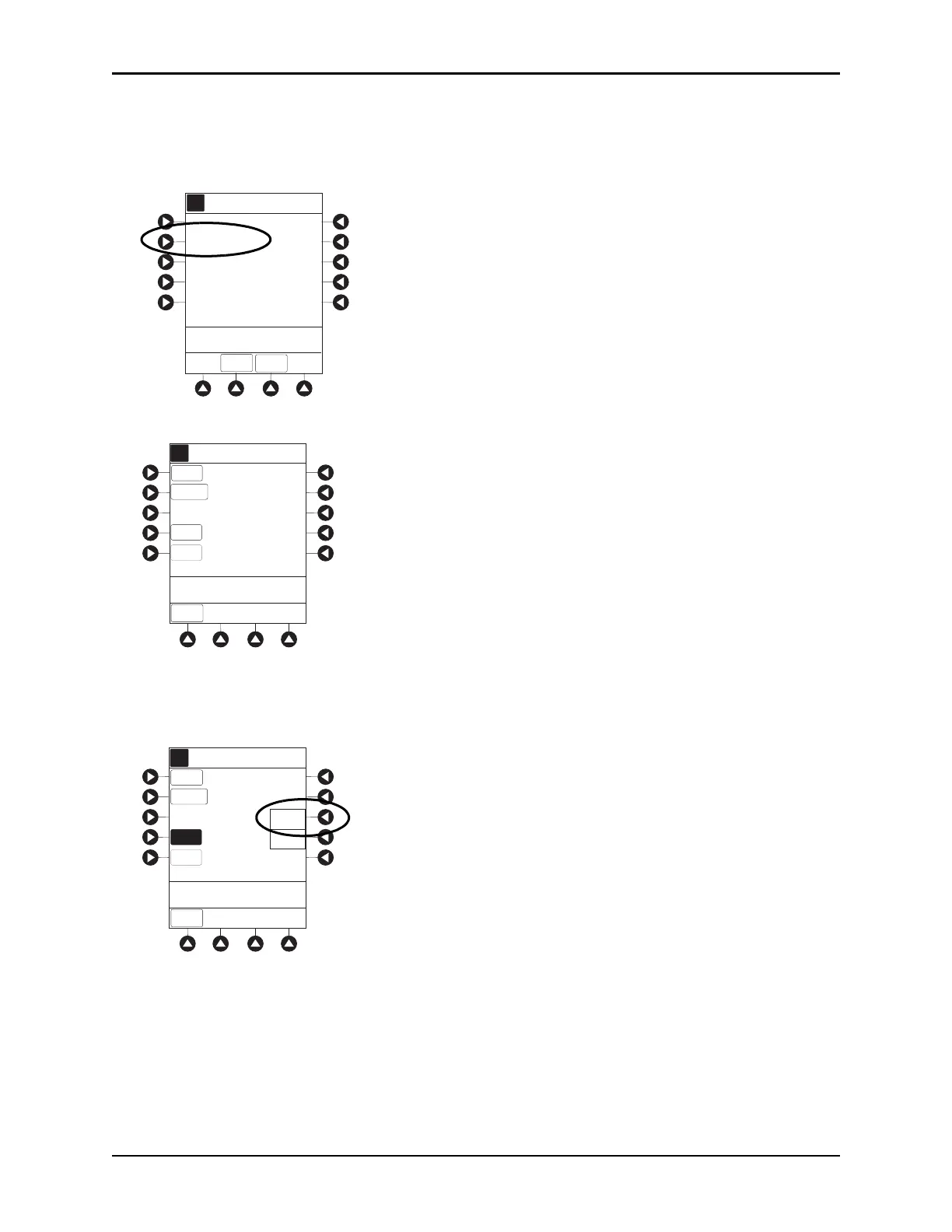
1. Perform steps in Preparing Infusion on page 208.
2. Press
PCA Dose Only soft key from Infusion Mode screen.
3. To enter PCA dose, use numeric data entry keys.
4. To enter lockout interval, press LOCKOUT INTERVAL soft key and use numeric data entry keys.
5. To enter maximum limit, press
MAX LIMIT soft key and then Yes soft key.
If
No is selected - then no MAX LIMITS will be available for this infusion.
6. Enter maximum limit using numeric data entry keys.
Time (in hours) associated with
Max Limit is automatically entered based on setup in system
configuration.
7. To enter loading dose, press LOAD DOSE soft key, press Yes soft key, and use numeric data entry keys.
Loading dose is included in volume infused but is not included in
Max Limit.
PCA Dose only
Loading Dose Only
A
Continuous Infusion
>Select an Option
Guardrails Drug Setup
Morphine
PCA
Dose + Continuous
INFUSION MODES
SETUP
DRUG
LIBRARY
[Conc]: 1 mg/mL
None
_ _ _ minutes
Morphine
PCA Only
MAX
LIMIT
A
_20mg
LOADING
DOSE
None
CHANGE
MODE
PCA
DOSE
LOCKOUT
INTERVAL
>Select LOCKOUT
INTERVAL
Guardrails Drug Setup
IMS Pre-fill 30mL
[Conc]: 1 mg/mL
10 minutes
LOCKOUT
INTERVAL
MAX
A
>Select Max Limit Option
20 mg
PCA
DOSE
LOADING
DOSE
None
CHANGE
MODE
> > > >
Yes
No
LIMIT



 To Next Page