Chapter 3—BD Alaris™ Pump Module Model 8100, Alaris™ Pump Module Model 8100, and Alaris™
Syringe Module Model 8110
144 BD Alaris
TM
System with Guardrails
TM
Suite MX User Manual
Promoting No Guardrails - Basic Infusion to Guardrails Software Protection
Infusion
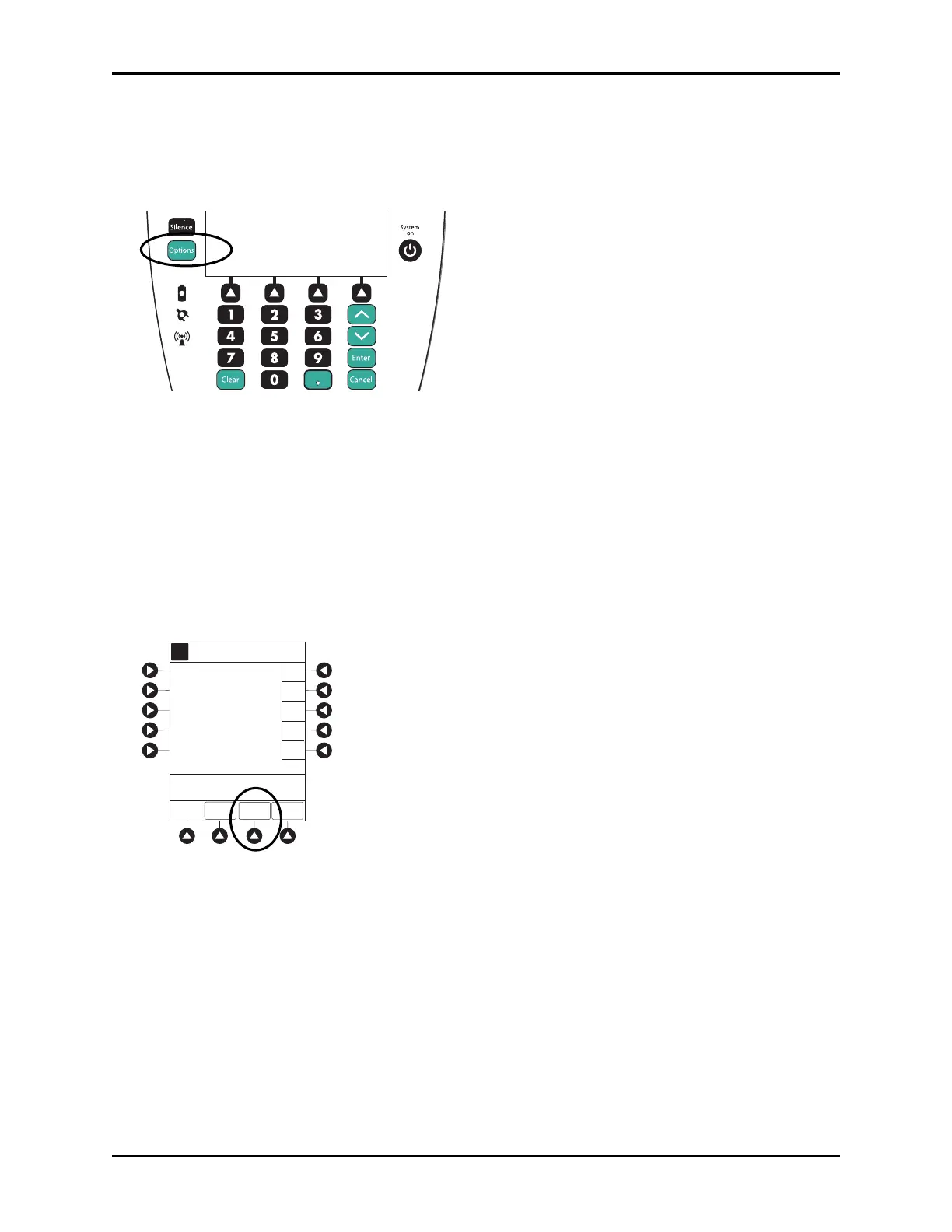
1. Press the CHANNEL SELECT key on module running infusion to be promoted.
2. Press the
OPTIONS key.
3. Press the Guardrails Drugs soft key.
4. Continue programming (see Programming with Interoperability — Initial Primary Infusion on
page 123).
NOTE:
No Guardrails
- Basic Infusions can only be promoted to Guardrails Continuous Infusion or Guardrails IV
Fluids. A No Guardrails - Basic Infusion cannot be promoted to a Guardrails intermittent drug.
No Guardrails - Basic Infusion with Drug Calculation
1. Press the Guardrails Drugs soft key.
2. Press the
DRUG CALC soft key.
Options
Silence
Clear Cancel
Enter
System
on
EXIT
A
PAGE
DOWN
A
>Select Drug
Acyclovir
Amphoterocin B
Carboplatin
Cyclophosphamide
K-O
F-J
P-T
U-Z
A-E
Guardrails Drugs
Adult ICU
Aminophylline
DRUG
CALC



 To Next Page