Chapter 3—BD Alaris™ Pump Module Model 8100, Alaris™ Pump Module Model 8100, and Alaris™
Syringe Module Model 8110
166 BD Alaris
TM
System with Guardrails
TM
Suite MX User Manual
2. Open plunger grippers and syringe barrel clamp.
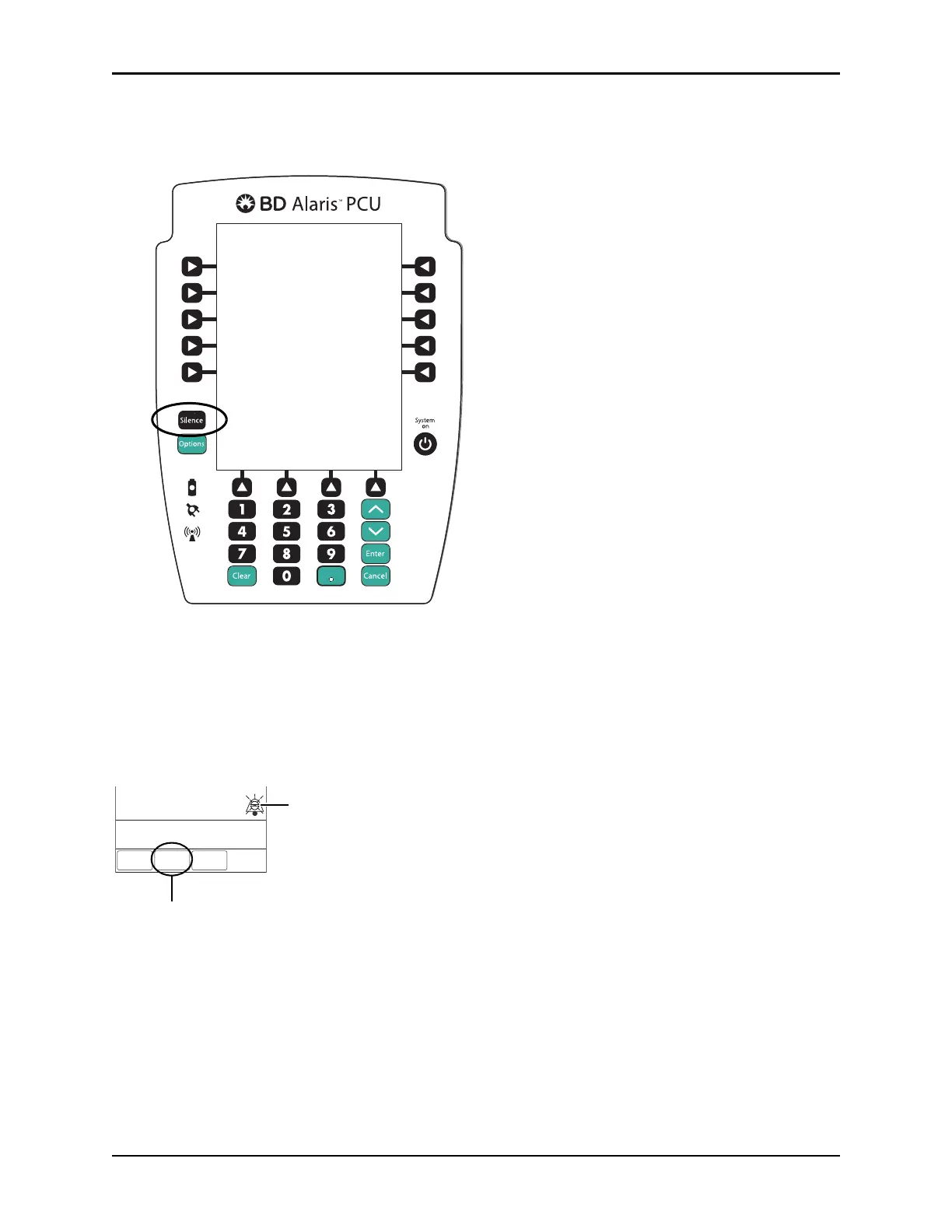
• An audio alarm sounds—to silence, press the
SILENCE key.
• Red Alarm Status Indicator flashes.
•
CHECK SYRINGE scrolls in Message Display.
•The
CANCEL SILENCE soft key is displayed and an Infusion Alarm Silence symbol appears in
lower right of PCU screen.
NOTE:
Press the
CANCEL SILENCE soft key to reactivate a previously silenced alarm audio. If the alarm condition
has not been resolved, the alarm audio will resume.
3. Remove syringe and separate administration set from syringe.
4. Reattach administration set to
new syringe and load new syringe (see Preparing Syringe and
Administration Set (Syringe Module) on
page 71).
5. Select syringe type and size (see Manual Programming with Guardrails™ Suite MX on pa
ge 88).
6. Press the
CONFIRM soft key.
Options
Silence
Clear Cancel
Enter
System
on
Alaris PCU
TM
VOLUME
INFUSED
AUDIO
ADJUST
Patinet ID:
234567891EF
CANCEL
SILENCE
CANCEL SILENCE
Infusion Alarm



 To Next Page