Chapter 6—Alaris™ EtCO
2
Module Model 8300
290 BD Alaris
TM
System with Guardrails
TM
Suite MX User Manual
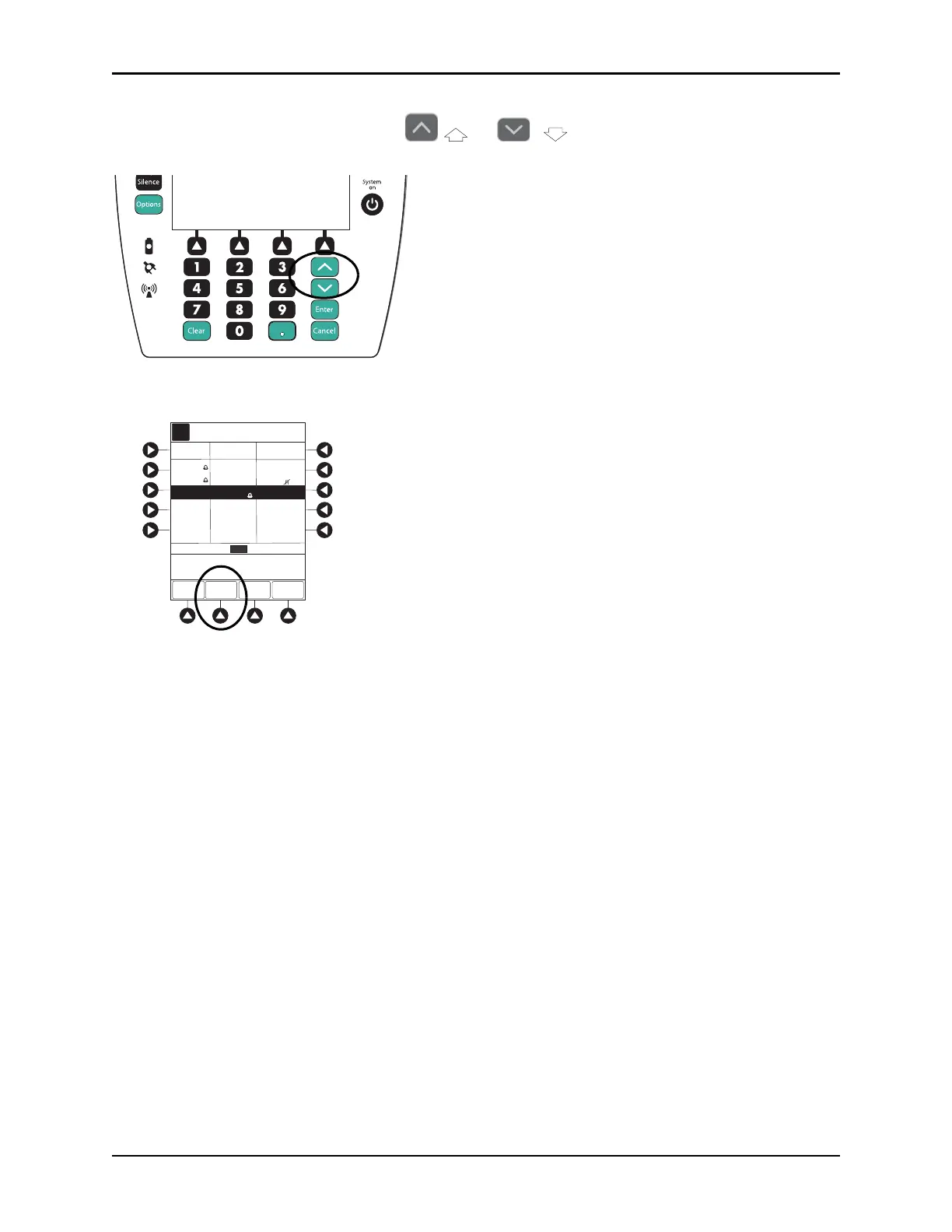
3. To scroll data one row at a time, press or key.
4. To change the
TIME increments for data review, move the cursor to the desired time period and press
the
ZOOM soft key.
• New time increments display.
• Each press of
ZOOM soft key changes time increments.
5. To return to
ETCO2 Main display, press ETCO2 Main soft key.
6. To return to Main Display, press
MAIN SCREEN soft key.
Options
Silence
Clear Cancel
Enter
System
on
PAGE
UP
A
>Press UP/DOWN Keys
to Move Cursor.
PAGE
DOWN
ZOOM
ETCO2
MAIN
ZOOM: 60 5 minutes
TIME
RRETCO2
AVG
MIN
MAX
AVG
MIN
MAX
2001-07-06
21:28
20:58
20:28
41
34
45
---
39
37
44
11
10
14
---
12
11
14
22:28
40
44
39
12
16
11
21:58
41
39
45
13
20
1120
Trend Data
Adult Mode
09:00
30
19:58
39
37
44
12
11
14
Fi
Fi



 To Next Page