Alarm Settings
ClareVision Plus Network Video Recorder User Manual 105
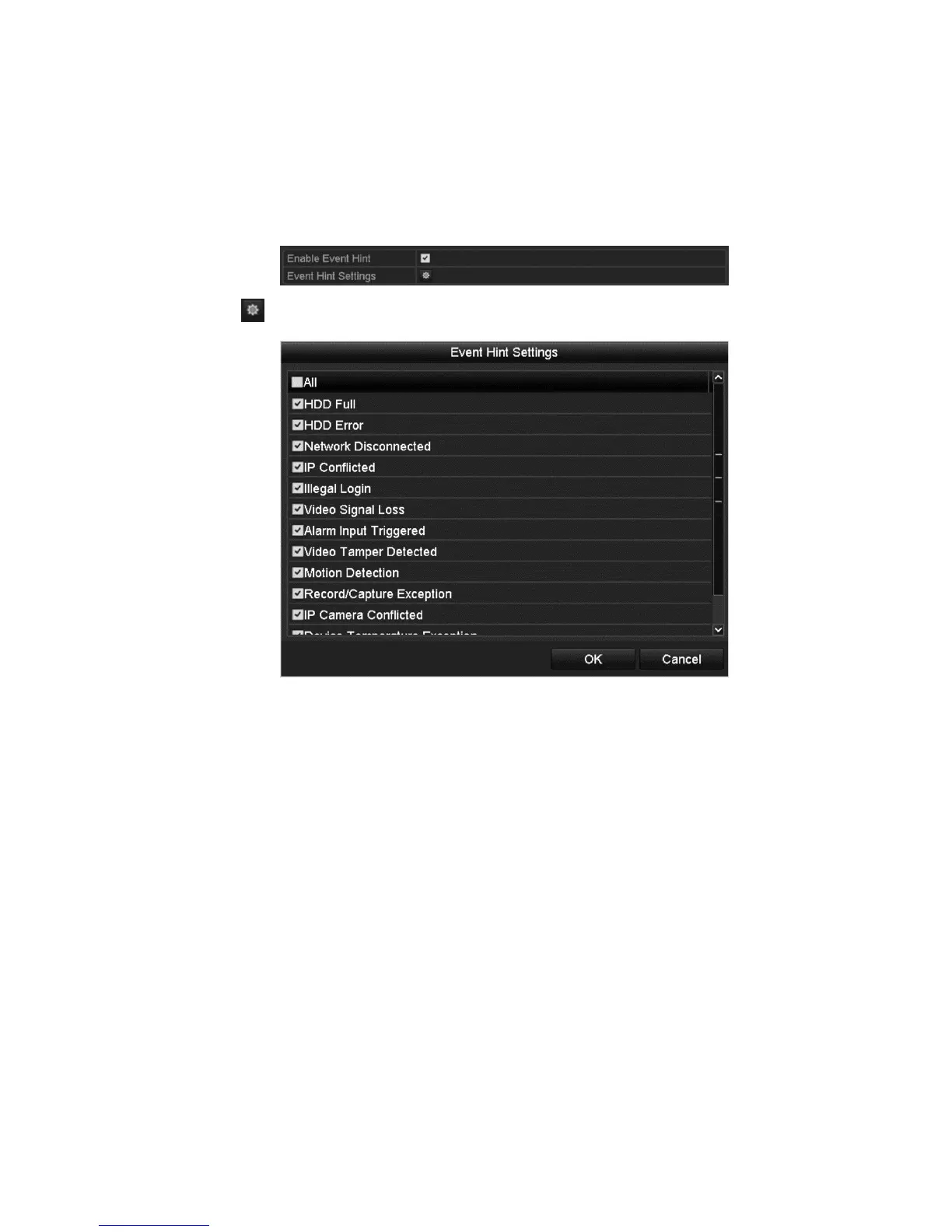
To configure an event hint:
1. Browse to the Exception settings interface.
Menu > Configuration > Exceptions
2. Select the Enable Event Hint checkbox.
3. Click to set the event type displayed on the image.
4. Click OK.
Full screen monitoring
When an alarm is triggered, the local monitor (VGA, HDMI, or BNC monitor)
displays in full screen.
If alarms are triggered simultaneously in several channels, their full-screen
images are switched at a ten second interval (default dwell time). You can set a
different dwell time by going to Menu > Configuration > Live View > General >
Full Screen Monitoring Dwell Time.
Auto-switch terminates once the alarm stops. You are then taken back to the Live
View interface.
Note: You must select the Trigger Channel settings for the channels you want to
make full screen.
Audible warning
This triggers an audible beep when an alarm is detected.



 To Next Page