124 Network Video Recorder User Manual
Network Settings
Configuring general settings
You must properly configure network settings before you can operate an NVR
over the network.
To configure general settings:
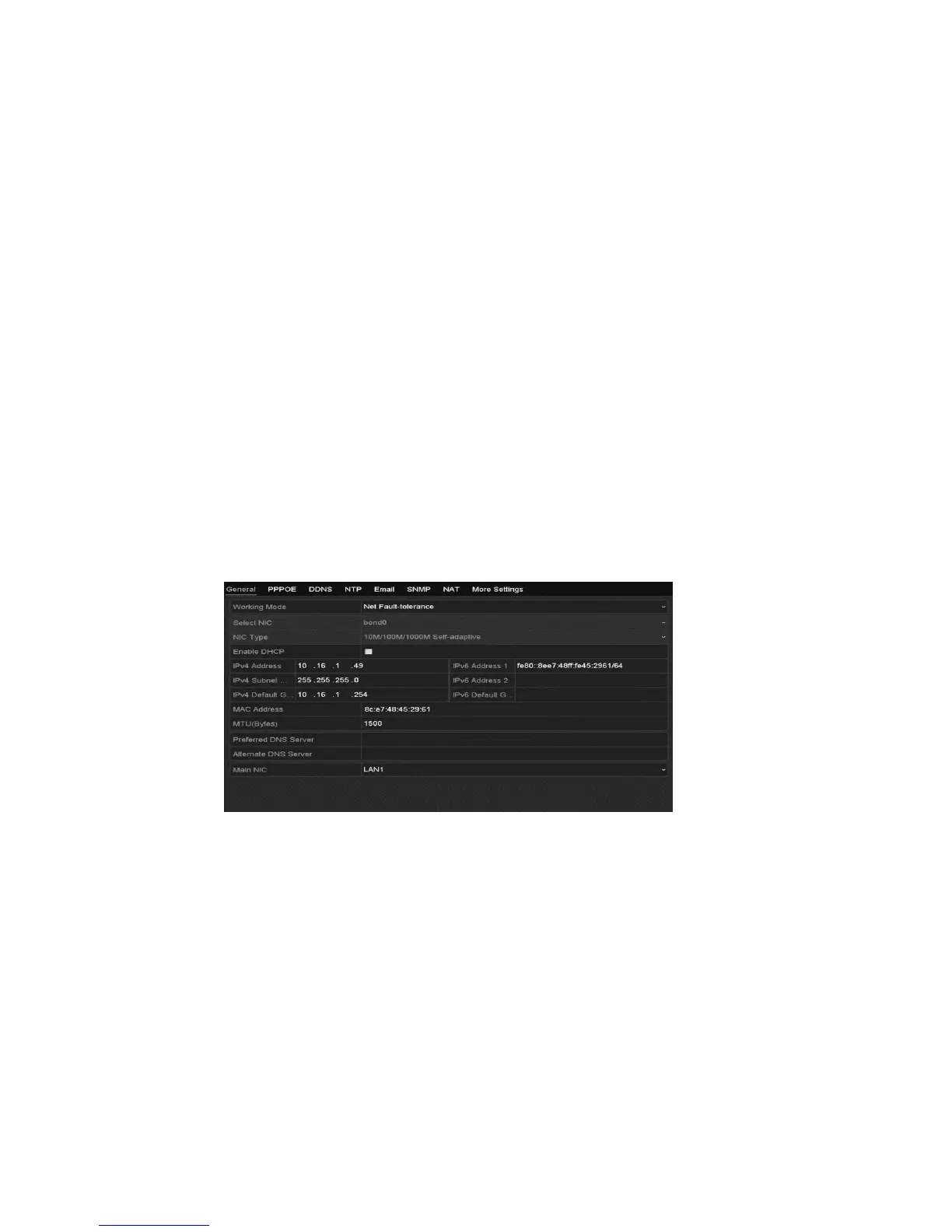
1. Browse to the Network Settings interface.
Menu > Configuration > Network
2. Click the General tab.
3. In the General Settings interface, configure the following settings: Working
Mode, NIC Type, IPv4 Address, IPv4 Gateway, MTU and DNS Server.
Note: MTU range is 500 through 9676.
4. If the DHCP server is available, you can select the DHCP checkbox to
automatically obtain an IP address and other network settings from that
server.
Note: For the 16 and 32-Channel NVRs, you must configure the internal NIC
address so that IP addresses are assigned to the cameras connected to the
PoE interfaces.
5. Click Apply to save the settings.



 To Next Page